
Before you can use python in the Linux terminal, you need to download the python version that you wish to utilize on your operating system.
For example your python version might be 3.12 so make the call “python3 –version”

After you confirm python is downloaded run the application by calling the version for example, “python3” is the version I’ve got so I will call that version.
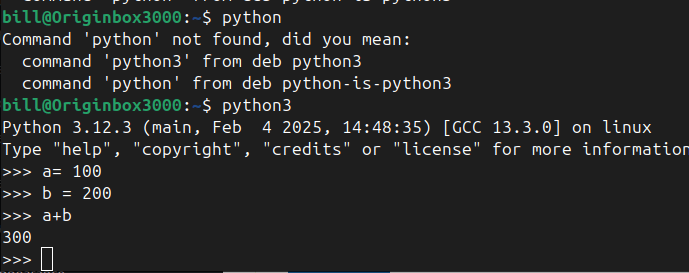
After your done using python in the terminal you can type the command “exit()” to exit the python application.

You can also run Python scripts by typing python3 your_script.py, replacing “your_script.py” with the name or path of the Python file you want to execute. Additionally, if you need extra libraries, you can install them via pip3 install package_name, which downloads and installs the desired package from the Python Package Index (PyPI).
This combination of checking your Python version, installing Python if needed, and using the interpreter or script execution commands provides a straightforward foundation for working with Python in a Linux environment.
BitcoinVersus.Tech Editor’s Note:
We volunteer daily to ensure the credibility of the information on this platform is Verifiably True. If you would like to support to help further secure the integrity of our research initiatives, please donate here
BitcoinVersus.tech is not a financial advisor. This media platform reports on financial subjects purely for informational purposes.

 Bitcoin Versus
Leave a comment