The uname command in Linux prints system information about the current machine.
Specifically, it reports details such as the kernel name, kernel release, kernel version, machine hardware name, and the operating system.
This command is commonly used by administrators and users alike to quickly determine system details for troubleshooting, software compatibility checks, or documenting system configurations.
In the provided screenshot sequence:
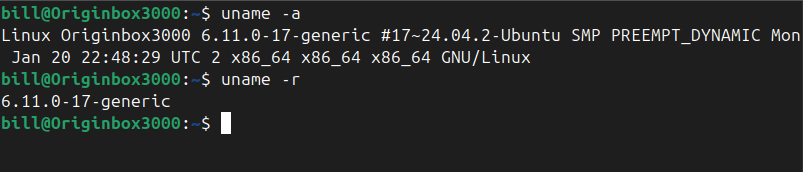
uname -a prints all available system information, displaying the kernel name (Linux), the hostname (Originbox3000), the kernel release (6.11.0-17-generic), kernel version (#17~24.04.2-Ubuntu SMP PREEMPT_DYNAMIC Mon Jan 20 22:48:29 UTC 2), architecture (x86_64), and operating system (GNU/Linux).
uname -r specifically prints only the kernel release version, showing just the detail: 6.11.0-17-generic.
BitcoinVersus.Tech Editor’s Note:
We volunteer daily to ensure the credibility of the information on this platform is Verifiably True. If you would like to support to help further secure the integrity of our research initiatives, please donate hereBitcoinVersus.tech is not a financial advisor. This media platform reports on financial subjects purely for informational purposes.
 Bitcoin Versus
Leave a comment