The shutdown command in Linux safely powers off or reboots a system, allowing users and administrators to schedule the shutdown after a certain time interval or at a specific time.
It ensures the system terminates all processes correctly and prevents data corruption.
The command accepts various parameters to specify time and behavior, with the option -c used to cancel a scheduled shutdown.
In the provided terminal screenshot, the user first runs the command sudo shutdown +4, which schedules the system to shut down after 4 minutes.
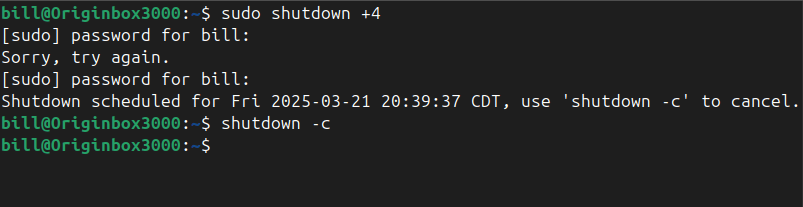
After correctly authenticating with their password, the terminal confirms the shutdown has been scheduled, displaying the precise shutdown time.
Immediately afterward, the user issues the shutdown -c command, canceling the previously scheduled shutdown operation and restoring the system to normal operation.
BitcoinVersus.Tech Editor’s Note:
We volunteer daily to ensure the credibility of the information on this platform is Verifiably True. If you would like to support to help further secure the integrity of our research initiatives, please donate here
BitcoinVersus.tech is not a financial advisor. This media platform reports on financial subjects purely for informational purposes.
 Bitcoin Versus
Leave a comment