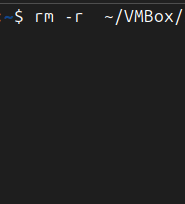
The rm command in Linux is used to remove (delete) files and directories from the filesystem.
It stands for “remove” and is one of the most powerful and potentially destructive commands if used without care. A basic usage like rm file.txt deletes the specified file permanently — there’s no trash or recycle bin involved.
To remove directories and their contents recursively, users often use rm -r directory/. You can also add -f (force) to skip confirmation prompts, like rm -rf directory/, which is a commonly used — and potentially dangerous — combination.
This command does not move files to a recovery area; it permanently erases them. That’s why it’s essential to double-check the target path before executing.
For Linux+ exam takers, understanding the flags (-r, -f, -i, etc.) and the risks of using rm is critical for both effective file management and safe system operation.
AD:
Use the code BILLBURTON at check out to Get 5% off Bitaxe Mining Products
Limited to one use per customer:https://tinychiphub.com/BILLBURTON
BitcoinVersus.Tech Editor’s Note:
We volunteer daily to ensure the credibility of the information on this platform is Verifiably True. If you would like to support to help further secure the integrity of our research initiatives, please donate here
BitcoinVersus.tech is not a financial advisor. This media platform reports on financial subjects purely for informational purposes.
 Bitcoin Versus
Leave a comment