
The /var directory in Linux is where variable, constantly changing files are stored. It contains logs, mail spools, databases, temporary caches, and other files that grow or update as the system runs. Subdirectories like /var/log hold system logs, /var/spool manages queued jobs like print tasks or mail, and /var/tmp temporarily holds files that should survive reboots but aren’t permanent. Unlike static directories like /usr or /etc, which remain relatively fixed, /var is designed for files that change frequently.
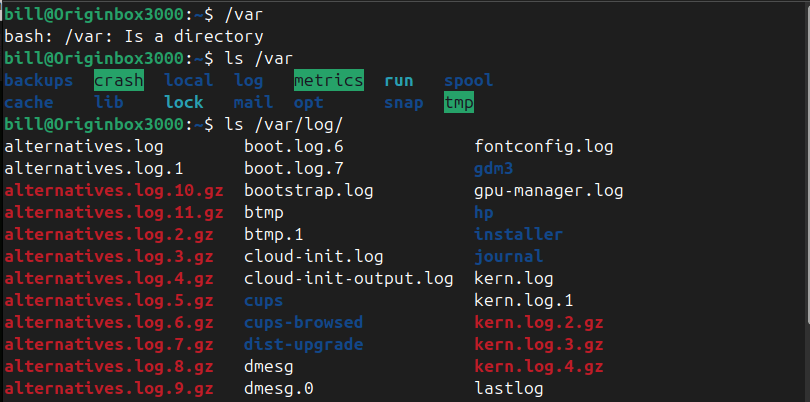
In the screenshot, the user types /var, and the terminal responds by informing them that /var is a directory. The user then uses ls /var to list the contents of the /var directory, which includes important subdirectories like log, mail, spool, and tmp. Afterward, the user runs ls /var/log to view the detailed contents of the log folder, displaying system log files such as kern.log, dmesg, and several compressed .gz archives, which are critical for monitoring system health and troubleshooting.
 Bitcoin Versus
Leave a comment