
The taskkill command is a powerful Windows OS CLI tool that allows users to forcefully terminate running processes directly from the terminal. Unlike the Task Manager’s graphical interface, taskkill gives users precise control over which processes to end, either by using the process name (also called the image name) or its unique process ID (PID).
For example, to close all instances of Notepad, a user would enter taskkill /IM notepad.exe /F, where /IM specifies the image name and /F applies a forceful termination. Alternatively, a specific process ID can be targeted using taskkill /PID 1234 /F, with the PID acquired by first running the tasklist command.
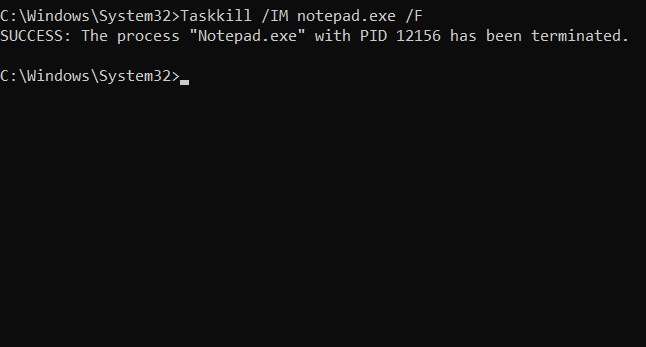
For more advanced scenarios, such as shutting down parent and child processes spawned by a script or batch operation, appending the /T flag ensures all related processes are terminated.
This command is especially useful when dealing with frozen applications, background services, or rogue scripts that cannot be closed through normal means.
For best results, it should be executed in an administration Command Prompt window to guarantee the necessary permissions are available.
With taskkill, users unlock deeper control over Windows process management, streamlining troubleshooting and system performance optimization directly from the command line.
BitcoinVersus.Tech Editor’s Note:
We volunteer daily to ensure the credibility of the information on this platform is Verifiably True. If you would like to support to help further secure the integrity of our research initiatives, please donate here
BitcoinVersus.tech is not a financial advisor. This media platform reports on financial subjects purely for informational purposes.
 Bitcoin Versus
Leave a comment