
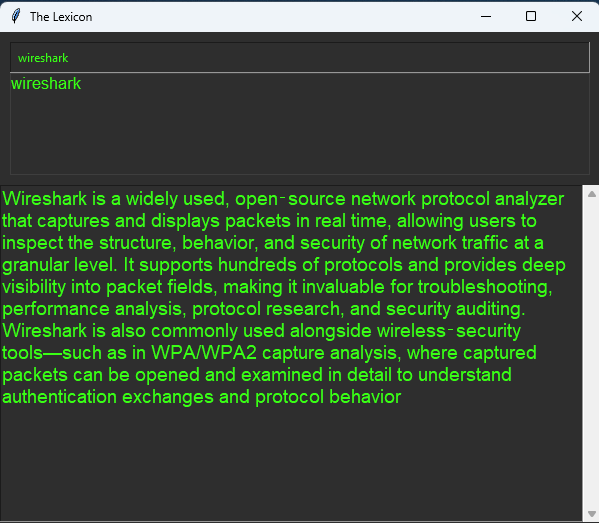
Installing Wireshark on Ubuntu is far easier through the terminal because Ubuntu already includes the correct Wireshark package in its official repositories.
Instead of hunting through confusing alphabetical package indexes, mismatched versions, or multiple repository categories on the web, the terminal lets Ubuntu automatically detect your system version, architecture, and dependencies. A simple command like:
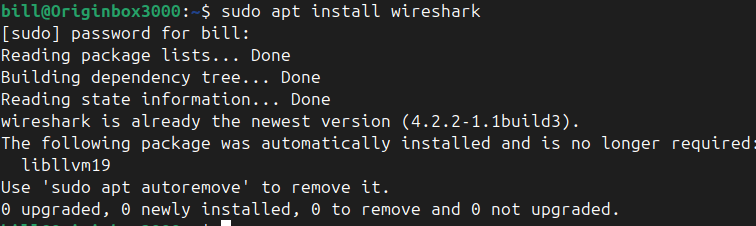
sudo apt install wireshark
pulls the exact build meant for Ubuntu 24.04 LTS, installs all required libraries, and keeps everything consistent with the rest of your system. This avoids the risk of downloading the wrong .deb file or dealing with broken dependencies from a mismatched release.
By contrast, trying to manually download Wireshark from the internet means navigating pages that list every package in the repository, not just the one you need.
These pages aren’t exactly user friendly, they’re meant for automated tools, so you end up scrolling through unrelated packages like WireGuard, wireless utilities, and dozens of library files. It’s easy to get lost, pick the wrong version, or miss the correct file entirely. The terminal bypasses all of that by letting Ubuntu’s package manager do the work for you, making the installation faster, cleaner, and far less frustrating.
BitcoinVersus.Tech Editor’s Note:
We volunteer daily to ensure the credibility of the information on this platform is Verifiably True.
If you would like to support to help further secure the integrity of our research initiatives, please donate here: bc1q5qgtq8szqa6yy38tqpsyuk3hynq8zy3xvqhsvzecj8lnryrnzhmqsfmwhh
 Bitcoin Versus
Leave a comment