Command #2: tracert (Windows OS)


The ‘tracert’ command, short for ‘Trace Route,’ is a network diagnostic tool that tracks the path data packets take from your device to a specified IP address or domain.
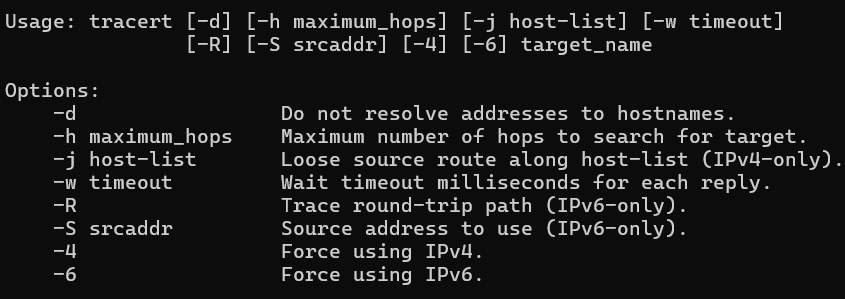
By listing each hop and measuring the time it takes to travel between them, ‘tracert’ helps identify delays or connection issues along the route.

For instance, executing ‘tracert example.com’ reveals the complete path packets follow to reach the ‘example.com’ server, aiding in troubleshooting network bottlenecks and routing problems.

3 responses to “Command #2: tracert (Windows OS)”

  1. […] For anyone struggling with a bricked SupraHex, I highly recommend learning python and the fundamentals of UART serial communication. I also encourage you to look into how to install python packages like esptool.py, BitaxeTool, and basic network troubleshooting. […]

    Like

  2. […] tracert / traceroute: Shows the path a packet takes to a destination. […]

    Like

  3. […] has covered the command itself before in the 2024 tracert guide and the newer 2026 Windows tracert update. This evergreen explains the bigger idea: what traceroute […]

    Like

Leave a Reply