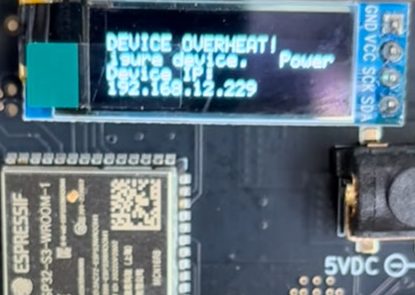
When your Bitaxe Gamma 601 periodically overheats, you’ll notice an indicator in your firmware UI and a “device overheat” message displayed on the miner’s LED screen.
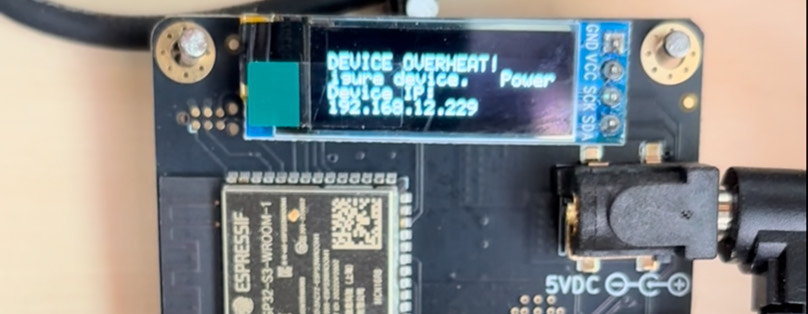
Don’t worry; Resolving it is straightforward.
First, open your firmware “settings.”

Make sure to reset the frequency and core voltage to the default values recommended for your ASIC chip.

Typically, for the BM 1370 Chip, this means setting your Frequency to ‘525 (default)’ and Core Voltage to ‘1150 (default).’
Some chips will have a different setting, slightly lower or higher.
It ultimately depends on the vendor that you buy from or – if your building it yourself, then you’ll obviously adjust those settings accordingly.
Click the red “Disable Overheat Mode” button.

Click “Save” and then “Restart” your bitaxe Machine

Regardless of the Bitaxe model, I recommend sticking with the ‘default’ frequency and voltage ratings for your Bitaxe machine until you get comfortable with adjusting any settings.
After restarting, your device will exit overheat mode and return to normal operation.
BitcoinVersus.Tech Editor’s Note:
We volunteer daily to ensure the credibility of the information on this platform is Verifiably True. If you would like to support to help further secure the integrity of our research initiatives, please donate here
BitcoinVersus.tech is not a financial advisor. This media platform reports on financial subjects purely for informational purposes.

 Bitcoin Versus
Leave a comment