
Being able to convert a Google Doc to a Word document (or a much desired .pdf document) on your iPhone will most likely streamline your workflow.
This skill is particularly useful when you’re on the go and need to edit or share documents quickly.
Additionally, having your resume stored on your iPhone gives you a competitive edge with companies that support the one-tap apply feature. This convenience ensures you can respond promptly to new opportunities.
Step 1: Download and Open the Google Docs App
Open the Google Docs app on your iPhone or iPad and find the document you want to convert.
Step 2: Access the “Share & Export” Menu
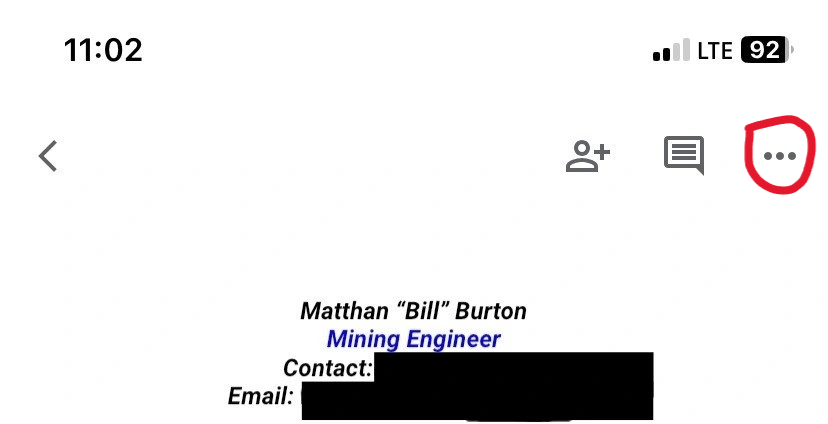
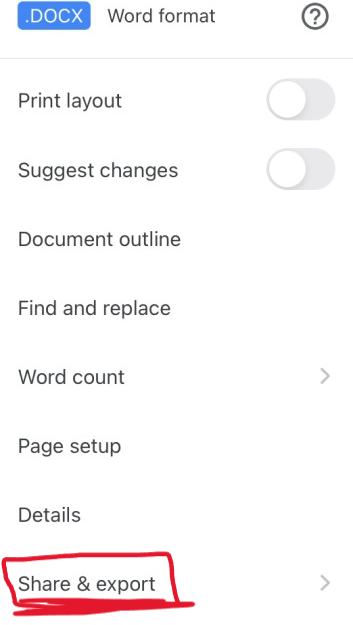
Once you’re done with your Google Doc, tap the three vertical dots in the top right corner to open the “Share & export” menu.
Step 3: Choose the “Save as word (.docx)” Option
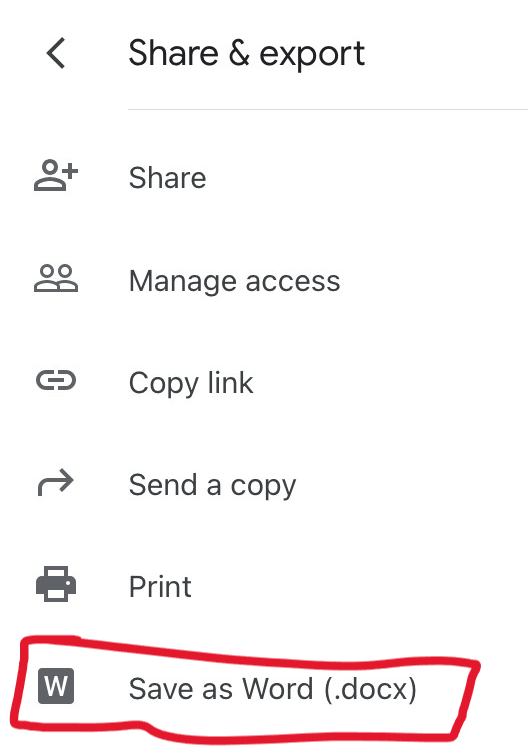
Select the Share and Export and select “Word (.docx)” from the format options.
Step 4: Send a Copy of the Word Document
Re-Open Google Docs. You should see your newly converted word document available. Click on the 3 dots at the bottom right corner of the Doc. Decide which format you want to utilize, then select “OK.”
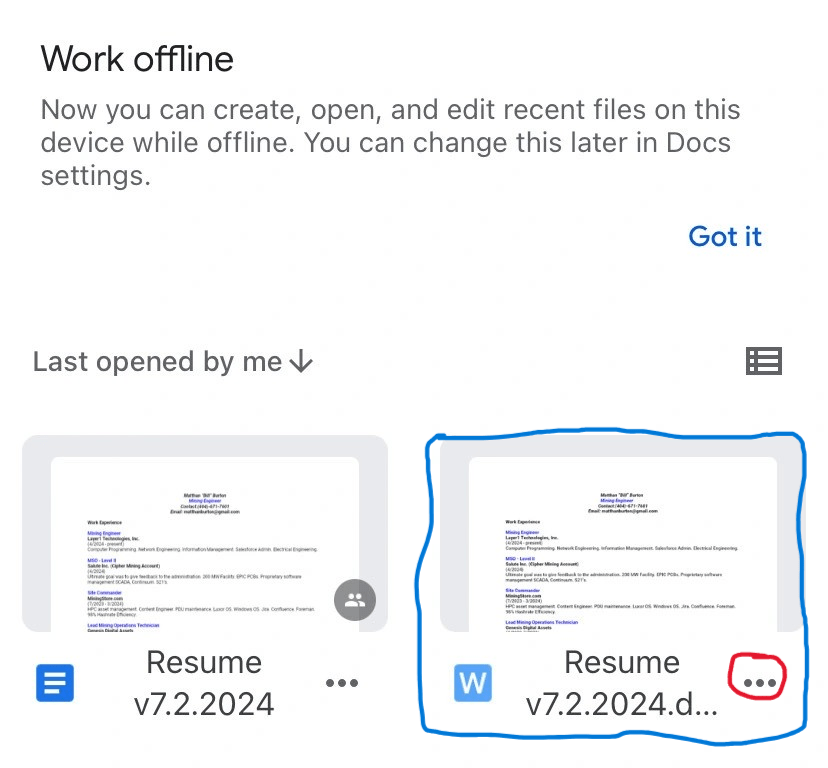

Step 5: Share to Desired Party
Congratulations! You can now send your document to anyone via several different applications.
Step 6: Access Your Word Document
Open the “Files” application. You will see your newly saved document is ready for sharing.


Overall, mastering this simple yet effective skill can significantly streamline your workflow and improve your efficiency in both professional and personal settings.
BitcoinVersus.Tech Editor’s Note:
We volunteer daily to ensure the credibility of the information on this platform is Verifiably True.
If you would like to support to help further secure the integrity of our research initiatives, please donate here: bc1qrved9tfquym6u3age7xhmnkjs2lq8j9aulperagkuhtuk5w5c35ssfpge8
BitcoinVersus.tech is not a financial advisor. This media platform reports on financial subjects purely for informational purposes.

 Bitcoin Versus
Leave a reply to Apple Opens iPhone NFC Chip to Third Parties, Paving Way for Bitcoin Payments – Bitcoin Versus Cancel reply