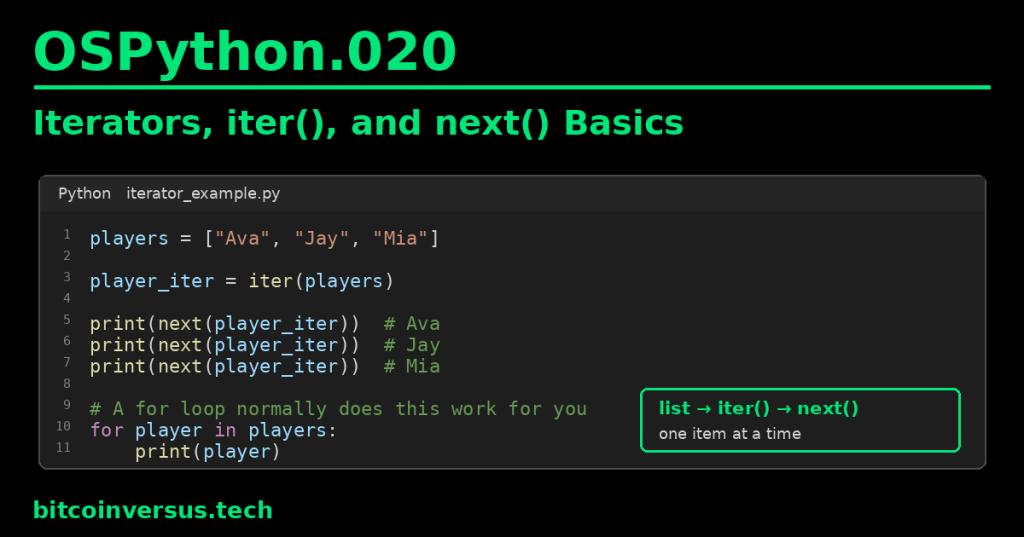
An iterator gives you one item at a time and remembers where it is.
You already use iteration whenever you write a for loop. In this lesson, we look underneath the loop and see the simple tools Python uses: iter() and next().
Start with a normal list
players = ["Ava", "Jay", "Mia"]The list contains three names. We can ask Python for an iterator over that list:
player_iter = iter(players)iter(players) does not give us the first name immediately. It gives us an iterator object that can move through the list one item at a time.
Use next() to get one item
print(next(player_iter))
print(next(player_iter))
print(next(player_iter))
The output is:
Ava
Jay
Mia
Each call to next() asks for the next available item. The iterator remembers its position between calls.
Video 1: Iterators and iterables
Iterable vs. iterator
These words sound almost the same, so keep the distinction simple:
- Iterable: something Python can get an iterator from. A list is a common example.
- Iterator: the object that returns items one at a time as you call
next().
players = ["Ava", "Jay", "Mia"]   # iterable
player_iter = iter(players)        # iterator
A useful mental picture is:
list
  ↓ iter()
iterator
  ↓ next()
one item
  ↓ next()
next item
What happens when there are no items left?
After the iterator reaches the end, another next() call normally raises StopIteration.
players = ["Ava"]

player_iter = iter(players)

print(next(player_iter))  # Ava
print(next(player_iter))  # StopIteration
StopIteration is Python’s way of signaling that this iterator has no next item.
Video 2: iter() and next()
A for loop normally handles this for you
Most of the time, you do not manually call iter() and next() just to loop through a list.
players = ["Ava", "Jay", "Mia"]

for player in players:
    print(player)
The for loop handles the iteration process for you. Conceptually, Python gets an iterator, asks it for items, and stops when the iterator is exhausted.
This connects directly to OSPython.004: For Loops, Range, and Iteration. Back then, you learned how to use a loop. Now you are learning what makes that style of iteration possible.
How this connects to generators
The previous lesson, OSPython.019: Generators and yield Basics, introduced generator functions.
A generator object is also an iterator. That is why next() works with a generator:
def countdown():
    yield 3
    yield 2
    yield 1

timer = countdown()

print(next(timer))  # 3
print(next(timer))  # 2
print(next(timer))  # 1
You do not need to memorize the deeper protocol yet. Just notice the same behavior: one item at a time, with position remembered between calls.
Video 3: Iterable, iterator, and the iterator protocol
Simple gaming example
Imagine a game has three players waiting for their turn:
turn_order = ["Player 1", "Player 2", "Player 3"]

turns = iter(turn_order)

print(next(turns))  # Player 1
print(next(turns))  # Player 2
print(next(turns))  # Player 3
The iterator remembers which player’s turn comes next. That is the core idea.
Common beginner mistakes
- Thinking an iterable and an iterator are always the same object.
- Calling
next()on a normal list instead of first getting an iterator withiter(). - Forgetting that an iterator keeps its current position.
- Calling
next()after the iterator is exhausted and being surprised byStopIteration. - Manually using
next()when a normalforloop would be clearer.
Quick practice
- Create
colors = ["red", "green", "blue"]. - Create an iterator with
color_iter = iter(colors). - Call
next(color_iter)three times and print each result. - Explain what the iterator is remembering.
- Rewrite the same example using a normal
forloop.
Key takeaway
An iterable can provide an iterator. An iterator returns items one at a time and remembers its position. iter() gets an iterator, next() asks it for the next item, and a normal for loop usually manages this process for you.


Leave a Reply