
Microsoft expanded Windows 11’s redesigned Search on October 30, adding inline controls for audio volume, screen brightness and cursor size, along with calling and messaging actions for connected Android phones. The features are rolling out in experimental Insider builds, not yet to every Windows 11 computer.
The latest Experimental build 26340.9843 and Experimental (26H1) build 28120.3393 let users adjust supported settings with sliders directly inside the taskbar Search panel. Previously, many searches ended by opening a separate Settings page. The company began testing the redesigned, WinUI 3-based Search earlier in October; today’s update expands its capabilities rather than introducing the interface for the first time.

Search gets phone actions and richer results
Search can now initiate calls or text messages, or reach phone controls such as Do Not Disturb, through Phone Link. Microsoft says compatible Android phones are supported now, while similar iPhone actions are planned for early 2027. A connected supported device is necessary; entering someone’s name will not make an unpaired phone available.
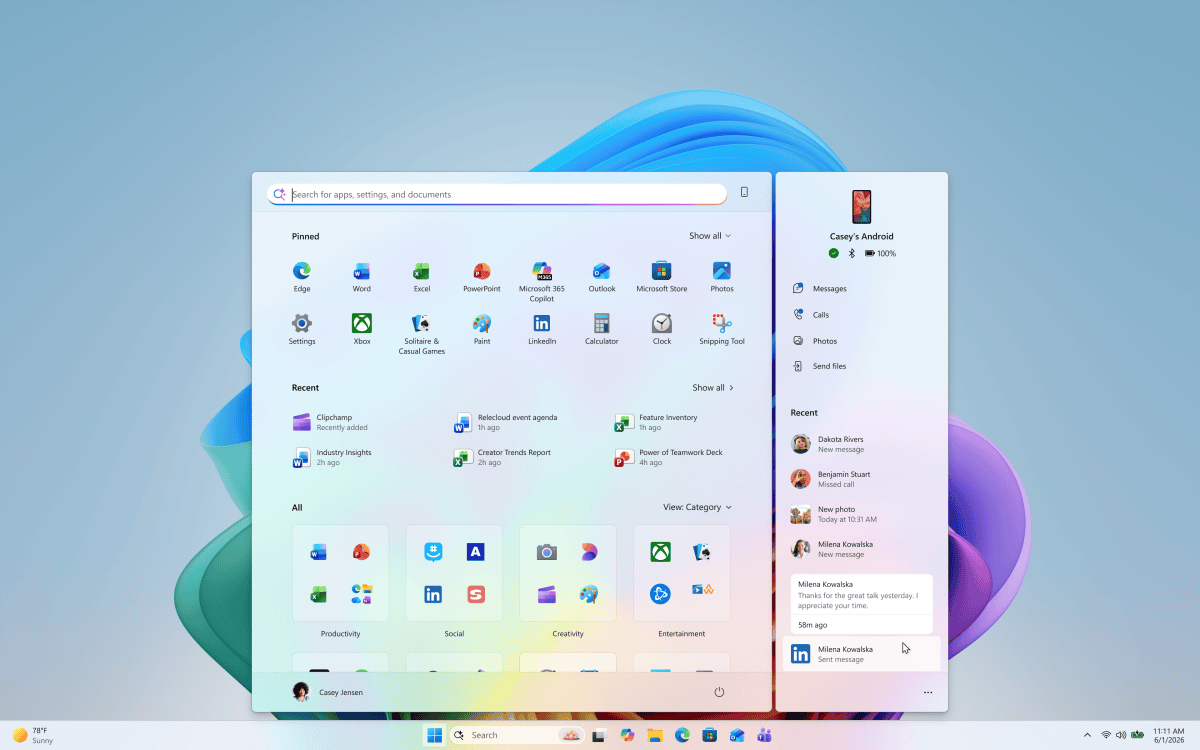
Microsoft is also adding richer search results, including document previews and metadata such as file locations, authors and modification dates. Users can filter results by files, settings and actions, and disable Microsoft Store or web suggestions through Settings when they prefer more local results.
Search results gain thumbs-up and thumbs-down feedback, while recent suggestions can be removed directly from the initial screen. The latest interface remains centered near the bottom of the taskbar; adaptations for other taskbar positions and Start menu Search are still being developed.
Private workplace feedback and gradual rollout
The rollout also includes a new Microsoft Intune policy for commercial organizations. When enabled, employees’ Feedback Hub submissions stay private to Microsoft and people in their own organization, rather than appearing publicly or being shared across tenants. It does not mean Microsoft itself cannot access the feedback.
Availability depends on the Insider channel, device and controlled-feature rollout. Microsoft warns that experimental features can change or be withdrawn before public release. Separate October Windows changes, including Cloud Rebuild recovery, are covered independently.
For users, the practical test is whether Search can complete familiar tasks faster without hiding relevant files or making phone controls harder to discover. Microsoft has not published independently verified productivity gains for these October 30 additions.
BitcoinVersus.Tech Editor’s Note:
We volunteer daily to ensure the credibility of the information on this platform is Verifiably True.
If you would like to support to help further secure the integrity of our research initiatives, please scan the QR code to donate (For the best results, scan the QR code on a Laptop or larger screen).



Leave a Reply