The sudo command in Linux enables authorized users to execute commands with superuser privileges, facilitating essential administrative tasks such as software installation, system configuration modifications, and service management.
Key benefits of using sudo include enhanced security by requiring explicit permission before executing potentially harmful commands, accountability through logging each use for traceability, and controlled access by allowing administrators to define user permissions and command execution capabilities via the sudoers file.
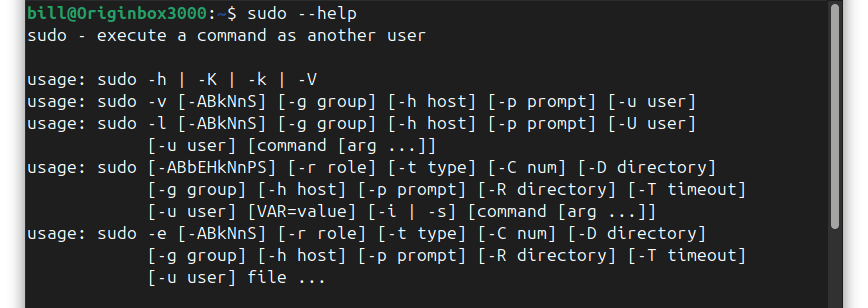
Here’s an explanation of the “sudo –help” command and how it appears in the terminal:

For system administrators, proficiency with sudo is vital for effective privilege management, ensuring system integrity by limiting unauthorized modifications, and facilitating troubleshooting processes that necessitate elevated privileges.
By mastering sudo, administrators can maintain robust control over their systems, thereby ensuring operational security and efficiency.
BitcoinVersus.tech is not a financial advisor. This media platform reports on financial subjects purely for informational purposes


Leave a Reply