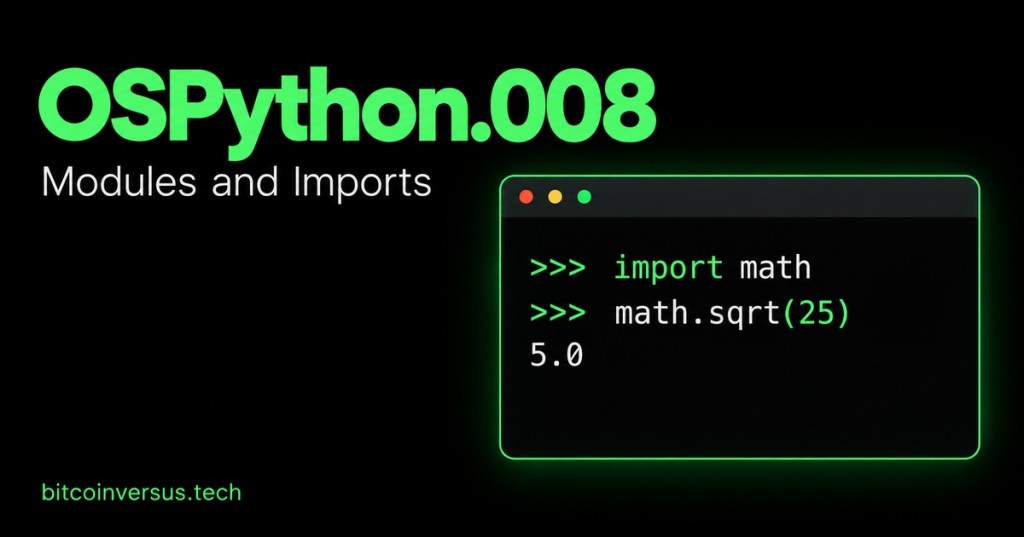
OSPython.008 introduces modules and imports. The goal is to reuse a function without copying it into every script. Begin with OSPython.001: Functions, Parameters, and Return Values and OSPython.007: Reading and Writing Files.
What Is a Module?
A Python source module is a .py file containing definitions and statements. An import makes its tools available to another program. Python also includes standard-library modules, so common tasks do not always require installing a package.
Import a Built-In Tool
import math print(math.sqrt(25))
Run the example in a Python 3 script. The output is 5.0. The name math identifies the module; sqrt is the function being called. Keeping the module name visible helps a reader identify where the function comes from.
Import One Function
from math import sqrt print(sqrt(25))
The result is still 5.0. Here, sqrt is available directly. You can also use an alias, such as import math as m, then call m.sqrt(25). Avoid from math import * in beginner scripts because it obscures which names were imported.
Watch the import walkthrough below, then build your own small module in the next exercise. The instructor’s tutorial number is separate from the OSPython lesson sequence.
Create an Equipment Module
Make a practice folder. Inside it, create a file named equipment.py and enter the following function:
def watts(volts, amps): return volts * amps
For a simple DC load, power in watts equals voltage multiplied by current. The same multiplication gives apparent power in volt-amperes for AC; real AC power also depends on power factor. Keep the exercise focused on the stated DC calculation.
In the same folder, create report.py:
import equipment print(equipment.watts(120, 2))
From that folder, run python report.py, or use python3 report.py if that is your Python 3 command. The result should be 240, representing watts for the DC example. Import the name equipment, without the .py extension.
Keep the Files Easy to Find
For the exercise, place both files beside one another. Check the spelling and ensure the saved filenames end in .py, rather than .py.txt. If you edit equipment.py during an interactive session, restart the interpreter before checking the changed function. Avoid naming a practice file math.py, which can hide the standard module.
Practice
Change the report to calculate power for a 24 V DC load drawing 3 A. Predict the result before running it. Then create a second report that imports the same equipment module. You should not need to copy the function into that report.
Expected result: equipment.watts(24, 3) returns 72. Explain which file defines the calculation and which file calls it.
Key Takeaway
A module lets several scripts share a tool. Start with one clear function, one module, and one report. Reuse the function rather than maintaining separate copies.


Leave a Reply