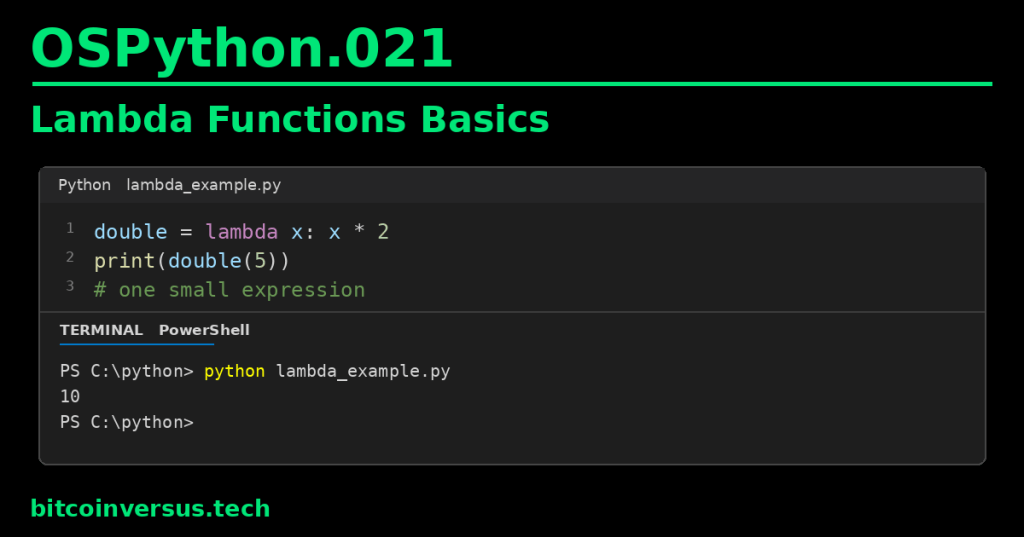
A Python lambda creates a small function from one expression.
You already know how to create a normal function with def. A lambda is another way to create a function when the job is very small.
Start with the normal function
def double(x):
    return x * 2

print(double(5))
Output:
10This function takes one value, doubles it, and returns the result.
Now write the tiny lambda version
double = lambda x: x * 2

print(double(5))
The output is still:
10Read this from left to right:
lambda x: x * 2
       ↑    ↑
     input  result expression
lambda x: means “make a function that receives x.” The expression x * 2 becomes the value returned by that function.
Video 1: Python lambda functions for beginners
A lambda can take more than one input
add = lambda a, b: a + b

print(add(3, 4))
Output:
7The pattern is still simple:
lambda inputs: expressionA lambda expression is limited to a single expression. If the logic needs several steps, a normal def function is usually much easier to read.
Why use lambda at all?
Lambdas are useful when another operation needs a tiny function for one clear job.
A common example is sorting.
players = [
    ("Alex", 90),
    ("Sam", 75),
    ("Jordan", 95)
]

players.sort(key=lambda player: player[1])

print(players)
Here, each item contains a player’s name and score. The lambda tells sort() to use item [1]—the score—as the sorting key.
Result:
[('Sam', 75), ('Alex', 90), ('Jordan', 95)]Video 2: Anonymous functions and lambda
“Anonymous function” does not mean mysterious
You will often hear a lambda called an anonymous function. That means the function expression itself does not use a normal def function_name(...) statement.
You can still store the resulting function object in a variable, as we did with double. But lambdas are especially useful when you pass the small function directly to something else:
names = ["Bo", "Alexander", "Sam"]

names.sort(key=lambda name: len(name))

print(names)
Output:
['Bo', 'Sam', 'Alexander']The lambda says: “for each name, use its length as the sorting key.”
Video 3: A short lambda walkthrough
Lambda vs. def
Use the simplest tool that keeps the code clear.
- Use
lambdawhen the function is tiny, one expression, and easy to understand immediately. - Use
defwhen the function needs a useful name, several steps, statements, documentation, or more complicated logic.
A lambda is not “better” than def. It is simply a compact option for small function expressions.
How this connects to earlier lessons
OSPython.001: Functions, Parameters, and Return Values introduced normal Python functions. Lambda uses the same basic idea—inputs produce a result—but with compact expression syntax.
OSPython.020: List Comprehensions Basics showed another compact Python syntax. In both cases, compact code is useful only when it stays easy to read.
Common beginner mistakes
- Trying to put several statements inside one lambda.
- Making a lambda so complicated that a normal
defwould be clearer. - Forgetting the colon between the parameters and expression.
- Expecting
lambdato use an explicitreturnstatement. - Using lambda everywhere just because it is shorter.
Quick practice
- Create
square = lambda x: x * x. - Call
square(4)and predict the result before running it. - Create a lambda that adds two numbers.
- Sort
["cat", "elephant", "dog"]by string length usingkey=lambda word: len(word). - Rewrite one of your lambdas as a normal
deffunction and compare readability.
Key takeaway
lambda creates a small function from one expression. Use it when the job is short and immediately understandable. When the logic becomes more complicated, use a normal def function instead.


Leave a Reply