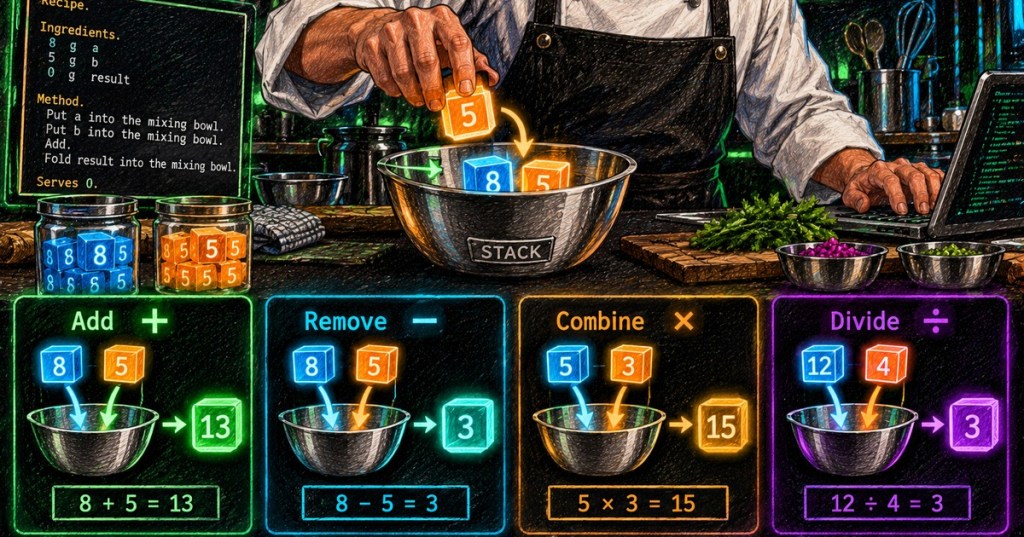
Chef performs arithmetic by combining a named ingredient with the value already sitting on top of a mixing bowl. After OSChef.002 established Put, Fold, and LIFO order, this lesson adds the four core arithmetic instructions defined by the Chef specification: Add, Remove, Combine, and Divide.
Arithmetic Changes the Top Stack Value
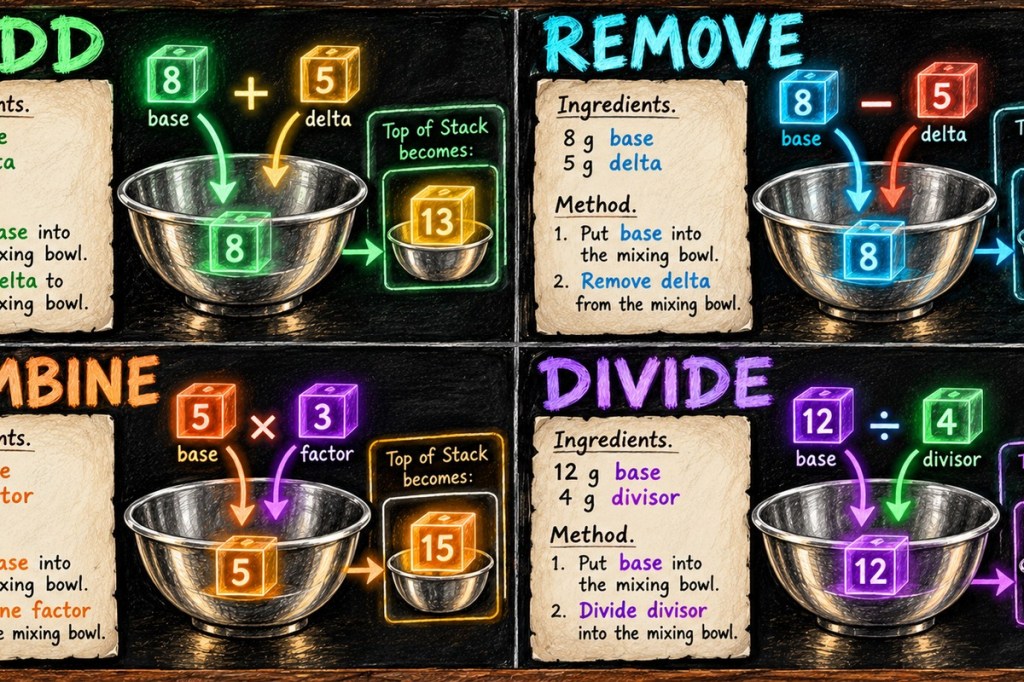
Chef does not require you to push both operands as separate stack values before every arithmetic operation. Instead, one operand is the current top value of the mixing bowl and the other is the value stored in a named ingredient. Add delta to the mixing bowl. replaces the top value with top + delta. Remove delta from the mixing bowl. stores top - delta. Combine factor into the mixing bowl. stores top × factor. Divide divisor into the mixing bowl. stores the result of dividing the top value by the ingredient value.
Four Small Programs Make the Pattern Clear
Addition.

Ingredients.
8 g base
5 g delta

Method.
Put base into the mixing bowl.
Add delta to the mixing bowl.

Serves 0.
The bowl starts with 8 on top. Add uses the ingredient delta = 5, so the top becomes 13. The same pattern works for the other instructions: starting from 8, Remove 5 produces 3; starting from 5, Combine 3 produces 15; starting from 12, Divide 4 produces 3. In every case, the arithmetic result replaces the old top value instead of creating a second unrelated value.
Use Fold When You Want the Result Back in an Ingredient
Arithmetic leaves its result on top of the bowl. If the program needs that result in a named ingredient, follow the operation with Fold. For example, after putting 8 into the bowl and adding 5, Fold result into the mixing bowl. removes 13 from the top and stores result = 13. This connects arithmetic directly back to the data-movement model from OSChef.002.
Arithmetic Result.

Ingredients.
8 g base
5 g delta
0 g result

Method.
Put base into the mixing bowl.
Add delta to the mixing bowl.
Fold result into the mixing bowl.

Serves 0.Exercises
- Start with 10 on top and Add an ingredient worth 7. What is the new top?
- Start with 20 and Remove 6.
- Start with 4 and Combine an ingredient worth 5.
- Start with 18 and Divide by an ingredient worth 3.
- Modify the worked addition program so Fold stores the final result in an ingredient named
answer.
Knowledge Check + Answers
- What does Add modify? The current top value of the selected mixing bowl.
- What does Remove compute? Top value minus the named ingredient value.
- What does Combine do? Multiplies the top value by the named ingredient value.
- What does Divide do? Divides the top value by the named ingredient value.
- Where is the result left? On top of the mixing bowl.
- How can the result be moved into a variable-like ingredient? Use Fold.
Elementary Review
Chef arithmetic is easier when you translate the recipe words back into operators: Add = +, Remove = −, Combine = ×, Divide = ÷. The named ingredient supplies one operand; the top of the mixing bowl supplies the other. The next Chef lesson can move from arithmetic into Liquefy and character output, where numeric values become text.
BitcoinVersus.Tech content is provided for informational and educational purposes.


Leave a Reply