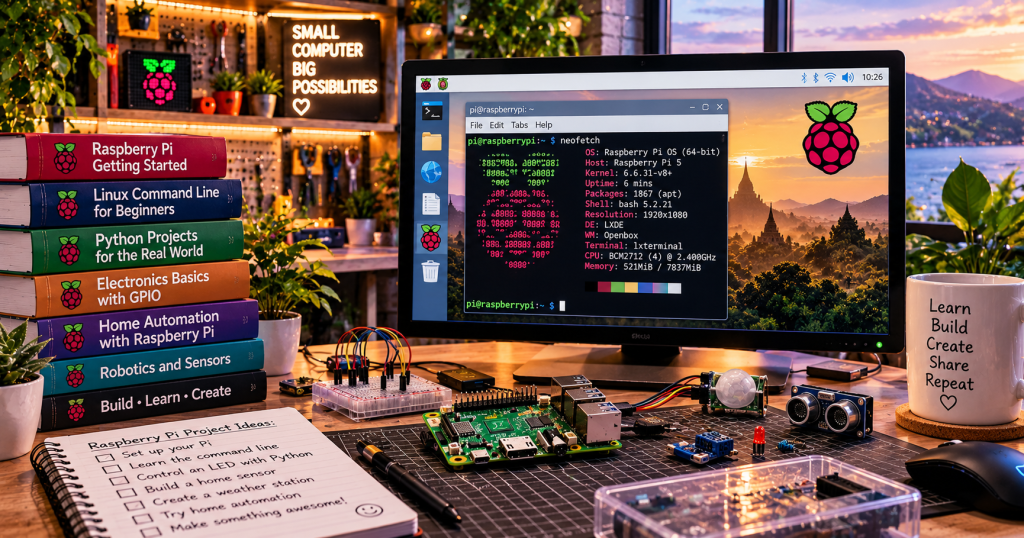
A Raspberry Pi is a small, affordable computer built onto a single circuit board. You can connect a screen, keyboard, mouse, storage and power, then use it much like a desktop PC—or run it quietly as a tiny server, robotics controller or electronics laboratory. The Raspberry Pi is popular because it makes experimenting with real hardware and open-source software accessible to beginners.
A Whole Computer on One Board
Most mainstream Raspberry Pi boards combine a processor, memory, USB, networking and display connections on a single board. The exact connectors and performance vary by model. A Raspberry Pi 5, for example, has a quad-core Arm CPU, USB and Ethernet ports, Wi-Fi and Bluetooth, micro-HDMI display outputs and a 40-pin GPIO header. The board is not the same as a bare microcontroller: it can run a full operating system and multiple applications. See the official Raspberry Pi 5 specifications.
What Is GPIO?
GPIO stands for general-purpose input/output. Its pins let software read simple electrical signals from switches and sensors or control outputs such as LEDs through suitable circuits. GPIO is not a universal power connector: voltage limits, pin functions and current ratings matter. Raspberry Pi GPIO logic generally operates at 3.3 volts, and directly applying 5 volts to a GPIO signal pin can damage hardware. Use resistors, appropriate drivers and the official pinout when connecting components.
The Operating System
Raspberry Pi OS is a Linux-based operating system designed for the hardware. Its desktop edition provides familiar windows, a browser and settings, while Lite is intended for command-line or headless use. You can install an OS image onto supported storage using Raspberry Pi Imager. Once booted, you can use a terminal to manage files, update software, run Python and operate background services.
Five Beginner Projects
Start with a project that teaches one new concept rather than trying to build an entire smart home on day one. A blinking LED teaches output pins and basic circuits. A button teaches digital input. A temperature sensor introduces measurement and data logging. A personal file server introduces networking. A small web dashboard combines programming, a network connection and user-interface design.
First Commands to Try
After booting Raspberry Pi OS, open the terminal. These commands show system information, the current directory, files and network addresses. Use package upgrades when you have time to review changes and restart if needed.
uname -a
pwd
ls -la
hostname -I
sudo apt update
Raspberry Pi Versus Arduino
A Raspberry Pi generally runs a full operating system and is well suited to multitasking, networking, web services and Python applications. A classic Arduino board typically runs a small microcontroller program directly, which can be better suited to simple timing-sensitive input and output tasks. Neither replaces the other. Many projects use a Raspberry Pi for the user interface and networking while a microcontroller handles low-level sensing or motor control.
What Do You Need to Start?
Choose a supported board, a suitable official or specification-compliant power supply, compatible storage, cooling where recommended, and optional keyboard, mouse and display. If you plan to run it without a monitor, configure networking and secure remote access during imaging. Avoid treating an exposed board like a rugged industrial controller; protect it from static electricity, moisture, shorts and inadequate power.
Why Raspberry Pi Is Worth Learning
A Raspberry Pi connects software with the physical world. You can learn open-source collaboration, Linux commands, environment variables, Python, electronics and networking on the same device. The result is not just another gadget: it is a compact practice lab for learning how computers actually work.
Sources and Further Reading
Official documentation: Raspberry Pi documentation, Raspberry Pi 5, and Raspberry Pi Imager. Related BitcoinVersus stories: Raspberry Pi SDKs for Meta Muse, What Is Open-Source Software?, and experimental ASIC cooling.


Leave a comment