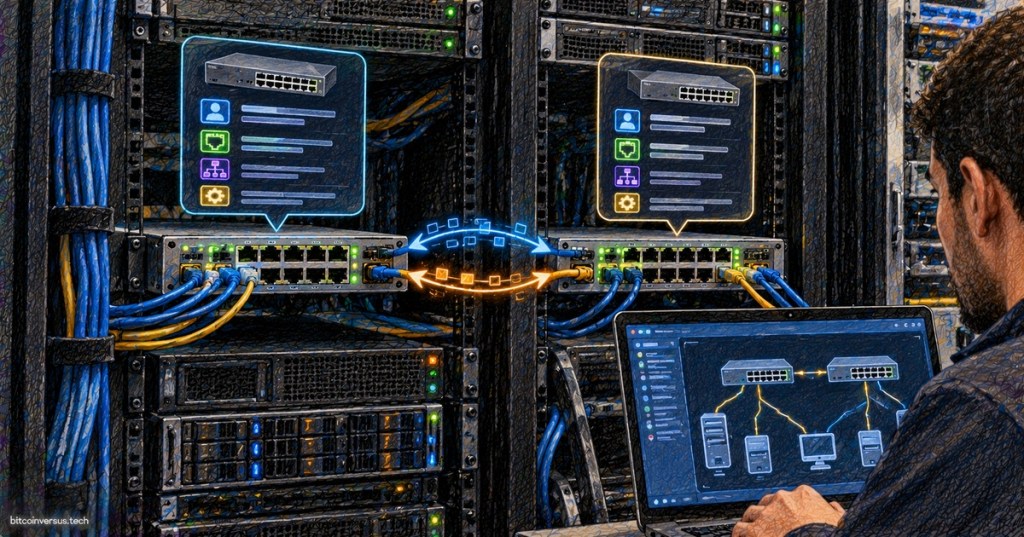
LLDP is the quiet protocol that helps network devices tell their directly connected neighbors who they are. If a technician plugs a server NIC into the wrong switch port, connects a switch uplink to an unexpected rack, or inherits a data center with poor documentation, Link Layer Discovery Protocol can provide one of the fastest ways to identify what is actually connected.
LLDP is standardized by IEEE 802.1AB. The current IEEE 802.1AB-2026 standard defines a mechanism for discovering the physical topology of adjacent stations on IEEE 802 networks. In plain English: each LLDP-capable device periodically advertises basic information about itself to devices directly attached to the same link.
LLDP Works at Layer 2
LLDP operates at the data-link layer, which means it does not need an IP route to discover the device on the other end of an Ethernet connection. A switch can learn about a neighboring switch, router, access point, IP phone, server, or other compatible endpoint simply because the two interfaces share a direct Layer 2 link.
That makes LLDP especially useful during physical troubleshooting. If the Ethernet link is up but documentation says the cable should terminate somewhere else, LLDP may reveal the remote chassis and port without forcing the technician to trace the cable by hand through an entire rack or overhead pathway.
What Information Does LLDP Advertise?
LLDP exchanges information using TLVs—Type, Length, Value fields. Instead of sending one giant fixed record, a device advertises individual pieces of information that a neighbor can store in its local LLDP table.
- Chassis identity: which physical or logical device sent the advertisement.
- Port identity: which interface on that device is connected to the local port.
- System name and description: useful for matching the neighbor to inventory or configuration records.
- Management address: often an IP address that administrators can use to reach the device.
- System capabilities: whether the neighbor identifies itself as a switch, router, bridge, telephone, or another type of device.
- VLAN and link information: depending on platform and supported extensions.
- Power information: useful for Power over Ethernet and LLDP-MED environments.
Cisco’s current IOS XE LLDP documentation describes LLDP as a multivendor topology-discovery mechanism that can expose identifiers, port information, versions, and other details to management systems. That vendor-neutral aspect is one of LLDP’s biggest strengths.
LLDP Is Not the Same as a MAC Address Table
A MAC address table tells a switch which source MAC addresses have been observed behind particular ports. LLDP tells the switch what a directly connected neighbor says about itself.
Those are different types of evidence. A MAC table might show hundreds of endpoint addresses behind an uplink. LLDP can tell you that the uplink itself connects to a specific neighboring switch and even identify the remote port. Used together, the two tables become much more useful for tracing a path through a network.
LLDP Does Not Replace SNMP
SNMP is commonly used to monitor devices across an IP network. LLDP is more local: each device discovers its immediate neighbors and stores that information. Network-management software can then collect LLDP neighbor tables through SNMP, APIs, or vendor management systems to build a larger topology map.
This combination is powerful in a data center. A monitoring platform can learn that a server connects to a certain top-of-rack switch, that the top-of-rack switch uplinks to a leaf or aggregation switch, and that the physical path differs from the documented design.
LLDP vs. Cisco Discovery Protocol
Cisco Discovery Protocol, or CDP, solves a similar problem but originated as a Cisco proprietary protocol. LLDP is the open IEEE standard and is therefore better suited to mixed-vendor environments containing Cisco, Juniper, Arista, HPE, Dell, Linux servers, hypervisors, IP phones, and other devices.
Some Cisco systems can run both CDP and LLDP on the same interface. In a Cisco-only environment CDP may expose vendor-specific information, while LLDP provides a standard neighbor-discovery method that remains useful when other manufacturers are introduced.
A Simple Data-Center Example
Imagine a technician racks a new server and connects NIC 1 to switch port Ethernet1/17. The cabling documentation says the server should connect to Rack A’s top-of-rack switch, but the server cannot reach the expected VLAN.
The technician checks the local switch’s LLDP neighbor table. Instead of seeing the expected server or downstream switch, the table identifies a device in the neighboring rack. That immediately changes the troubleshooting direction: the problem may be physical patching rather than DHCP, routing, or an operating-system configuration issue.
This is why LLDP is so useful during structured-cabling verification. It allows logical information from the network devices to confirm—or contradict—the physical labels on patch panels and cables.
The Most Useful LLDP Commands Are Usually Read-Only
On Cisco IOS-style systems, administrators commonly use commands such as show lldp, show lldp neighbors, and show lldp neighbors detail to inspect the local LLDP state and the devices discovered on directly connected ports. Configuration syntax varies by vendor and operating system.
The safest first step during troubleshooting is usually to read the existing neighbor table before changing anything. If LLDP is already enabled, it can provide immediate evidence without interrupting production traffic.
LLDP-MED Extends Discovery for Phones and Power
LLDP-MED, or Media Endpoint Discovery, adds information useful to voice and endpoint deployments. An IP phone can learn network policy information while switches can exchange power, inventory, and endpoint details.
That matters in enterprise networks where one Ethernet cable may provide both connectivity and Power over Ethernet to an IP phone, access point, camera, or other powered endpoint. LLDP-MED helps turn simple neighbor discovery into a basic endpoint-provisioning mechanism.
LLDP Can Help Find Bad Documentation
One of LLDP’s best real-world uses is auditing a network after months or years of change. Rack diagrams may be outdated. Patch-panel labels may be wrong. A switch may have been replaced without updating documentation. An emergency cable move may have become permanent.
By collecting LLDP neighbors from managed switches, engineers can compare the discovered physical topology with the intended design. Unexpected neighbors are a clue that the real network has drifted away from the diagram.
LLDP Is Useful During Port-Flapping Troubleshooting
If an interface repeatedly goes up and down, port flapping may be caused by a bad cable, optic, transceiver, NIC, switch port, power issue, or unstable endpoint. LLDP can help identify exactly which device and remote interface are involved before the link disappears again.
LLDP should be combined with interface counters, link-event logs, speed/duplex information, optic diagnostics, and physical inspection. It identifies the neighbor; it does not automatically prove why the link is failing.
Security: Discovery Information Is Still Information
LLDP is designed for discovery, not strong authentication. Advertisements can expose system names, port descriptions, management addresses, device capabilities, VLAN information, and other details that may be useful to an attacker who already has access to the local network segment.
Organizations therefore do not have to advertise LLDP everywhere. Depending on the switch platform, administrators can often disable transmit, receive, or selected TLVs on interfaces where discovery information is unnecessary. The correct policy depends on the environment: an internal data-center interconnect may benefit heavily from LLDP, while an untrusted edge port may require tighter exposure.
Why LLDP Matters More as Networks Grow
A four-port home switch can be understood by looking at it. A data center with hundreds of racks, thousands of ports, redundant fabrics, VLANs, virtualization, storage networks, and multiple vendors cannot.
LLDP gives every directly connected link a small amount of self-description. That information can be read by a human during troubleshooting or collected automatically to build topology maps, inventory systems, and compliance checks. It does not replace good labels or diagrams—but it provides a second source of truth when those records are wrong.
The Simple Way to Remember LLDP
MAC tables answer “what addresses are behind this port?” LLDP answers “what device says it is directly connected to this port?” SNMP and management platforms can then collect that information across many devices to reconstruct the larger network.
For technicians working with servers, ASIC miners, switches, routers, access points, or data-center racks, LLDP is one of those protocols that becomes much more valuable the moment the cabling stops matching the documentation.
References
- IEEE 802.1AB-2026 — Station and Media Access Control Connectivity Discovery
- Cisco IOS XE — Using LLDP in Multivendor Networks
- Cisco Catalyst — Configure LLDP
BitcoinVersus.Tech
Advertisement
BitcoinVersus.Tech covers networking, data centers, Bitcoin mining, servers, semiconductors, operating systems, and the infrastructure behind modern computing.
Editor’s Note
LLDP behavior, defaults, TLV support, and command syntax vary by vendor and software release. Use the documentation for the exact platform before making production configuration changes.
We volunteer daily to help keep the information on this platform verifiably accurate. Support our independent research through the support options available on BitcoinVersus.Tech.
BitcoinVersus.tech is not a financial advisor. Content is provided for informational purposes.


Leave a Reply