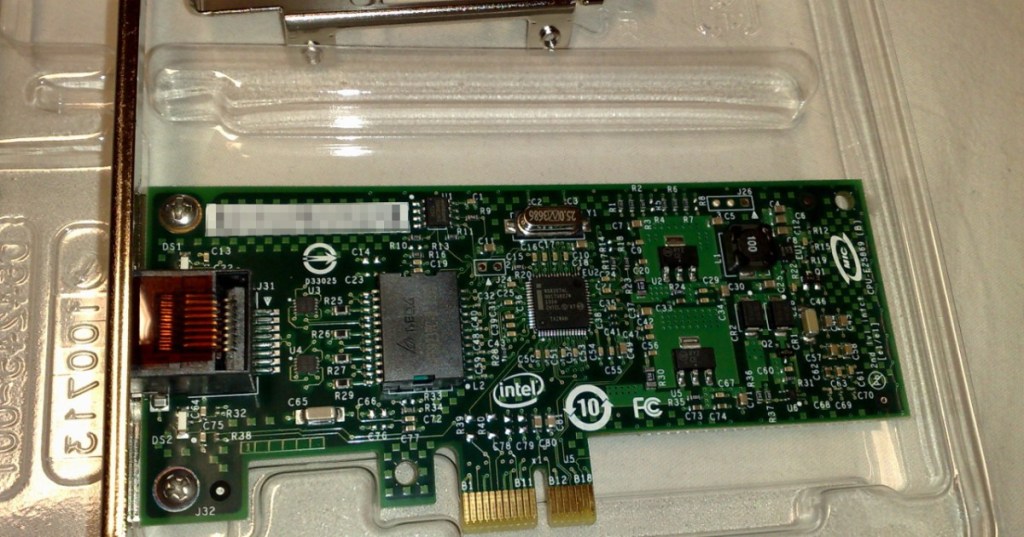
A network interface card, or NIC, is the hardware interface that lets a computer, server, or embedded controller send and receive data over a network. On a desktop it may be a small PCIe card. On a server it may be a high-speed dual-port or quad-port adapter. On a Bitcoin ASIC miner, the same basic function is usually integrated into the control board so the machine can reach a mining pool over Ethernet.
The NIC is the point where the operating system or embedded firmware meets the physical network. It handles the electrical or optical link, exposes one or more network interfaces to software, and moves packets between the machine and the cable, switch, router, or fiber transceiver on the other side.
The NIC Is the Machine’s Network Doorway
A processor can execute software and a storage device can hold data, but neither one can communicate with the rest of the network by itself. The NIC provides that communications path. It converts data from the computer into the electrical or optical signaling used on the link, and it converts incoming network traffic back into data the operating system can process.
The Open Compute Project NIC Sub-Project treats NICs as a major server subsystem with standardized hardware and firmware interfaces because modern data centers depend on the adapter being interoperable with the rest of the server platform.
NIC, Network Adapter, Ethernet Card, and LAN Card Usually Mean the Same Thing
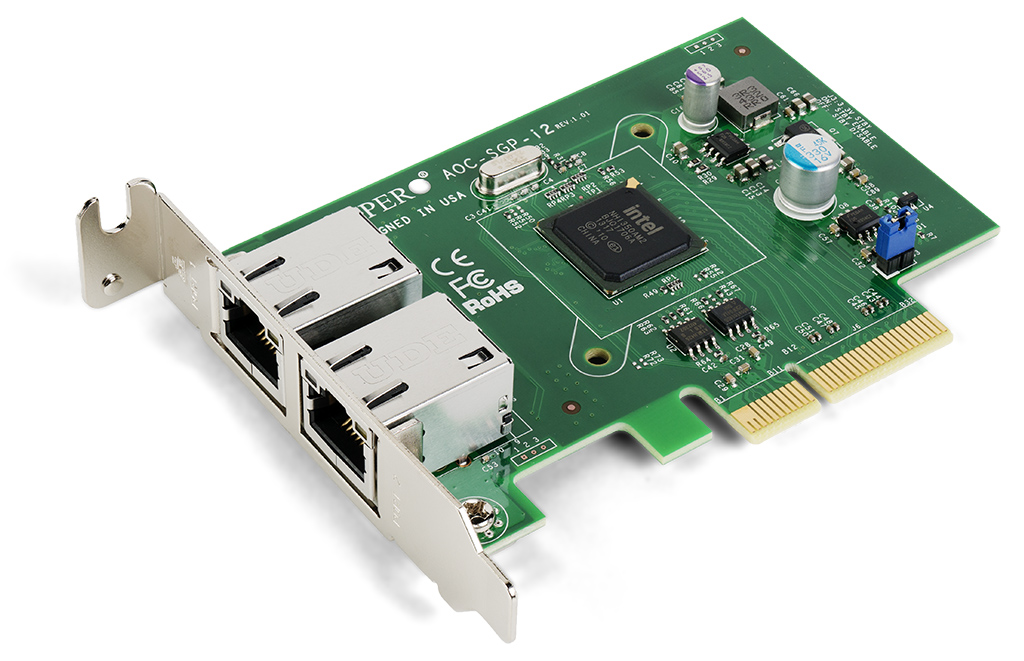
Technicians use several names for the same general component: network interface card, network adapter, Ethernet adapter, LAN card, and network interface controller. The exact hardware can be a removable PCIe card, an OCP mezzanine card, a controller soldered directly to the motherboard, or an integrated Ethernet interface on an embedded device.
The important distinction is functional: the NIC belongs to the endpoint. A top-of-rack switch connects many endpoints together, while each server or controller uses its own NIC to join that switched network.
RJ45 NICs Use Copper Ethernet
Many common NICs use RJ45 connectors and twisted-pair copper Ethernet cabling. The familiar cable plugs directly into the adapter, and the NIC negotiates a link speed with the switch port on the other end.
BitcoinVersus.Tech’s copper Ethernet and T568B guide covers the physical cabling side of that connection. The NIC is the endpoint electronics; Cat5e, Cat6, or Cat6A cable is the transmission medium between the NIC and the switch.
Server NICs Often Use SFP, SFP28, QSFP, or Fiber
Higher-speed server adapters often replace fixed RJ45 ports with pluggable optical or direct-attach interfaces such as SFP+, SFP28, or QSFP. The adapter still performs NIC functions, but the physical link may run over fiber or a direct-attach copper cable instead of twisted-pair Ethernet.
That is why data-center cabling and NIC selection have to be planned together. The adapter’s supported speed, connector type, optics, switch port, cable type, and distance all have to match.
1 GbE, 10 GbE, 25 GbE, 100 GbE, and 200 GbE Are Link Speeds
A NIC’s advertised speed describes the maximum Ethernet line rate the adapter is designed to support. Desktop systems commonly use 1 GbE or 2.5 GbE. Servers may use 10, 25, 40, 100, 200 GbE, or faster interfaces depending on workload and generation.
Intel’s current Ethernet portfolio spans PCIe and OCP adapters from low-speed edge connections through 200 GbE data-center networking. A faster NIC alone does not guarantee faster application performance, however. The switch, cabling, storage, CPU, protocol stack, congestion level, and remote endpoint can all become bottlenecks.
The NIC Has a MAC Address
Each Ethernet interface normally has a MAC address, a Layer 2 identifier used to deliver Ethernet frames on the local network. When a switch learns that MAC address, it can associate the endpoint with a particular switch port and forward traffic toward the correct interface.
This is different from an IP address. The MAC address identifies the network interface at the local Ethernet layer; the IP address is used for Layer 3 communication across local and routed networks. A working server needs both layers to line up correctly.
The NIC Connects Through PCIe or an OCP Slot
On many servers, the NIC communicates with the CPU and system memory through PCI Express. High-speed adapters need enough PCIe bandwidth to avoid becoming constrained by the host interface.
Modern hyperscale and enterprise servers also use OCP NIC form factors that package high-speed networking in a standardized mezzanine-style module. The Open Compute Project’s current NIC 3.0 work covers mechanical, electrical, firmware, thermal, and interoperability requirements for data-center adapters.
The NIC Can Offload Work From the CPU
Basic NICs move packets. More advanced adapters can also offload checksum calculation, segmentation, packet steering, encryption, virtualization, remote direct memory access, and other networking tasks that would otherwise consume CPU cycles.
This matters in dense servers because moving data can become nearly as demanding as computing on it. Network offloads allow the CPU to spend more time on the application while dedicated logic on the adapter handles repetitive packet-processing work.
SmartNICs and DPUs Push Networking Even Farther
A SmartNIC adds programmable processing to the network adapter. A data processing unit, or DPU, pushes the idea further by combining high-speed networking with its own compute cores, memory, security functions, and infrastructure software.
NVIDIA’s BlueField family is one example. BlueField-4 combines Grace CPU cores with ConnectX-9 networking and is designed for the high-throughput infrastructure around large AI systems. It is far more capable than a conventional desktop NIC, but it still grows from the same basic problem: move data into and out of a machine efficiently.
NICs Matter to Bitcoin Miners Too
A Bitcoin miner’s control board typically includes an Ethernet interface that performs the same endpoint networking function as a conventional NIC. The control board uses that interface to obtain an IP address, reach DNS and gateway services when needed, connect to the configured mining pool, submit shares, receive new work, and expose the miner’s management interface.
The hashboard does the SHA-256 computation, but it does not normally plug directly into the Ethernet network. The control board sits between the network and the hashing hardware.
A Miner Can Hash Fine and Still Have a Network Problem
If the Ethernet interface, cable, switch port, DHCP configuration, gateway, or upstream network fails, the ASIC chips may still be electrically healthy while the machine stops submitting useful work to the pool.
That is why mining operations troubleshoot the network separately from the hashing chain. A miner showing zero pool hashrate is not automatically a bad hashboard. The technician still has to check link lights, IP configuration, cable continuity, switch port state, DNS, routing, pool reachability, and firmware logs.
Packet Loss and Jitter Can Hurt a Healthy NIC Connection
A NIC can show a negotiated link and still deliver poor network performance. Congestion, damaged cabling, duplex mismatches, bad optics, overloaded switches, or upstream routing problems can create retransmissions, latency, packet loss and jitter.
In data centers, those problems can affect storage, cluster traffic, remote management, AI training synchronization, and server-to-server communication. In Bitcoin mining, they can increase stale work and disrupt a machine’s connection to the pool even when the ASIC hardware itself is healthy.
MTU Has to Match the Network Path
The NIC also participates in the network’s MTU configuration. Standard Ethernet commonly uses a 1,500-byte MTU, while some data-center networks use jumbo frames for specific workloads.
A NIC may support jumbo frames, but the entire path has to support the same configuration. A mismatched MTU can create fragmentation, dropped packets, or connectivity that works for small packets but fails under larger transfers.
PXE Boot Uses the NIC Before the Operating System Is Fully Installed
Server NICs can also support PXE boot, which allows a machine to obtain boot instructions and an operating-system image over the network before a normal local OS is running.
That makes the NIC part of bare-metal deployment and recovery workflows. At scale, a technician may use the same physical adapter for initial provisioning, normal production traffic, out-of-band services, virtualization, and later troubleshooting.
How Technicians Troubleshoot a NIC
The practical troubleshooting order is usually physical first, then configuration. Check whether the NIC has power and link. Verify the cable or optic. Check the switch port. Confirm that the operating system sees the adapter. Verify the driver or firmware. Then inspect IP address, subnet mask, gateway, DNS, VLAN membership, MTU, speed, duplex, packet counters, and logs.
That workflow mirrors the broader data-center cabling rule: verify the physical path before assuming the application is broken.
The Simple Way to Remember It
The NIC is the network hardware inside the endpoint. The switch connects many endpoints. The cable or fiber carries the signal between them.
On a laptop, the NIC may be nearly invisible. On a rack server, it can be a high-speed PCIe or OCP adapter with multiple ports and advanced offloads. On an ASIC miner, the same networking function is integrated into the control board so the machine can reach the mining pool.
Whether the workload is Bitcoin mining, storage, cloud computing, AI, or ordinary IT, the basic requirement is the same: the processor can only participate in the network if a working network interface connects it to the rest of the system.
Editor’s Note
NIC capabilities vary by adapter, operating system, driver, firmware, link technology, and switch configuration. Speeds described in this article are nominal Ethernet link rates, not guaranteed application throughput.
Featured image: Intel 82574L Gigabit Ethernet NIC photographed by Dsimic, via Wikimedia Commons, CC BY-SA 3.0; cropped to 1200×630 for BitcoinVersus.Tech. In-body NIC image: Dmitry Nosachev, CC BY-SA 4.0.
Support and donation options are available through BitcoinVersus.Tech.
BitcoinVersus.tech is not a financial advisor. Content is provided for informational purposes.


Leave a Reply