Elementary Overview
A modern rack server usually contains a small management computer that stays available even when the main operating system is crashed, powered off, or unreachable. That controller is commonly called a Baseboard Management Controller, or BMC. Vendors expose it through products such as Dell iDRAC, HPE iLO, Lenovo XClarity Controller, and other platform-management interfaces.
This lesson follows OSDCTC.005: Server Hardware Troubleshooting. That lesson used BMC logs as evidence. Here the focus is the management system itself: how a technician reaches it, what it can control, what it can monitor, how it differs from the normal NIC and operating system, and how to use it safely during remote recovery.
Out-of-Band Means A Separate Management Path
Out-of-band management means the server is managed through a path that does not depend on the host operating system or the production application network. HPE describes out-of-band management as a separate management channel that remains useful when the primary network or operating system is unavailable. In practice, that path may use a dedicated management Ethernet port or a shared physical port with logically separated management traffic.
This distinction is important on a data-center floor. The production network interface carries normal server traffic. The BMC management interface carries administrative traffic such as remote console, hardware health, power control, firmware inventory, event logs, and lifecycle-management commands. Losing the operating system therefore does not necessarily mean losing access to the server.
The BMC Is Its Own Small Computer
A BMC has its own processor, firmware, memory, network stack, authentication system, and access to server-side sensors and control signals. It can monitor temperatures, fans, DIMMs, drives, power supplies, CPUs, and hardware events without requiring the host operating system to be healthy.
HPE’s current iLO documentation says the management chipset begins monitoring once the server has standby power and network connectivity. That explains a common technician observation: the BMC can remain reachable even when the main server is “off.” The host CPU may be stopped while the standby-management electronics are still powered.
Power Control Is One Of The BMC’s Most Useful Functions
A BMC can usually report the host power state and issue commands such as graceful shutdown, power on, reboot, or hard power cycle. Those commands are powerful because they bypass normal front-panel access. A technician in another building—or another country—can recover a server without standing in front of the rack.
That power is also dangerous when used casually. A forced power cycle can interrupt writes, corrupt data, or turn a recoverable software fault into an application outage. Use the least disruptive action first, confirm the correct server by asset tag, hostname, rack/U position, or serial number, and follow the change-control or incident procedure before issuing destructive commands.
Remote Console Works Even When The OS Is Broken
One of the most valuable BMC features is remote console, often implemented as KVM-over-IP. The technician can see the physical server’s display output, send keyboard input, and watch the machine before the operating system loads. That makes the BMC useful for POST, firmware setup, boot-menu selection, crash screens, and installation troubleshooting.
Remote console also connects naturally to BIOS/UEFI and PXE boot. If the server cannot boot from local storage, the technician can enter firmware remotely, verify boot order, inspect device detection, select network boot, and observe whether the deployment sequence reaches DHCP, the boot server, and the operating-system installer.
Virtual Media Turns A Remote ISO Into Installation Media
Many BMC platforms support virtual media. A remote ISO image can be presented to the server as if a local DVD or USB device were physically attached. This allows firmware utilities, diagnostics, rescue environments, and operating-system installers to be mounted without inserting removable media at the rack.
The same workflow can support recovery when network boot is unavailable. Virtual media is slower than local or network deployment in many environments, but it is a valuable fallback because it uses the management path rather than relying on the host network or an already-running operating system.
BMC Logs Are Hardware Evidence
The BMC normally maintains an event log or lifecycle log containing hardware warnings, boot events, temperature excursions, fan failures, power-supply faults, memory errors, storage-controller messages, and firmware events. This is why OSDCTC.005 treats BMC evidence as one of the first places to look after a failed boot.
The correct workflow is to preserve the log before clearing it. Record the first relevant event, affected component, timestamp, severity, and whether the same fault repeats. A memory alarm followed by an operating-system crash is different from a crash followed by a generic “host reset” event. Sequence matters.
iDRAC And iLO Are Vendor Implementations
Dell iDRAC and HPE iLO are vendor-specific BMC management platforms. Their menus, licensing, automation tools, and firmware features differ, but the technician-level concepts are similar: discover the management address, authenticate, confirm server identity, inspect health, review logs, open remote console, control host power, manage firmware, and document any change.
HPE’s current iLO platform can monitor core server hardware without operating-system agents, while Dell iDRAC provides the same general class of independent remote-management capability on PowerEdge systems. Learning one platform therefore builds transferable skills, but always use the exact OEM documentation for button names, reset behavior, firmware procedures, and licensing-dependent features.
The Management Interface Still Needs An IP Address
A BMC management port is still a network interface. It needs an IP configuration, subnet, gateway when routing is required, and usually DHCP or a statically assigned management address. The technician should also understand MAC addresses, network switches, VLANs, and ping/ICMP because BMC reachability problems are often ordinary network problems.
If the BMC cannot be reached, verify the physical management cable, switch-port link, VLAN, IP address, subnet mask, gateway, and access-control path before assuming the BMC hardware failed. Ethernet link LEDs and interface errors are useful evidence at the physical and data-link layers.
Management Networks Should Be Segmented
Because BMC access can power-cycle machines, mount media, change firmware, and open a remote console, the management network should be treated as privileged infrastructure. A common design is a dedicated management VLAN or physically separate management network reachable only from approved administration systems.
Do not expose BMC interfaces directly to the public internet. Use strong unique credentials, role-based permissions, modern TLS/HTTPS, multifactor authentication when the platform supports it, and current BMC firmware. Restrict who can reach the management subnet and log administrative actions. Out-of-band access is valuable precisely because it bypasses the host operating system; that same independence makes compromise especially dangerous.
IPMI Is An Older Management Standard
IPMI, the Intelligent Platform Management Interface, standardized a large part of traditional BMC management. It enabled tasks such as sensor reading, event-log access, chassis power control, and remote management across many server platforms. It remains common in older hardware and utilities.
Modern environments increasingly use newer interfaces such as Redfish because automation teams want web-native APIs, structured data, stronger interoperability, and easier integration with current software tooling. Knowing both terms matters because a technician may encounter legacy IPMI commands on one fleet and Redfish-based automation on another.
Redfish Brings REST And JSON To Server Management
Redfish is an open DMTF management standard built around a RESTful interface and structured JSON data. That connects server management directly to concepts already covered in HTTP requests and REST APIs and JSON.
Instead of screen-scraping a vendor web interface, management software can query standardized resources for systems, managers, chassis, sensors, firmware, power state, and other platform information. The DMTF specification defines Redfish as a multi-vendor remote-management interface designed for systems ranging from individual servers to large-scale data centers.
SNMP And Redfish Solve Different Management Problems
SNMP is widely used to monitor switches, PDUs, servers, and other infrastructure. A BMC may expose SNMP alerts and telemetry, but Redfish is designed as a richer server-management API with resource models and management operations. The two can coexist.
For a technician, the important distinction is operational: SNMP may tell a monitoring platform that a fan or PSU entered alarm, while the BMC web interface or Redfish client can provide deeper inventory, logs, lifecycle data, and management actions. Do not assume one protocol replaces every function of the other.
A Practical BMC Recovery Sequence
- Confirm the exact server identity using rack, U position, hostname, service tag, serial number, or asset record.
- Verify management-network reachability and confirm the correct BMC IP address.
- Authenticate with the least-privileged account appropriate for the task.
- Check host power state, overall health, temperature, fans, power supplies, memory, drives, and critical alarms.
- Review lifecycle/event logs before clearing anything.
- Open remote console and observe POST, firmware, and boot behavior.
- If required, verify BIOS/UEFI, boot order, storage detection, and PXE settings.
- Use graceful OS shutdown or restart before forced chassis power actions whenever possible.
- Use virtual media or network boot only when the change is approved and the correct image is verified.
- After recovery, confirm normal operating-system connectivity, application health, and monitoring.
- Document the fault, BMC evidence, action taken, and final result.
Common Technician Mistakes
- Power-cycling the wrong server: always confirm physical and logical identity before issuing chassis commands.
- Clearing logs before recording them: preserve evidence first.
- Assuming BMC unreachable means server dead: troubleshoot the management network separately from host power and host networking.
- Assuming host offline means BMC offline: the BMC can remain available on standby power.
- Using production credentials on shared accounts: use named accounts, role separation, and approved secrets handling.
- Exposing the management interface publicly: BMCs belong on restricted management networks.
- Changing firmware during an unrelated incident: do not introduce extra variables unless the approved repair actually requires it.
Exercises
- Explain why a BMC can remain reachable when the host operating system has crashed.
- Describe the difference between the host NIC and the dedicated BMC management port.
- A server does not answer ping on its production IP, but iDRAC is reachable. List the next five checks you would perform.
- Explain why remote console is useful during POST and BIOS/UEFI troubleshooting.
- Describe one use case for virtual media and one reason to prefer PXE instead.
- Explain why management VLANs should be more restricted than ordinary user VLANs.
- Compare IPMI, SNMP, and Redfish at a high level.
- Write a safe remote power-cycle checklist that prevents rebooting the wrong machine.
Knowledge Check + Answers
- What is a BMC? A dedicated management controller that monitors and controls server hardware independently of the host operating system.
- What does out-of-band management mean? Management through a separate path that does not depend on the normal host OS or production data path.
- Why can iDRAC or iLO work when the OS is down? The BMC has its own processor, firmware, network stack, and standby power path.
- What is remote console? Remote keyboard/video access to the physical server display, including pre-boot screens.
- What is virtual media? A feature that presents remote ISO or other media to the host as if it were locally attached.
- What is Redfish? A DMTF RESTful management standard that uses structured data such as JSON for interoperable server and infrastructure management.
- Why should the BMC network be segmented? Because BMC access provides privileged control over server power, console, firmware, logs, and configuration.
Prior Lessons And References
- OSDCTC.001 — Data Center Floor Fundamentals
- OSDCTC.002 — Rack Power Distribution
- OSDCTC.003 — Structured Cabling and Patch Panels
- OSDCTC.004 — Server Rack-and-Stack
- OSDCTC.005 — Server Hardware Troubleshooting
- HPE — Integrated Lights-Out QuickSpecs
- DMTF — Redfish Standard
- DMTF — Redfish Developer Essentials
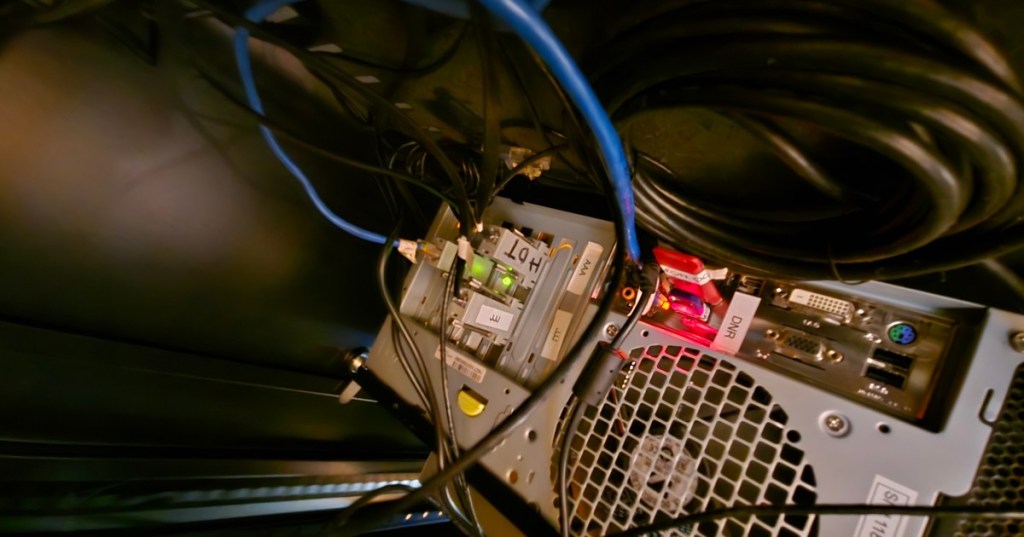
- Featured source photo — Tseilorin/Wikimedia Commons, CC BY-SA 4.0; cropped to 1200×630.
Elementary Conclusion
A BMC gives a data-center technician an independent path into a server when normal software access is unavailable. The same controller can reveal hardware health, preserve event logs, open a remote console, control chassis power, mount recovery media, and expose automation interfaces such as Redfish. The practical skill is not simply knowing where the iDRAC or iLO login page is. It is knowing how to verify server identity, protect the management network, preserve diagnostic evidence, choose the least disruptive recovery action, and confirm the host returns to service cleanly.
BitcoinVersus.Tech
Advertisement
BitcoinVersus.Tech publishes open technical education across data centers, networking, servers, operating systems, programming, semiconductors, and robotics.
Editor’s Note
BMC menus, reset behavior, licensing, security controls, firmware procedures, and remote-power options vary by manufacturer and model. Follow the exact OEM service documentation and your facility’s change-control procedure before performing disruptive remote actions.
We volunteer daily to help keep the information on this platform verifiably accurate. Support our independent research through the support options available on BitcoinVersus.Tech.
BitcoinVersus.tech is not a financial advisor. Content is provided for informational purposes.


Leave a Reply