Ping answers one of the first questions in network troubleshooting: “Can I reach that device?”
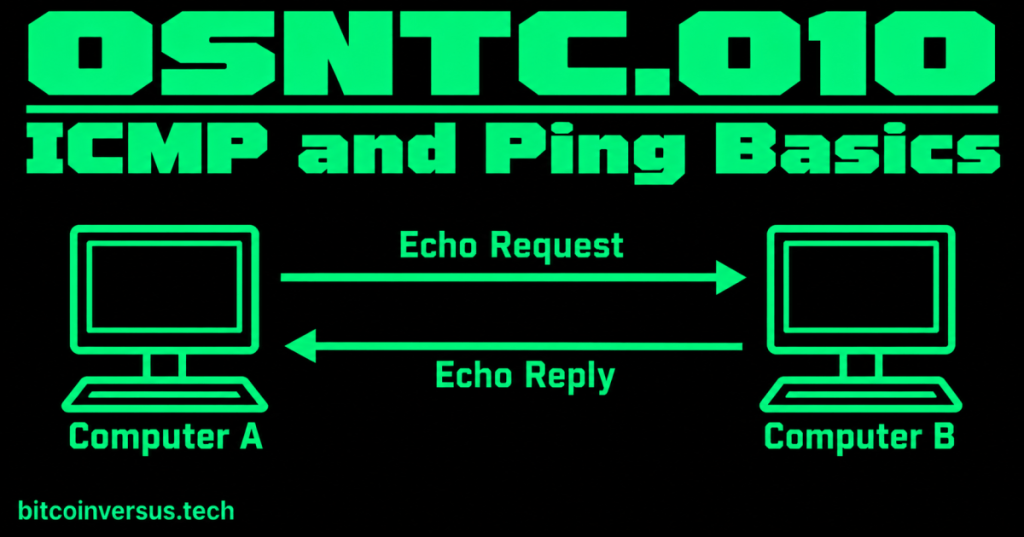
When you run ping, your computer can send a small ICMP message called an Echo Request. If the target answers, it sends an Echo Reply.
Think of it like calling out, “Are you there?” and hearing, “Yes, I’m here.”
Start with one simple ping
ping 8.8.8.8This asks your computer to test reachability to the IP address 8.8.8.8.
A successful reply may show information such as:
Reply from 8.8.8.8: bytes=32 time=18ms TTL=117- Reply from: the target answered.
- time: roughly how long that request/reply took.
- TTL: a packet-lifetime value used by IP networks.
Video 1: Ping for basic troubleshooting
What is ICMP?
ICMP stands for Internet Control Message Protocol.
ICMP helps IP networks communicate useful control and error information. Ping is one familiar tool that uses ICMP.
For this beginner lesson, remember this relationship:
ping is the tool; ICMP carries the Echo Request and Echo Reply messages.
The request and reply
- Computer A sends an ICMP Echo Request.
- The network carries it toward Computer B.
- If Computer B receives it and is allowed to answer, it sends an ICMP Echo Reply.
- Computer A measures the result.
Video 2: ICMP explained
A simple troubleshooting order
Suppose your computer cannot reach a website. Do not immediately assume “the internet is down.” Test one step at a time.
- Ping your own loopback address:
ping 127.0.0.1. - Ping your default gateway: this checks whether you can reach the local router.
- Ping a known outside IP address: this can test reachability beyond the local network.
- Ping a hostname: if an IP works but a name does not, DNS becomes an important thing to investigate.
This connects directly to earlier lessons on default gateways and DNS.
A failed ping does not always mean the device is down
This is important. Some devices or firewalls block ICMP Echo traffic. A server can therefore be running normally while refusing to answer ping.
So a failed ping means:
“I did not receive the expected ping reply.”
It does not automatically prove:
- the target is powered off,
- the entire network is down, or
- every application on the target has failed.
Video 3: ICMP, ping, and connectivity testing
How ARP and ping fit together on a LAN
The previous lesson, OSNTC.009: ARP Basics, explained how an IPv4 device can learn the MAC address needed for local Ethernet delivery.
Now imagine you ping another IPv4 device on the same LAN. Your computer may need ARP first so it knows the destination MAC address. Then it can place the IP/ICMP traffic inside Ethernet frames and send it across the local network.
That gives you a useful beginner chain:
IP address
   ↓
ARP finds the local MAC address
   ↓
Ethernet carries the frame
   ↓
ICMP Echo Request
   ↓
ICMP Echo Reply
Simple data-center example
A technician connects a new server and cannot reach the management gateway. A quick ping to the gateway fails. That does not solve the problem by itself, but it gives the technician a starting point: check the local IP settings, subnet, VLAN, cable/link state, ARP behavior, and gateway path before blaming a remote service.
Common beginner mistakes
- Thinking ping and ICMP are the same thing.
- Assuming every device must answer ping.
- Assuming one successful ping proves every application works.
- Testing a hostname first and forgetting that DNS can fail separately from basic IP reachability.
- Changing several network settings at once instead of testing one step at a time.
Quick practice
- Run
ping 127.0.0.1. - Find your default gateway and ping it.
- Ping one known IP address.
- Ping one hostname.
- Explain the difference between an ICMP Echo Request and an Echo Reply.
- Explain why a failed ping does not always prove a device is offline.
Key takeaway
Ping is a basic reachability test that commonly uses ICMP Echo Request and Echo Reply messages. It is useful because it gives a technician a fast first test, but its result must be interpreted carefully. A reply proves useful IP communication occurred; no reply only tells you that the expected reply did not come back.


Leave a Reply