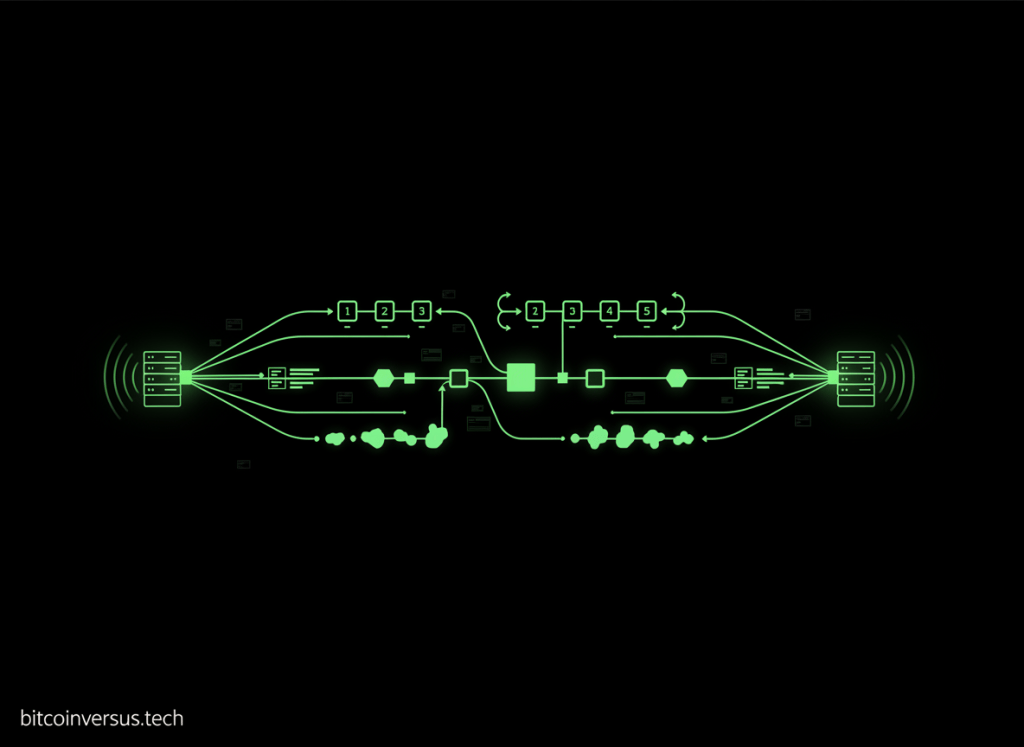
IP gets packets between hosts. TCP and UDP determine how applications exchange data between processes on those hosts.
OSNTC.014 continues the Open Source Networking Technician Certification after OSNTC.013: Router Basics. Routers forward IP packets between networks; transport protocols add application-facing communication through port numbers, sequencing, acknowledgements, flow behavior, and datagram delivery.
The transport-layer model
application data → TCP stream or UDP datagram → IP packet → Ethernet/Wi-Fi frame → network path → destination host → destination process
1. TCP and UDP sit above IP
The Internet Protocol identifies source and destination hosts and moves packets across networks. TCP and UDP operate above IP and identify communicating applications using port numbers.
The earlier ICMP and Ping Basics lesson covered a different IP-layer control protocol. ICMP does not use TCP or UDP ports.
2. Port numbers identify application endpoints
TCP and UDP use 16-bit port numbers from 0 through 65535. IANA divides the registry into three broad ranges:
- System Ports: 0–1023
- User Ports: 1024–49151
- Dynamic/Private Ports: 49152–65535
Reference: IANA Service Name and Transport Protocol Port Number Registry.
A registered port suggests a conventional service, but traffic observed on that port is not automatically trustworthy and does not prove that the expected application is actually using it.
Video 1: TCP vs. UDP comparison
3. TCP is connection-oriented
Transmission Control Protocol (TCP) establishes state between endpoints before application data is exchanged. The current consolidated TCP standard is RFC 9293.
A TCP connection is commonly identified by the combination of:
- source IP address;
- source TCP port;
- destination IP address;
- destination TCP port;
- transport protocol.
This five-part identification lets one server IP and one server port support many simultaneous client connections.
4. The TCP three-way handshake
A normal TCP connection begins with a three-step exchange:
- SYN: the initiating endpoint requests a connection and supplies an initial sequence number.
- SYN-ACK: the responding endpoint acknowledges that request and supplies its own initial sequence number.
- ACK: the initiator acknowledges the responder.
After this exchange, both endpoints have synchronized connection state and can begin transferring application data.
Video 2: TCP handshake, flags, sequence numbers, and windows
5. TCP provides ordered byte-stream delivery
TCP presents applications with an ordered byte stream. Sequence numbers let the receiver determine where bytes belong, while acknowledgement information reports successfully received sequence space.
When data is lost, TCP can retransmit missing data. When packets arrive out of order, TCP can reorder the received byte stream before delivering it to the application.
This does not mean TCP guarantees that every application message will always reach the destination under every failure condition. A connection can time out, reset, lose network reachability, or terminate before completion. TCP provides mechanisms for reliable ordered transport while the connection exists; applications must still handle failures.
6. TCP includes flow control
TCP receivers advertise how much receive capacity is available. This helps prevent a sender from overwhelming the receiver’s buffer.
Flow control protects the receiving endpoint. Congestion control is a different function that attempts to avoid overloading the network path. Both affect how much TCP data can be sent at a given time.
7. TCP has more transport state and header overhead
A basic TCP header is at least 20 bytes and can grow when options are present. TCP tracks sequence state, acknowledgements, windows, flags, retransmission behavior, and other connection information.
That extra machinery is useful when ordered delivery, retransmission, and congestion-aware transport are required.
8. UDP is message-oriented and connectionless
User Datagram Protocol (UDP) sends independent datagrams without establishing a TCP-style connection first. Its base header is only 8 bytes: source port, destination port, length, and checksum.
UDP does not itself provide TCP-style sequencing, retransmission, flow control, or congestion control. Applications that need those behaviors must add them at another layer or use a protocol that supplies them.
The IETF’s RFC 8085 UDP Usage Guidelines specifically warns that UDP applications must account for Internet-path variation and must not ignore congestion behavior simply because UDP itself is minimal.
9. UDP does not mean “bad” or “unreliable application”
The phrase “UDP is unreliable” is an oversimplification. UDP does not provide built-in delivery confirmation or retransmission, but an application can implement reliability, recovery, timing, or redundancy above UDP when appropriate.
Modern QUIC is a major example: it runs over UDP while implementing secure connection management, loss recovery, congestion control, and stream behavior above the UDP layer. HTTP/3 uses QUIC rather than TCP.
Video 3: TCP vs. UDP without the common myths
10. UDP does not mean packets move faster through routers
Routers do not normally forward an IP packet faster merely because its payload is UDP instead of TCP. UDP can reduce transport-layer setup and state overhead, but total application performance depends on path latency, packet loss, congestion, implementation, application behavior, and recovery strategy.
“UDP is always faster” is therefore not a technically reliable rule.
11. Common TCP examples
- SSH: TCP port 22
- HTTP/1.1 and HTTP/2: normally TCP port 80 or 443 depending on encryption
- SMTP: commonly TCP
- IMAP: commonly TCP
- database protocols: many use TCP
The exact service mapping should be verified against current application documentation and the IANA registry rather than assumed from a memorized port list.
12. Common UDP examples
- DNS: commonly UDP port 53 for many queries, with TCP also used where required.
- NTP: commonly UDP port 123.
- DHCP: uses UDP.
- real-time media: often uses UDP-based protocols because timeliness can matter more than retransmitting old data.
- QUIC / HTTP/3: runs over UDP, commonly using UDP port 443.
The earlier DNS Basics lesson is a useful example because DNS can use both UDP and TCP depending on the transaction.
13. One port number can exist in both TCP and UDP
TCP port 53 and UDP port 53 are different transport endpoints even though they share the same numeric value. The transport protocol is part of the endpoint identity.
The same principle applies to port 443. IANA currently registers HTTPS on both TCP 443 and UDP 443. TCP 443 is widely associated with HTTP over TLS, while UDP 443 is used by protocols such as QUIC/HTTP/3.
14. Client source ports are usually temporary
A server normally listens on a known service port, while a client typically chooses a temporary local source port for the connection or exchange.
Example:
client 192.0.2.10:53044 → server 198.51.100.20:443
Another client can use the same server IP and destination port because its source IP or source port differs.
15. Switches and routers do different jobs from TCP and UDP
A network switch primarily forwards Ethernet frames inside a Layer-2 domain. A router forwards IP packets between networks. TCP and UDP are endpoint transport protocols used by applications.
Firewalls, load balancers, NAT devices, and middleboxes may inspect or modify transport-layer state, but ordinary endpoint transport semantics still belong to TCP, UDP, or another transport protocol.
16. What a technician should inspect during troubleshooting
- Confirm source and destination IP addresses.
- Confirm whether the application uses TCP, UDP, or both.
- Confirm source and destination ports.
- Verify that the server process is listening on the expected transport and port.
- Check local and network firewall policy.
- For TCP, determine whether the three-way handshake completes.
- For TCP, look for retransmissions, resets, duplicate acknowledgements, and window problems.
- For UDP, determine whether requests leave and responses return.
- Check NAT or load-balancer translation where present.
- Use packet capture when endpoint logs are insufficient.
17. Fast fault-isolation examples
TCP SYN leaves but no SYN-ACK returns:
check destination reachability → server listening state → firewall policy → NAT/load balancer → return path.
TCP handshake completes but application stalls:
check application protocol → TLS/session state → receive windows → retransmissions → server logs.
UDP request leaves but no response returns:
check destination port → service state → firewall → NAT mapping → application timeout/retry behavior → return path.
18. Practice exercise
A workstation at 10.10.5.24 opens an HTTPS connection to 10.20.8.40. The packet capture shows:
10.10.5.24:51822 → 10.20.8.40:443 SYN
10.20.8.40:443 → 10.10.5.24:51822 SYN-ACK
10.10.5.24:51822 → 10.20.8.40:443 ACK
- Which endpoint initiated the TCP connection?
- Which endpoint is acting as the server?
- Which port is temporary in this example?
- What does the successful three-way handshake prove?
- Does the handshake prove that the HTTPS application will complete successfully?
- What additional traffic should be inspected if the browser still fails after the handshake?
Knowledge check
1. What does a port number identify?
A transport-layer application endpoint on a host.
2. What are the three TCP handshake messages?
SYN, SYN-ACK, and ACK.
3. Does UDP establish a TCP-style connection before sending data?
No. UDP sends independent datagrams without that connection-establishment exchange.
4. Does TCP guarantee that an application transaction can never fail?
No. TCP provides ordered, acknowledged transport mechanisms, but connections can still fail, reset, time out, or lose reachability.
5. Can the same numeric port exist for both TCP and UDP?
Yes. TCP and UDP have separate port namespaces.
6. Why is “UDP is always faster” misleading?
UDP has less built-in transport overhead, but actual performance depends on the application, network path, loss, congestion, and recovery behavior.
7. What should be checked first when a TCP service is unreachable?
IP reachability, the correct destination port, server listening state, firewall policy, and whether the TCP handshake completes.
Key takeaway
TCP and UDP solve different transport problems. TCP maintains connection state and provides ordered byte-stream transport with acknowledgement, retransmission, flow control, and congestion-control behavior. UDP provides minimal datagram transport and leaves more behavior to the application. Correct troubleshooting begins by identifying the transport protocol, port pair, endpoint state, and actual packet exchange.
BitcoinVersus.Tech
Advertisement
Editor’s Note:
We volunteer daily to ensure the credibility of the information on this platform is Verifiably True. If you would like to support our research initiatives, please donate here: 3C9o19EH5HSiwEPyCTmEKzxhNCbo2X6TTb
BitcoinVersus.tech is not a financial advisor. This media platform reports on financial subjects purely for informational purposes.


Leave a Reply