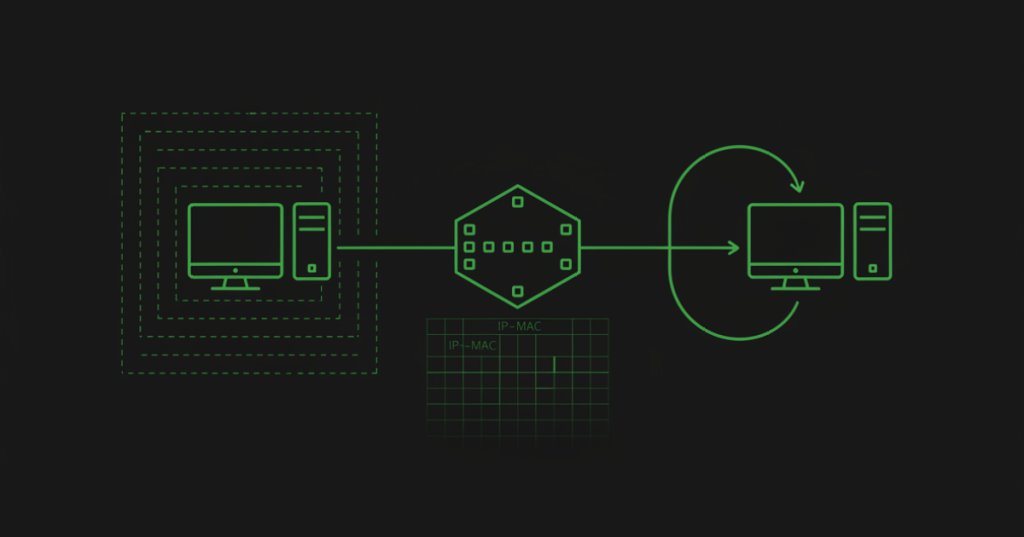
ARP connects IPv4 addressing to Ethernet delivery by discovering which MAC address belongs to a local IPv4 address.
This lesson follows OSNTC.008: Ethernet Frame Basics. That lesson showed that an Ethernet frame needs a destination MAC address. ARP explains how a host learns that destination MAC when it knows only the local IPv4 address.
What ARP does
ARP stands for Address Resolution Protocol. On an IPv4 Ethernet LAN, a host uses ARP to map an IPv4 address to a MAC address.
IPv4 address  →  ARP  →  MAC address
192.168.10.25 →       → 00:11:22:33:44:55
ARP is local-link behavior. It does not resolve the MAC address of a server several routers away. If the destination is off-subnet, the host usually resolves the MAC address of its default gateway instead.
ARP request: Who has this IPv4 address?
Suppose a workstation at 192.168.10.10 needs to send an IPv4 packet to 192.168.10.25 on the same subnet, but it does not know that device’s MAC address.
- The sender checks its ARP cache.
- If no usable mapping exists, it sends an ARP request.
- The request is carried in an Ethernet broadcast frame with destination
ff:ff:ff:ff:ff:ff. - Devices in that Layer 2 broadcast domain receive the request.
- The device using the target IPv4 address can answer with an ARP reply.
Video 1: ARP request and reply
ARP reply
The ARP reply tells the requester which MAC address is associated with the requested IPv4 address. The requester can then build the Ethernet frame needed for local delivery.
Question:
Who has 192.168.10.25?

Reply:
192.168.10.25 is at 00:11:22:33:44:55
A normal ARP request is broadcast because the sender does not yet know the target MAC. The reply is commonly sent directly to the requester.
The ARP cache
Operating systems temporarily store learned IPv4-to-MAC mappings in an ARP cache or neighbor table. Reusing a valid cached entry avoids broadcasting a new ARP request for every packet.
On Windows, a technician can inspect the table with:
arp -aOn many Linux systems, the modern command is:
ip neighEntries can be dynamic, static, incomplete, stale, reachable, or represented with other operating-system-specific states. Read the local platform’s output instead of assuming every table uses the same labels.
Video 2: ARP table and packet flow
Same subnet vs. remote subnet
This distinction is essential.
Same subnet
If the destination IPv4 address is local, the sender resolves the destination host’s MAC address.
Remote subnet
If the destination is outside the local subnet, the sender keeps the remote destination IPv4 address inside the IP packet but normally resolves the default gateway’s MAC address for the local Ethernet frame.
Remote web server IP: 203.0.113.50
Local default gateway: 192.168.10.1

IP packet destination: 203.0.113.50
Ethernet frame destination: gateway MAC
The router removes that incoming Ethernet frame and creates a new Layer 2 frame for the next link.
Video 3: ARP for CCNA troubleshooting
What an ARP packet contains
Technicians do not need to memorize every bit immediately, but they should recognize these key fields:
- Operation: request or reply.
- Sender MAC address.
- Sender IPv4 address.
- Target MAC address.
- Target IPv4 address.
ARP itself is carried directly inside an Ethernet frame using EtherType 0x0806.
ARP and switches
Do not confuse the ARP table with a switch MAC-address table.
- ARP table: maps IPv4 addresses to MAC addresses.
- Switch MAC table: maps MAC addresses to switch ports and VLAN context.
A workstation can know the correct MAC from ARP while a switch independently learns which physical port leads toward that MAC.
Practical troubleshooting sequence
- Confirm the host’s IPv4 address and subnet mask.
- Decide whether the destination should be local or routed through the gateway.
- Inspect the ARP/neighbor table.
- Ping or generate approved traffic if you need the host to attempt resolution.
- Recheck the ARP table for a learned or incomplete entry.
- On the switch, verify the relevant VLAN and MAC-learning state.
- If authorized, capture traffic and look for the ARP request and expected reply.
An incomplete ARP entry tells you resolution did not finish. It does not by itself prove whether the cause is a disconnected endpoint, wrong VLAN, wrong subnet, blocked path, duplicate addressing, interface problem, or another fault.
Duplicate IPv4 addresses
If two devices claim the same IPv4 address, ARP behavior can become inconsistent. A host may learn one MAC and later another. Symptoms can include intermittent reachability, sessions moving between devices, or operating-system duplicate-address warnings.
When investigating a suspected duplicate, record the changing MAC addresses and trace each MAC through the switch infrastructure rather than immediately deleting ARP entries and losing useful evidence.
ARP security note
Classic ARP does not provide built-in authentication. Hosts can receive incorrect IPv4-to-MAC claims, which is why enterprise networks may use controls such as segmentation, DHCP snooping, Dynamic ARP Inspection, endpoint protections, or static mappings in specific designs.
This lesson focuses on normal ARP operation and troubleshooting. Defensive ARP-security controls belong in later networking/security lessons.
Practice
- Explain in one sentence what ARP resolves.
- State why an ARP request is usually broadcast.
- Identify which MAC a host needs when sending to a remote subnet.
- Run the approved ARP/neighbor-table command on a lab machine and identify one dynamic entry.
- Explain the difference between an ARP table and a switch MAC table.
Knowledge check
Question: What does ARP map?
Answer: an IPv4 address to a MAC address on the local link.
Question: What Ethernet destination is used for a normal ARP request?
Answer: the broadcast address ff:ff:ff:ff:ff:ff.
Question: If the destination is remote, whose MAC does the sender normally resolve?
Answer: the local default gateway’s MAC address.
Previous OSNTC lessons
OSNTC.008: Ethernet Frame Basics
Reference
The original protocol is defined in RFC 826: An Ethernet Address Resolution Protocol.
Key takeaway
ARP is the bridge between local IPv4 addressing and Ethernet MAC delivery. First decide whether the destination is local or remote, then identify which IPv4-to-MAC mapping the host actually needs.


Leave a Reply