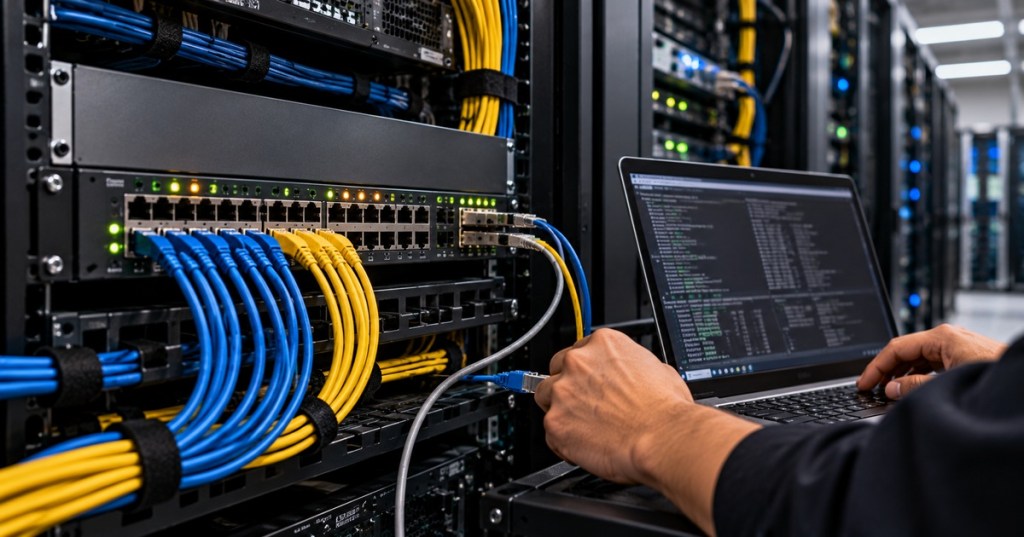
Layer 2 switch security is the practice of protecting the Ethernet access layer from unauthorized devices, rogue infrastructure, forged address information, and traffic that should never have been accepted from a user-facing port. A technician should understand that a network switch is not only a forwarding device. It is also an enforcement point where MAC addresses, DHCP, ARP, VLAN membership, and source bindings can be validated before traffic reaches the rest of the network.
This lesson follows OSNTC.029: IPv6 Access Control Lists. ACLs filter traffic based on Layer 3 and Layer 4 information. OSNTC.030 moves down into the access-switch layer and focuses on controls that protect the local broadcast domain before higher-layer security policy is even reached.
This Layer 2 security lesson introduces DHCP snooping, Dynamic ARP Inspection, and port security together so the relationship between the features is easier to see.
Learning Objectives
- Explain the purpose of port security, DHCP snooping, Dynamic ARP Inspection, and IP Source Guard.
- Distinguish trusted uplinks from untrusted user-facing ports.
- Explain how the DHCP snooping binding table connects several Layer 2 security features.
- Recognize rogue DHCP, ARP spoofing, MAC-address violations, and forged source-IP problems.
- Understand sticky MAC learning and port-security violation modes.
- Verify security state without immediately shutting down legitimate users.
- Troubleshoot legitimate devices that are blocked after Layer 2 security is enabled.
- Apply changes carefully so security features do not become self-inflicted outages.
Start With the Access Layer
The access layer is where end devices connect to the network. User workstations, printers, cameras, phones, access points, servers, and other devices commonly enter the Ethernet fabric through switch access ports. That makes the access switch the first practical place to reject traffic that should not be trusted.
Before adding security features, make sure basic switch operation is already understood. Review Ethernet link negotiation, switch-port troubleshooting, VLANs, and 802.1Q trunks. A port that is already in the wrong VLAN or using the wrong trunk policy will not become correct simply because security commands are added.
Port Security Controls Which MAC Addresses May Use a Port
Port security limits which source MAC addresses are permitted on a switch interface. On a typical user-facing access port, the switch can learn one or more secure MAC addresses and respond when another device appears. Cisco’s current hardening guidance describes port security as a way to mitigate MAC spoofing at an access interface and supports dynamic, static, and sticky secure MAC learning.
The concept depends directly on the MAC address. Ethernet switches normally learn source MAC addresses dynamically and place them into the forwarding table. Port security adds policy to that learning process.
On Cisco IOS-style equipment, a common access-port workflow uses commands such as switchport mode access, switchport port-security, switchport port-security maximum 1, and optionally switchport port-security mac-address sticky. These examples are vendor-specific; exact syntax and supported behavior must be verified for the switch model and software release in use.
Sticky MAC Addresses
Sticky learning allows the switch to learn a source MAC dynamically and place the learned address into the running configuration as a secure MAC. This can be useful when the technician wants easier deployment than manually entering every endpoint address while still preserving an explicit allowed-device state.
Sticky learning is not magic identity. A MAC address can still be spoofed. Port security is therefore one control in a larger access-layer design rather than a complete endpoint-authentication system.
David Bombal demonstrates Cisco port-security behavior, dynamic versus sticky secure MAC learning, and violation handling in a practical CCNA-oriented lab.
Port-Security Violation Modes
When a port receives traffic from a source MAC address that violates the configured policy, the switch must decide what to do. Common Cisco violation behaviors include protect, restrict, and shutdown. Protect drops violating traffic with limited visibility. Restrict drops violating traffic while providing counters or logging. Shutdown typically places the interface into an error-disabled state.
Technicians should not choose a violation mode blindly. A shutdown policy is strong, but it can also turn a legitimate desk move, phone-plus-PC configuration, hypervisor, docking station, or downstream unmanaged switch into an outage. Document the expected number and type of MAC addresses before setting the maximum.
DHCP Snooping Blocks Rogue DHCP Behavior
DHCP normally gives clients their IP address, subnet mask, default gateway, DNS servers, lease time, and related configuration. A rogue DHCP server can answer clients with incorrect settings and redirect or break network access.
DHCP snooping separates switch interfaces into trusted and untrusted roles. Cisco’s current IOS XE documentation describes DHCP snooping as acting like a firewall between untrusted hosts and trusted DHCP servers. The feature validates DHCP messages from untrusted sources and builds a binding database containing learned client information.
User-facing access ports are normally treated as untrusted. Interfaces that legitimately lead toward the DHCP server or approved relay path are trusted according to the network design. If the trust boundary is configured backward, legitimate DHCP offers can be dropped—or rogue DHCP traffic can be accidentally permitted.
The DHCP Snooping Binding Table Is Critical
The snooping process learns relationships such as client MAC address, assigned IP address, VLAN, switch port, and lease information. That binding table is valuable because other Layer 2 security features can use it as a source of truth.
This is an important design connection: DHCP snooping is not only about blocking unauthorized DHCP servers. It can also provide the IP-to-MAC-to-port relationships later used by Dynamic ARP Inspection and IP Source Guard.
Jeremy’s IT Lab explains rogue DHCP behavior, DHCP snooping trusted and untrusted ports, rate limiting, Option 82, and the DHCP snooping binding table.
Dynamic ARP Inspection Validates ARP
ARP maps an IPv4 address to a MAC address on the local broadcast domain. Because ordinary ARP does not provide strong authentication, a malicious or misconfigured endpoint can send false ARP information and attempt to poison another host’s ARP cache.
Dynamic ARP Inspection, or DAI, validates ARP traffic arriving on untrusted ports. Cisco’s current Catalyst documentation states that DAI intercepts ARP requests and replies, compares them against valid IP-to-MAC bindings, forwards valid traffic, and drops invalid ARP packets. In DHCP environments, those valid bindings commonly come from the DHCP snooping database.
This dependency matters operationally. If the DHCP snooping table is empty or incorrect, DAI may block legitimate clients. Static-address devices can also require additional policy, such as approved ARP ACL entries, because no DHCP lease exists for the switch to learn automatically.
IP Source Guard Checks the Source IP
IP Source Guard restricts IP traffic on access interfaces by checking whether the source information matches an approved binding. On supported platforms, the DHCP snooping binding database or manually configured source bindings can provide the expected IP-to-port relationship.
The goal is different from an IPv4 ACL. An ACL might say which networks or protocols are allowed. IP Source Guard asks whether this source IP is valid for this access port in the first place.
How the Four Controls Work Together
- Port security limits which MAC addresses may use an access port.
- DHCP snooping controls DHCP trust and learns valid address bindings.
- Dynamic ARP Inspection checks ARP messages against trusted bindings.
- IP Source Guard checks whether source IP traffic belongs on that port.
These controls overlap, but they are not identical. Each protects a different part of the access-layer trust model.
Trusted Does Not Mean Safe Everywhere
A common Layer 2 security mistake is marking too many ports as trusted. The purpose of a trusted interface is to identify where legitimate infrastructure traffic may enter. If every access port is marked trusted, the control is effectively bypassed.
Trust also needs to match the real topology. Uplinks, trunks, port channels, DHCP relay paths, and approved infrastructure connections must be reviewed as a complete path. A single incorrectly trusted or untrusted hop can break DHCP or ARP validation.
Rate Limiting Is Part of the Design
DHCP snooping and DAI can rate-limit traffic on selected interfaces. Rate limiting can help reduce abuse, but values that are too low can also block legitimate bursts after a power event, switch reload, large workstation boot cycle, or phone deployment.
Never copy a rate limit from a lab into production without checking actual endpoint behavior. Cameras, phones, virtualized hosts, wireless infrastructure, and daisy-chained devices may generate traffic patterns that differ from a single desktop PC.
This networking discussion shows why DHCP snooping and DAI require careful implementation: they are widely useful, but poor trust boundaries or incomplete testing can turn security controls into connectivity problems. Community experience is practical context, not a replacement for vendor documentation or site standards.
Common Failure Patterns
- Clients suddenly receive APIPA addresses: inspect the DHCP snooping trust path, VLAN configuration, DHCP relay, rate limits, and server reachability.
- Clients receive addresses but cannot communicate: inspect DAI, IP Source Guard, ARP bindings, static-address exceptions, and source bindings.
- A port becomes error-disabled after a device swap: inspect port-security violation counters, learned secure MAC addresses, sticky entries, and the configured maximum.
- Phones work but attached PCs fail: verify the expected number of MAC addresses, voice/data VLAN design, and whether both endpoint identities are allowed.
- Static printers or cameras stop working: check whether DAI or IP Source Guard expects DHCP-learned bindings that do not exist.
- DHCP works on one access switch but not another: compare trusted uplinks, snooping-enabled VLANs, trunks, Option 82 behavior, and the full relay path.
- Many users fail after a switch reload: inspect binding-database persistence, clock synchronization, uplink readiness, and the order in which security services recover.
Verification Commands
On Cisco IOS-style switches, useful verification commands may include show port-security interface, show port-security address, show ip dhcp snooping, show ip dhcp snooping binding, show ip arp inspection, show ip arp inspection statistics, and platform-specific IP Source Guard commands. Exact syntax varies by platform and release.
Do not rely on configuration alone. Verify operational tables and counters. A command can exist in the running configuration while the feature is inactive on the required VLAN or ineffective because the trust boundary is wrong.
Troubleshooting Workflow
- Identify the exact affected switch, interface, VLAN, MAC address, and IP address.
- Confirm basic physical link and switch-port state.
- Check whether the port is access or trunk and verify the expected VLAN.
- Inspect port-security status, secure MACs, maximum count, and violation counters.
- Inspect DHCP snooping global state and enabled VLANs.
- Verify the trusted path toward the legitimate DHCP server or relay.
- Inspect the DHCP snooping binding table for the endpoint.
- Inspect DAI state and drop counters on the VLAN and interface.
- Inspect IP Source Guard or source-binding state where enabled.
- Determine whether the endpoint uses DHCP or a static IP address.
- Compare the failing port with a known-good access port in the same VLAN.
- Change one control at a time and retest.
- Document the confirmed cause before restoring normal service.
Hands-On Lab
Build a small authorized lab with one access switch, one legitimate DHCP server or relay path, and at least two client devices or virtual hosts. Place the clients in one access VLAN. Confirm normal DHCP operation first.
Enable DHCP snooping on the test VLAN, mark only the legitimate uplink or server-facing interface as trusted, and verify that the client receives a lease and appears in the snooping binding table. Then enable DAI for the VLAN and confirm valid ARP continues to pass. If supported, add IP Source Guard to one user-facing port and confirm that the legitimate bound client still works.
Finally, enable port security on one test access port with an appropriate MAC maximum. Move the test client to a different endpoint or introduce a second approved lab device and observe the configured violation behavior. Restore the port and document every table, counter, and log message that changed.
Knowledge Check
- What problem does port security primarily address?
- What is the difference between a trusted and untrusted DHCP snooping interface?
- What information is stored in the DHCP snooping binding table?
- Why does Dynamic ARP Inspection often depend on DHCP snooping?
- What problem does DAI attempt to stop?
- How is IP Source Guard different from a normal IPv4 ACL?
- Why can sticky MAC learning still not be treated as strong endpoint identity?
- Why can static-IP devices require special handling when DAI is enabled?
- Why is marking every uplink and access port trusted dangerous?
- What should a technician verify when DHCP fails immediately after snooping is enabled?
- Why can aggressive rate limits cause outages during large restart events?
- Why should operational tables and counters be checked in addition to the running configuration?
Answers
- It limits which source MAC addresses are allowed to use a switch port and defines what happens when an unauthorized MAC appears.
- A trusted interface is permitted to carry legitimate server-side DHCP messages; an untrusted interface is treated as a client-facing edge where unauthorized DHCP server behavior should be blocked.
- Typically the client MAC address, assigned IP address, VLAN, interface, lease information, and related binding data.
- Because DAI can use the snooping binding database as the trusted source for valid IP-to-MAC relationships.
- Forged or invalid ARP information that could poison host ARP caches and enable local man-in-the-middle behavior.
- IP Source Guard validates whether source addressing belongs on a specific access port, while a normal ACL filters traffic according to configured Layer 3 or Layer 4 rules.
- Because MAC addresses can be changed or spoofed; sticky learning improves control but does not provide cryptographic identity.
- Because a static device may have no DHCP-learned binding for DAI to validate, requiring an approved static binding or ARP ACL depending on the platform.
- Because trust bypasses validation on those interfaces and can create a security hole.
- The enabled VLANs, trusted uplink path, DHCP relay/server reachability, Option 82 behavior, rate limits, and binding-table state.
- Because many endpoints may legitimately send bursts of DHCP or ARP traffic after power restoration, link recovery, or mass reboot.
- Because configured commands can be present while the feature is inactive on the required VLAN or operating with an incorrect trust boundary.
Primary References
- Cisco — DHCP Snooping, IOS XE 17
- Cisco — Dynamic ARP Inspection, IOS XE 17
- Cisco — Harden IOS Devices
- Cisco — Troubleshoot DAI and IP Source Guard
BitcoinVersus.Tech Editor’s Note:
We volunteer daily to ensure the credibility of the information on this platform is Verifiably True. If you would like to support to help further secure the integrity of our research initiatives, please donate using the QR code provided

For best QR-code scanning results, please scan this donation code from a desktop or larger screen. Mobile screens may prevent camera recognition.
BitcoinVersus.Tech provides technical education and analysis for informational purposes only.


Leave a Reply