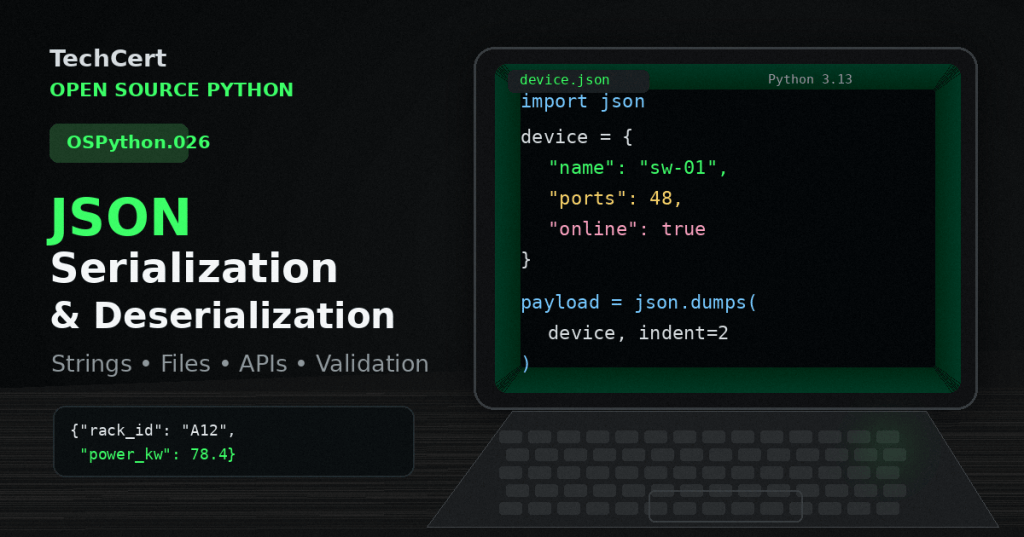
JSON gives Python programs a common text format for exchanging structured data with files, web services, command-line tools, and other applications. OSPython.026 follows OSPython.024: Dataclasses Basics and OSPython.025: Enums and Named Constants by showing how structured Python values cross a program boundary as portable text. JSON is standardized as a lightweight, text-based data-interchange format by RFC 8259.
Serialization: Python objects to JSON text
Python’s standard-library json module uses json.dumps() to serialize an object into a JSON-formatted string and json.dump() to write JSON to a file-like object. Dictionaries normally become JSON objects, lists and tuples become arrays, strings remain strings, numeric values become JSON numbers, True/False become true/false, and None becomes null; custom objects need an explicit conversion strategy rather than being assumed serializable.
import json

interface = {
    "name": "eth0",
    "speed_gbps": 100,
    "up": True,
    "vlans": [5, 10],
}

payload = json.dumps(interface, indent=2)
print(payload)
with open("interface.json", "w", encoding="utf-8") as f:
json.dump(interface, f, indent=2)Deserialization: JSON text back to Python
json.loads() parses a JSON string into Python values, while json.load() reads JSON from a file-like object. Valid input can become dictionaries, lists, strings, integers, floats, booleans, or None; malformed input raises json.JSONDecodeError, so production code should treat external JSON as untrusted input and handle parsing failures deliberately rather than assuming the document is valid.
import json

raw = '{"name":"rack-12","temperature_c":31.4}'

try:
    record = json.loads(raw)
    print(record["temperature_c"])
except json.JSONDecodeError as exc:
    print(f"Invalid JSON: {exc}")
with open("interface.json", "r", encoding="utf-8") as f:
restored = json.load(f)APIs, validation, and structured models
Web APIs and networked systems often return JSON, but parsing is only the first step: the program still has to verify required keys, expected types, ranges, and allowed values before using the data. A useful boundary pattern is JSON → validated dictionary/list → dataclass or domain object, with enums used for controlled states and type hints used to document the expected in-memory shape.
from dataclasses import dataclass
from enum import StrEnum

class Role(StrEnum):
    ACCESS = "access"
    CORE = "core"

@dataclass(frozen=True)
class Switch:
    name: str
    ports: int
    role: Role

raw = '{"name":"sw-01","ports":48,"role":"access"}'
data = json.loads(raw)

if not isinstance(data.get("ports"), int):
    raise ValueError("ports must be an integer")

switch = Switch(
    name=str(data["name"]),
    ports=data["ports"],
    role=Role(data["role"]),
)
Command-line validation
python -m json.tool interface.jsonjson.dumps(obj)→ Python object to JSON string.json.dump(obj, file)→ Python object to JSON file.json.loads(text)→ JSON string to Python object.json.load(file)→ JSON file to Python object.python -m json.tool file.json→ validate and pretty-print JSON from the command line.
Common mistakes
- confusing
dump()withdumps()orload()withloads(); - treating a JSON-formatted string as if it were already a Python dictionary;
- assuming every Python type can be serialized automatically;
- trusting API keys and value types without validation;
- writing multiple top-level objects to one file with repeated
json.dump()calls instead of storing a list or another valid JSON structure; - depending on formatting such as whitespace or key order as if it changed the meaning of the JSON data.
Practice exercise
- Create a dictionary for a data-center rack with
rack_id,power_kw,online, and a list ofdevices. - Serialize it with
json.dumps(..., indent=2). - Write it to
rack.jsonwithjson.dump(). - Read the file back with
json.load(). - Reject the record if
power_kwis not anintorfloat. - Add a
Roleenum and convert the raw JSON role string into an enum member. - Run
python -m json.tool rack.jsonand verify that the file is valid JSON.
Knowledge check + answers
- What does serialization mean? Converting in-memory data into a transport or storage representation such as JSON text.
- What is the difference between
dumps()anddump()?dumps()returns a string;dump()writes to a file-like object. - What is the difference between
loads()andload()?loads()parses a string, bytes, or byte array;load()reads from a file-like object. - What exception commonly indicates invalid JSON syntax?
json.JSONDecodeError. - Why is parsing not the same as validation? Parsing proves that the JSON syntax can be decoded; validation checks whether the resulting values match the application’s required structure and rules.
- Why convert JSON into dataclasses or domain objects? Structured objects make required fields, types, and controlled states easier to reason about than loosely shaped dictionaries alone.
Useful prior lessons
- OSPython.024: Dataclasses Basics
- OSPython.025: Enums and Named Constants
- OSPython.023: Type Hints and Annotations Basics
- OSPython.012: Classes and Objects
Key takeaway
- JSON is a boundary format, not a replacement for a good internal data model. Use
dumps/dumpto serialize,loads/loadto deserialize, and validate external data before converting it into the typed structures used by the rest of the program.
BitcoinVersus.Tech
Advertisement
Editor’s Note:
We volunteer daily to ensure the credibility of the information on this platform is Verifiably True. If you would like to support our research initiatives, please donate here: 3C9o19EH5HSiwEPyCTmEKzxhNCbo2X6TTb
BitcoinVersus.tech is not a financial advisor. This media platform reports on financial subjects purely for informational purposes.


Leave a Reply