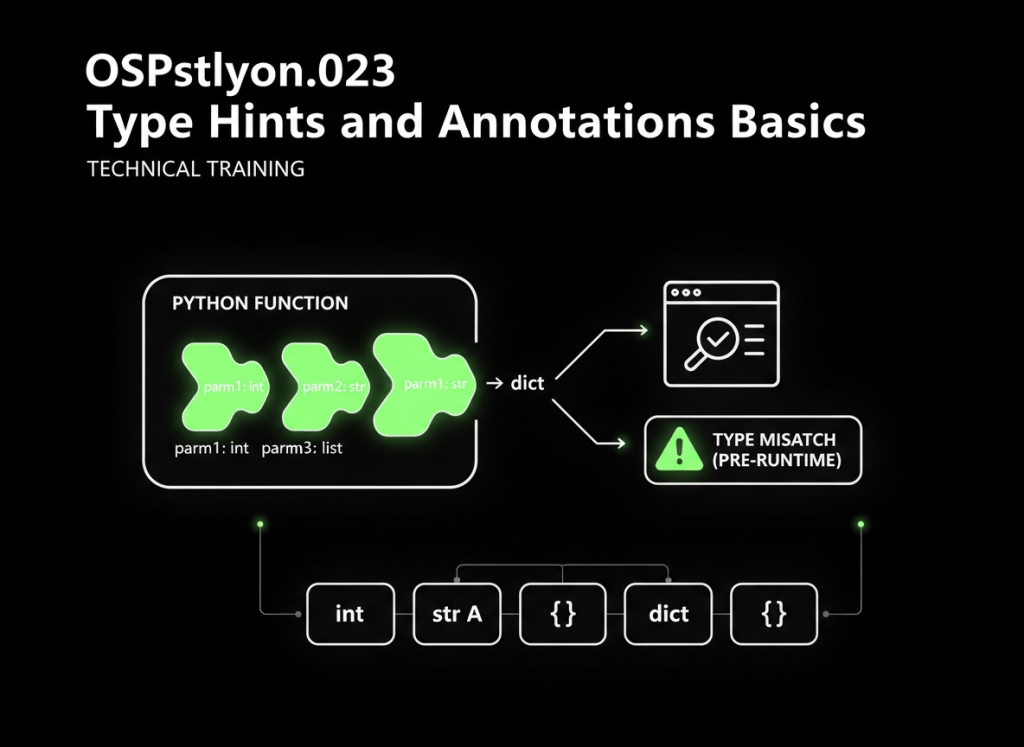
Type hints let you describe what kind of data your Python code expects without changing Python into a statically typed language.
This lesson follows OSPython.022: Context Managers and the with Statement Basics. We are continuing the recent run of Python language features by adding something that makes larger programs easier to read, debug, and maintain: type annotations.
Start with the smallest example
age: int = 25
name: str = "Ada"
Read those lines in plain English:
age: intsays thatageis intended to hold an integer.name: strsays thatnameis intended to hold a string.
The annotation appears after the variable name and a colon.
variable_name: expected_type = valueThe most important rule: a hint is not a runtime lock
Python does not normally stop this assignment just because the annotation says int:
age: int = 25
age = "twenty-five"
The program may still run because annotations are primarily metadata for humans, editors, linters, and static type-checking tools. A checker can warn that a string is being assigned where an integer was expected.
Your code
   ↓
Type annotations
   ↓
Editor / static type checker
   ↓
Possible mismatch warning before execution
Python’s official typing documentation explains that the runtime does not enforce function and variable type annotations. Tools such as type checkers, IDEs, and linters can use them instead.
Video 1: Type hints and annotations from the ground up
Function parameter annotations
Type hints become especially useful on functions because they tell the reader what should go in and what should come back out.
def double_hashrate(hashrate: float) -> float:
    return hashrate * 2
Break it apart:
hashrate: floatmeans the parameter is expected to be a floating-point number.-> floatmeans the function is expected to return a floating-point number.
input type                 return type
    ↓                           ↓
def double_hashrate(hashrate: float) -> float:
    return hashrate * 2
More basic parameter examples
def greet(name: str) -> str:
    return f"Hello, {name}"


def is_online(status_code: int) -> bool:
    return status_code == 200


def log_message(message: str) -> None:
    print(message)
-> None is useful when a function performs an action but is not intended to return a meaningful value.
Collections can be annotated too
Modern Python syntax can describe the type of the collection and the type stored inside it.
miners: list[str] = ["S21", "S19", "A1566"]

power_draws: list[int] = [3500, 3250, 3420]

rack_power: dict[str, int] = {
    "rack-a": 12000,
    "rack-b": 11500,
}
Read them as:
list[str]— a list whose items are strings.list[int]— a list whose items are integers.dict[str, int]— a dictionary with string keys and integer values.
Tuples and sets
coordinates: tuple[int, int] = (10, 25)

active_ips: set[str] = {
    "10.0.0.10",
    "10.0.0.11",
}
The same idea applies: the outer name tells you the container, and the type inside the brackets tells you what the container is expected to hold.
Video 2: Basic annotations through advanced typing
One value can sometimes have more than one valid type
Suppose a function accepts either an integer ID or a string ID. You can describe that with a union:
def find_device(device_id: int | str) -> str:
    return f"Searching for {device_id}"
int | str means integer or string.
device_id
   │
   ├── int
   └── str
Older Python code may express the same idea with Union[int, str] from the typing module. When maintaining existing code, you may see both styles.
Optional values and None
A value that may be a string or may be absent can be written as:
serial_number: str | None = NoneLater the program may assign a real serial number:
serial_number = "ABC12345"Again, older code may use Optional[str]. Conceptually, both describe a value that can be a string or None.
Type aliases make long annotations easier to read
If the same complicated type appears repeatedly, give it a useful name.
PowerReading = tuple[str, float]


def read_power() -> PowerReading:
    return ("rack-a", 11.8)
The name PowerReading communicates intent better than repeating the entire structure everywhere.
What a static type checker can catch
Imagine this function:
def calculate_kw(amps: float, volts: float) -> float:
    return amps * volts / 1000
Then somebody accidentally calls it like this:
calculate_kw("40 amps", 240.0)The first argument is a string even though the function says it expects a float. Python itself may only complain once the incompatible operation occurs at runtime, but a static checker can often flag the mismatch earlier.
That is the value of type hints in larger systems: they turn some mistakes into visible warnings before a production path executes them.
Video 3: Static checking with mypy
Type hints also improve editor assistance
Editors and language servers can use annotations to understand what an object is expected to be. That can improve autocomplete, parameter hints, navigation, and warnings.
def efficiency(hashrate_th: float, watts: float) -> float:
    return watts / hashrate_th
A reader can immediately see that both inputs and the output are numeric, even before reading the function body.
Annotations are documentation that stays close to the code
Compare these two functions:
def update_device(device, online):
    ...


def update_device(device: str, online: bool) -> None:
    ...
The second version gives you useful information immediately:
deviceshould be a string.onlineshould be a Boolean.- The function is not intended to return a meaningful value.
Do not annotate everything just because you can
Type hints should make code clearer, not harder to read. This is useful:
def get_temperature(sensor_id: str) -> float:
    ...
An enormous deeply nested annotation can become harder to understand than the code itself. When a type gets complicated, consider a type alias, a named class, or another clearer design.
A practical data-center example
def rack_status(
    rack_name: str,
    power_kw: float,
    temperatures: list[float],
    alarm: str | None = None,
) -> dict[str, object]:
    return {
        "rack": rack_name,
        "power_kw": power_kw,
        "temperatures": temperatures,
        "alarm": alarm,
    }
Before reading the body, you already know the expected shape of the inputs. That is valuable when multiple technicians, engineers, or automated systems touch the same codebase.
Annotations can be inspected
Function annotations are available to Python as metadata. For example:
def add(a: int, b: int) -> int:
    return a + b

print(add.__annotations__)
You do not need to use this often as a beginner. It simply proves an important idea: annotations are information attached to the function.
Where the typing module fits
Built-in syntax handles many common cases now, but the typing module provides additional tools for describing more complex interfaces and data structures.
Python’s original standardized type-hinting design is documented in PEP 484. You do not need to memorize the PEP; it is useful as a reference for understanding where modern Python type hints came from.
Common beginner mistakes
- Thinking a type hint automatically prevents the wrong value at runtime.
- Assuming annotations make Python behave like Java or C++ at runtime.
- Using a very broad type such as
objecteverywhere and losing useful information. - Writing annotations so complicated that nobody can quickly understand them.
- Forgetting that
Nonemust be included when a value can legitimately be absent. - Confusing a type checker warning with a Python runtime exception.
Quick practice
- Annotate a variable named
hostnameas a string. - Annotate a variable named
portas an integer. - Write a function that accepts two floats and returns a float.
- Create a
list[str]containing three server names. - Create a
dict[str, int]mapping rack names to power readings. - Write one value that can be either a string or
None. - Explain why a type hint does not automatically enforce the type at runtime.
Knowledge check
1. What does name: str mean?
It says that name is intended to contain a string.
2. What does -> bool mean on a function?
The function is expected to return a Boolean value.
3. Does Python automatically reject every value that violates a type hint?
No. Type hints are not normally runtime enforcement.
4. What does str | None mean?
The value may be a string or None.
5. Why use a static type checker?
It can analyze annotations and warn about many mismatched types before the affected code runs.
Key takeaway
Type hints describe the data your Python code expects. They improve readability and give editors and static analysis tools more information, but they do not normally enforce types at runtime.
Remember the visual:
Python code
   ↓
Type annotations describe intent
   ↓
Humans + editors + type checkers understand more
   ↓
Many mistakes become easier to spot earlier
Display note: all examples in this lesson are plain code blocks and educational diagrams. They are not simulated VS Code, Windows, or Linux terminals, so no terminal color palette has been invented or represented.


Leave a Reply