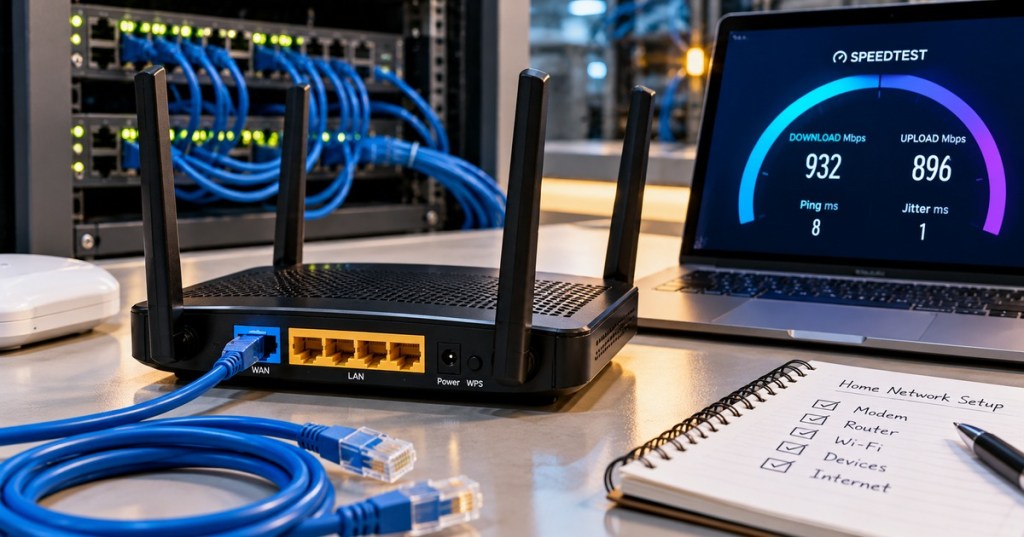
A network can have plenty of bandwidth and still feel terrible. Two common reasons are packet loss and jitter: packets may disappear before reaching their destination, or they may arrive with inconsistent timing.
Those problems matter most when an application depends on a steady stream of data. Video calls, online games, voice traffic, remote desktops, live video, industrial control, and other real-time applications can become noticeably unstable even when a conventional speed test reports a fast connection.
Networks Move Data In Packets
Internet and Ethernet traffic is divided into packets or frames that travel through network devices toward a destination. Each packet carries a portion of the larger conversation along with addressing and protocol information needed to deliver it.
Our packet-capture explainer shows how engineers can inspect those individual units of traffic instead of treating a network connection as one invisible stream.
Packet Loss Means Some Packets Never Arrive
Packet loss occurs when packets sent across a network fail to reach the intended destination. It is usually expressed as a percentage of the packets transmitted during a measurement interval.
If 10,000 test packets are sent and 100 never arrive, the measured packet loss is 1%.
Packet Loss % = Lost Packets ÷ Sent Packets × 100

100 ÷ 10,000 × 100 = 1%
Jitter Means Packet Timing Is Inconsistent
Jitter is variation in packet delay. Imagine packets being transmitted at regular intervals. If the network delivers one packet quickly, the next slowly, and another quickly again, their arrival spacing becomes uneven.
Cisco defines jitter as variation in delay over time from point to point. That variation is particularly important for voice and video because the receiver is trying to reconstruct a continuous stream from packets arriving across a variable network path.
Latency And Jitter Are Not The Same Thing
Latency describes how long data takes to travel. Jitter describes how much that delay changes from packet to packet. A connection can therefore have relatively high but stable latency, or relatively low average latency with disruptive spikes in delay.
Likewise, bandwidth measures available data capacity rather than responsiveness. Our bandwidth, throughput, and latency guide separates those three measurements and explains why one “speed” number cannot describe an entire network.
Why Packet Loss Happens
Congestion is one common cause. When traffic arrives faster than a network interface or queue can forward it, buffers can fill and packets may be dropped. Packet loss can also result from faulty cabling, wireless interference, overloaded equipment, bad optics, interface errors, software problems, routing issues, or failing hardware.
That means packet loss is a symptom, not a diagnosis. Finding 2% loss tells an operator that packets are disappearing; it does not automatically reveal which link, device, queue, radio channel, or endpoint is responsible.
Why Jitter Happens
Packets do not always experience identical queues and processing delays. Bursty traffic, congestion, changing wireless conditions, overloaded network devices, traffic shaping, and route changes can make some packets wait longer than others.
A perfectly steady flow might arrive every 20 milliseconds. A jittery flow could arrive after 12 ms, then 35 ms, then 17 ms, then 31 ms. Even if every packet eventually arrives, the changing timing can disrupt an application that expects regular delivery.
Real-Time Applications Notice The Problem First
A file download can often recover from packet loss by retransmitting missing data and simply taking a little longer. A live conversation has a stricter clock. Audio that arrives too late may no longer be useful because the listener has already reached that moment in the conversation.
This is why packet loss and jitter can appear as robotic audio, frozen video, sudden game movement, delayed controls, missing speech, or short connection stalls rather than simply a lower download-speed number.
TCP Can Retransmit Missing Data
TCP is designed for reliable ordered delivery. When data is lost, TCP can detect missing information and retransmit it. That is valuable for web pages, files, software packages, and other applications where correct delivery matters more than immediate delivery.
The tradeoff is time. Retransmission consumes capacity and adds delay, so packet loss can reduce effective throughput even though the physical link speed has not changed.
Real-Time UDP Traffic May Not Wait
Many real-time applications use UDP-based transports because waiting for old data can be worse than moving forward without it. Voice or video software may conceal small losses, interpolate missing information, adjust quality, or simply discard data that arrived too late.
That is why the impact of packet loss depends on the application and protocol. One lost packet is not automatically catastrophic, but repeated loss or bursts of loss can become obvious very quickly.
Jitter Buffers Trade Delay For Smoothness
Voice and video systems often use a jitter buffer. Instead of playing each packet immediately when it arrives, the receiver briefly stores packets and releases them at a steadier rate.
The buffer can smooth moderate timing variation, but it cannot solve unlimited jitter. A larger buffer can tolerate more variation at the cost of adding more delay. Packets that arrive outside the usable playback window may still be discarded.
A Fast Speed Test Can Hide A Bad Connection
A connection capable of hundreds of megabits or several gigabits per second may still have poor real-time quality if packets are being dropped or arriving inconsistently. Maximum transfer capacity and delivery quality are different measurements.
Cloudflare’s Internet-quality methodology evaluates latency, packet loss, download speed, upload speed, loaded latency, and jitter rather than reducing network quality to download bandwidth alone. Different applications can therefore receive different quality scores from the same connection.
Ping Is Useful But It Does Not Tell The Whole Story
Ping can help test reachability and round-trip time and can reveal loss in a series of probes. But a few successful pings do not prove that every application flow is healthy under load.
Operators may also inspect interface counters, switch queues, wireless statistics, packet captures, application telemetry, path measurements, and active probes. The goal is to determine where degradation begins rather than merely confirming that the destination responds.
Switches Can Drop Packets When Queues Fill
Network switches receive traffic on one interface and forward it toward another. When several incoming flows compete for a slower or congested outgoing interface, packets may temporarily wait in buffers.
If the queue cannot absorb the burst, packets can be discarded. Our top-of-rack switch explainer shows where this switching layer sits between servers and the wider data-center network.
Quality Of Service Can Prioritize Sensitive Traffic
Quality of Service, or QoS, lets network operators classify traffic and apply different queueing or scheduling behavior. Voice, control traffic, or other delay-sensitive flows can receive preferential treatment during congestion instead of competing identically with large background transfers.
QoS does not create unlimited bandwidth and cannot repair broken hardware. It manages contention when network resources are limited.
The Easy Way To Remember It
Packet loss means data disappeared. Jitter means the timing became uneven. Latency means the trip took time. Bandwidth tells you how much traffic the path can theoretically carry.
A healthy network needs more than a large bandwidth number. Packets also need to arrive reliably and predictably enough for the application using them.
BitcoinVersus.Tech
Advertisement
Editor’s Note
We volunteer daily to help keep the information on this platform verifiably accurate. If you would like to support our independent research, please donate here: 3C9o19EH5HSiwEPyCTmEKzxhNCbo2X6TTb
BitcoinVersus.tech is not a financial advisor. Content is provided for informational purposes.


Leave a Reply