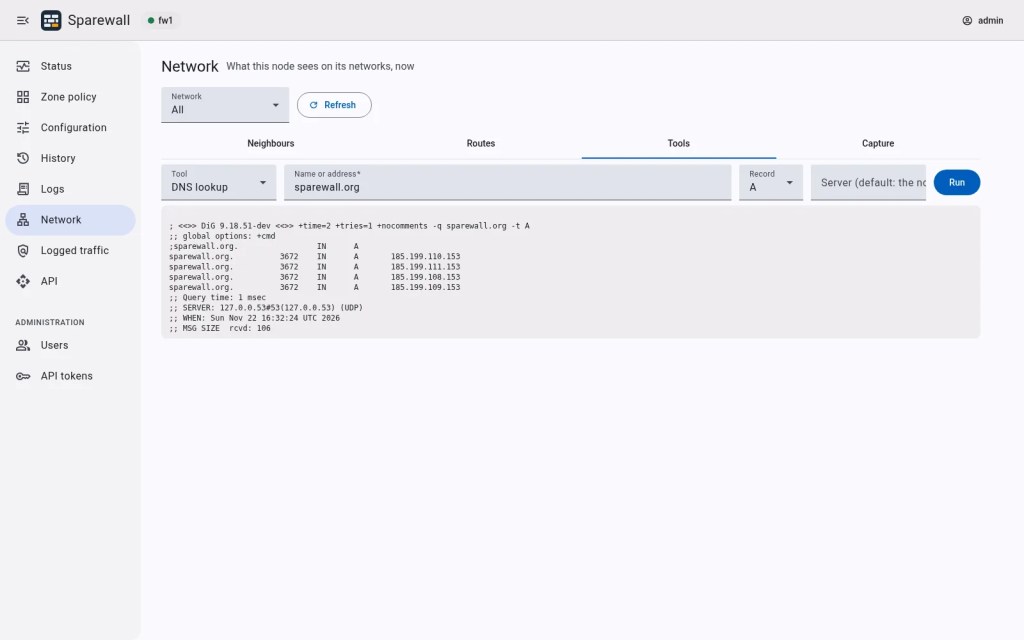
A firewall is often the last device a network engineer wants to misconfigure remotely. Sparewall, a GPL-3.0-only Linux firewall project, is tackling that problem with a versioned configuration model and reversible changes. Its November 19, 2026 release, version 0.7.0, expands troubleshooting through a browser interface and command-line client.
The update combines logs, routing tables, neighbor discovery, network tests and traffic measurements under the same administrative interface. Instead of replacing the Linux networking stack, Sparewall coordinates established components such as nftables, systemd-networkd, keepalived and conntrackd using software written in Rust.
Technical background: JuncoTIC explains the Linux Netfilter ecosystem, including nftables and its relationship to firewall management tools. Recorded before Sparewall 0.7.0; not a Sparewall demonstration. Watch on YouTube.
A configuration that can undo itself
Sparewall’s design documentation describes an infrastructure model in which a configuration document defines network interfaces, services and security policy. The coordinator validates the proposed configuration, prepares the files required by the underlying software and activates the resulting generation. If an operator fails to confirm a change within the allotted interval, the previous configuration returns.
A confirmation mechanism can be particularly valuable when an engineer changes a remote gateway’s management network. An accidental routing or access-control change might otherwise require somebody to visit the machine. Automatic rollback reduces that risk, although it cannot recover from every hardware, power or software failure.
Community context: a Linux administrator’s earlier discussion about graphical nftables management illustrates the demand for more accessible interfaces. The discussion is not evidence of Sparewall adoption. Read on Reddit.
Diagnostics without opening an SSH session
Version 0.7.0 makes troubleshooting available to appropriately authorized users without requiring shell access. Administrators can inspect network state and perform time-limited diagnostics. The project limits traffic capture to administrators and records capture activity in its system journal. The web interface remains optional and is disabled by default.
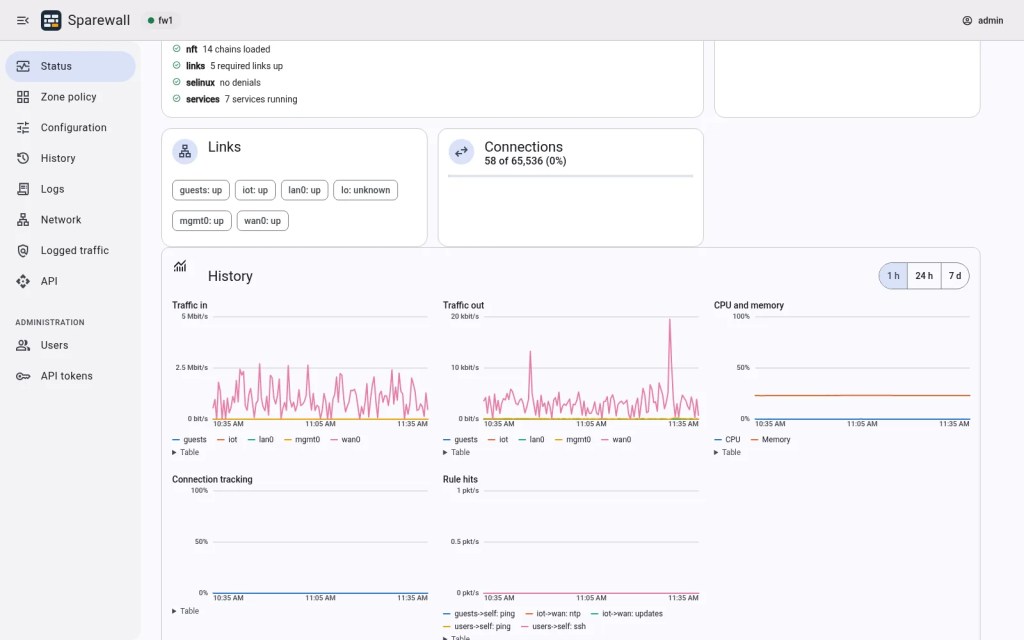
The value of integrated monitoring is operational: a dashboard can show whether an interface is active, whether forwarding is functioning and whether resource consumption is increasing. Engineers can then investigate specific symptoms rather than assuming every connectivity failure originates in the firewall policy.
High availability still requires testing
Sparewall supports paired nodes and coordinated upgrades. The backup node can receive an update before the active gateway is changed, providing a way to check its health before proceeding. Version 0.7.0 also extends IPv6 support for management access and rules that follow delegated network prefixes.
However, the maintainers report an important limitation in their release notes. During some rolling-upgrade tests, a site-to-site tunnel took approximately two minutes to recover after a gateway handover. A failover without reboot recovered in about one second in the reported testing. Neither figure is a universal recovery guarantee.
The project remains in its 0.x development series. Configuration formats and interfaces may change before version 1.0. Operators should test backups, rollback, redundant gateways and realistic traffic loads in a laboratory before entrusting critical network connectivity to the platform.
Related BitcoinVersus.Tech reporting explores Linux kernel-based security controls, Kubernetes virtualization, persistent software vulnerabilities and Rust-based browser infrastructure. Sparewall applies a complementary principle: make network changes reviewable, observable and recoverable.
We volunteer daily to ensure the credibility of the information on this platform is Verifiably True. If you would like to support to help further secure the integrity of our research initiative, please scan the QR code below.


Leave a Reply