linux
-

Linux systems commonly rely on iptables and its modern replacement nftables as core utilities for firewall configuration. These tools allow administrators to create and manage firewall rules that filter traffic based on IP addresses, ports, protocols, and connection states. Linux firewalls operate at a very low level, offering fine-grained control of packet filtering and network…
-
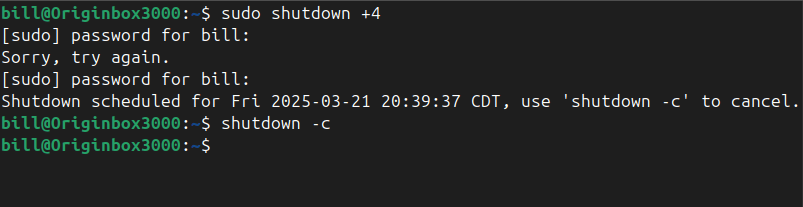
The shutdown command in Linux safely powers off or reboots a system, allowing users and administrators to schedule the shutdown after a certain time interval or at a specific time. It ensures the system terminates all processes correctly and prevents data corruption. The command accepts various parameters to specify time and behavior, with the option…
-
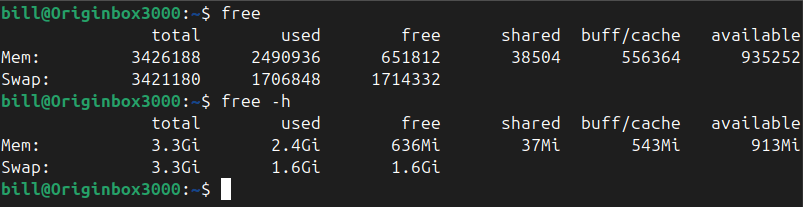
The free command in Linux is used to display comprehensive memory usage information, reporting the total, used, free, shared, buffer/cache, and available memory, including both RAM and swap space. It provides essential insights for system administrators and users to efficiently monitor and manage resources. By default, running the command free outputs memory details numerically in…
-
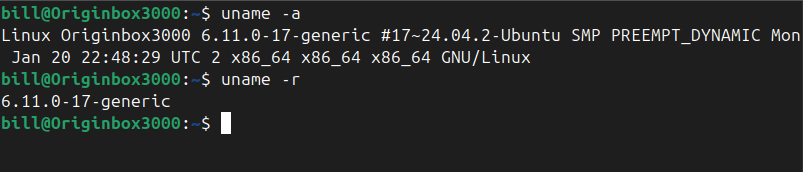
The uname command in Linux prints system information about the current machine. Specifically, it reports details such as the kernel name, kernel release, kernel version, machine hardware name, and the operating system. This command is commonly used by administrators and users alike to quickly determine system details for troubleshooting, software compatibility checks, or documenting system…
-

Understanding how to use networking tools in real-world scenarios is a core part of CompTIA A+ training. Each tool has a specific purpose, from diagnosing connection issues to testing cables or analyzing network traffic. Below is a breakdown of essential tools and how they would be used when given a practical situation: Cable Tester A…
-
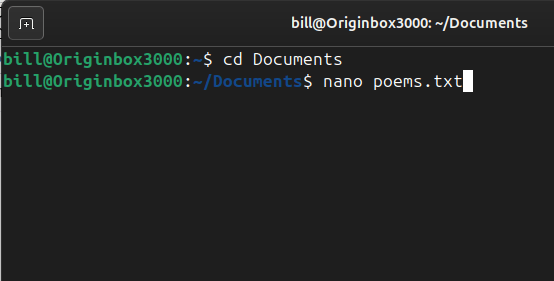
Nano is a simple and user-friendly command-line text editor for Unix-based systems, including Linux. It is designed to be easy to use, even for beginners, with a straightforward interface and on-screen shortcuts. Unlike more complex editors like Vim or Emacs, Nano does not require users to learn advanced keybindings or modes, making it an accessible…
-
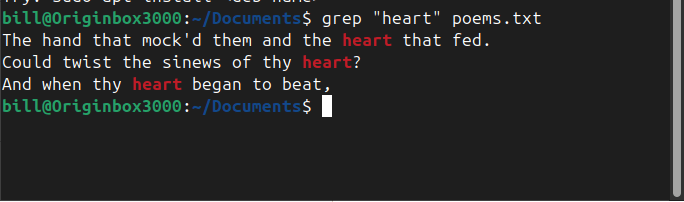
The grep command in Linux is a powerful text-search utility used to find specific patterns within files. In the screenshot, the command grep “heart” poems.txt was executed, instructing the system to search for the word “heart” inside poems.txt and display all matching lines. The output highlights instances where “heart” appears within the poem, helping the…
-

Links in Linux are essential for managing files efficiently, offering flexibility in how files are referenced and accessed. Two primary types exist: hard links and symbolic links (also called soft links). While both serve as references to files, they function differently in how they store and manage data. A hard link is a direct reference…
-
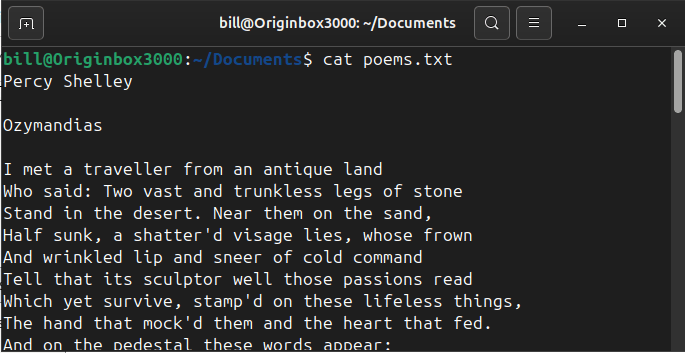
The cat command in Linux is used to display the contents of a file directly in the terminal. In the screenshot, the command cat poems.txt was executed from the ~/Documents directory. The cat command instructs the system to read the file poems.txt and print its contents line by line on the screen. The output shows…
-

The find command in Linux is a powerful and versatile tool designed to search through files and directories based on specific criteria. It helps users efficiently locate files within a file system, filtering searches by name, file type, modification date, size, or even permissions. A typical syntax for using find includes specifying a starting directory,…
-

The apropos command searches manual page names and descriptions for a given keyword, helping users quickly discover relevant commands for a task. The apropos command helps Linux users find commands related to a keyword quickly. For example, typing apropos copy lists commands involving copying files or directories. Similarly, apropos network shows commands associated with network…
-

Linux file permissions are a fundamental aspect of system security and file management, dictating how users can interact with files and directories. Each file or directory has an associated set of permissions that determine the actions permitted for the owner, the group, and others. These permissions are typically represented in a symbolic notation, such as…

