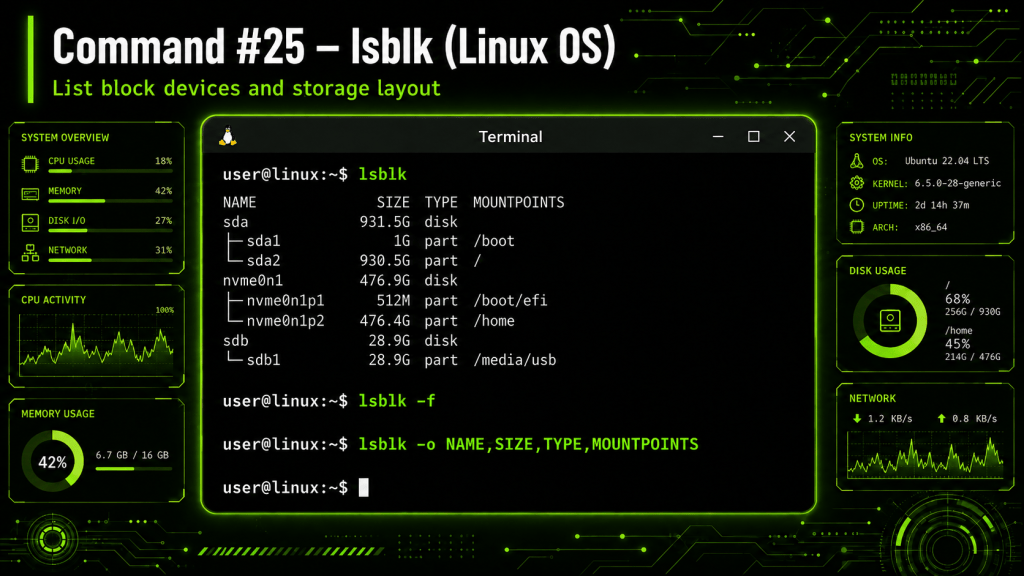
The lsblk command in Linux is used to display information about block storage devices connected to a system.
The name stands for list block devices, and the command can identify hard drives, SSDs, USB drives, partitions, and other storage devices directly from the terminal.
Running the basic command:
lsblk
displays available block devices in a tree-style structure. Common information includes the device name, size, type, and mount point.
For example, a Linux system may display devices such as:
sda – Physical storage drivesda1 – Partition located on the drivenvme0n1 – NVMe storage devicenvme0n1p1 – Partition located on the NVMe drive
A useful variation is:
lsblk -f
The -f option displays filesystem information, including filesystem type, labels, UUIDs, and mount points.
Another useful command is:
lsblk -o NAME,SIZE,TYPE,MOUNTPOINTS
This allows the user to specify exactly which storage information should appear in the output.
lsblk is particularly useful during Linux installation, disk partitioning, filesystem troubleshooting, USB drive identification, mounting operations, and storage administration.
Because it provides a quick visual representation of disks and their partitions, it can help administrators confirm which device they are working with before performing more advanced storage operations.
BitcoinVersus.Tech Editor’s Note:
We volunteer daily to ensure the credibility of the information on this platform is Verifiably True. If you would like to support to help further secure the integrity of our research initiatives, please donate here: 3C9o19EH5HSiwEPyCTmEKzxhNCbo2X6TTb
BitcoinVersus.tech is not a financial advisor. This media platform reports on financial subjects purely for informational purposes.


Leave a Reply