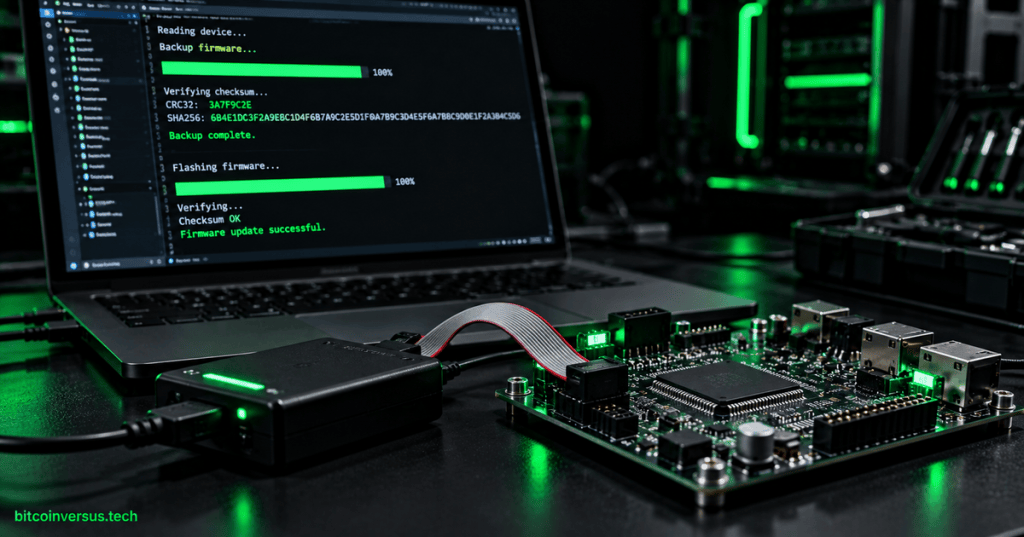
Firmware backup and recovery is the controlled process of preserving a known-good device state before change, proving that firmware files are intact, and restoring operation when an update fails. A successful technician workflow protects both executable firmware and the configuration data required for the device to return to service.
OSFTC.003 follows OSFTC.002: Serial Console and Boot Logs — UART, Baud Rate, Pinouts, Capture, and Recovery and OSFTC.001: Firmware Images, Safe Flashing, Bootloaders, and Recovery Basics. The engineer-level companion topic is OSFEC.002: Real-Time Firmware Scheduling, which addresses runtime behavior after the image has booted.
Learning objectives
- Separate firmware-image backup from configuration and calibration backup.
- Create and label a known-good recovery package before flashing.
- Use SHA-256 and other integrity checks to detect changed or corrupted files.
- Explain the difference between checksums, hashes, and digital signatures.
- Understand A/B or primary/secondary firmware slots and rollback behavior.
- Recognize anti-rollback controls that intentionally block old firmware.
- Validate a restored device with version, boot-log, configuration, and functional evidence.
- Preserve enough evidence for another technician to reproduce the recovery.
Back up the complete device state
A firmware image is only one part of device state. Configuration files, calibration values, bootloader settings, partition metadata, certificates, device identity, and persistent application data may live in separate storage regions and may require separate export procedures.
| Backup item | Why it matters | Typical evidence |
|---|---|---|
| Application firmware | Provides executable recovery image | Binary/HEX/ELF plus version and hash |
| Bootloader | May control image selection and recovery | Vendor package or approved readback |
| Configuration | Restores network, feature, and site settings | Exported configuration file |
| Calibration | May be unique to hardware | Calibration export or protected service record |
| Certificates / identity | May be required for authentication | Approved credential backup or enrollment record |
| Partition / slot state | Explains active and fallback image selection | Bootloader or management-tool output |
Create a golden recovery package
A golden image is a tested firmware version kept as a recovery reference. A useful recovery package records the exact hardware revision, firmware version, build identifier, configuration revision, file hashes, required programmer version, and the approved restore procedure.
- Device model and hardware revision
- Serial number or asset identifier when allowed
- Current firmware and bootloader versions
- Configuration export
- Recovery firmware file
- SHA-256 digest for every saved artifact
- Programmer/tool version
- Connection method: SWD, JTAG, USB DFU, UART, vendor recovery, or OTA
- Known-good boot log
- Functional validation checklist
Verify firmware files before use
A checksum or cryptographic hash is a compact value calculated from a file. If one byte changes, the calculated value will usually change, which makes hashes useful for detecting incomplete downloads, wrong files, storage corruption, and accidental modification.
# Linux
sha256sum firmware.bin

# macOS
shasum -a 256 firmware.bin

# OpenSSL
openssl dgst -sha256 firmware.bin

# Windows PowerShell
Get-FileHash .\firmware.bin -Algorithm SHA256

# Windows Command Prompt
certutil -hashfile firmware.bin SHA256
Checksum, hash, and signature are not the same
A CRC or simple checksum is designed mainly to detect corruption. A cryptographic hash such as SHA-256 provides a stronger fingerprint of the data, while a digital signature adds authentication by proving that the image was signed by a trusted private key.
| Mechanism | Main purpose | What it does not prove by itself |
|---|---|---|
| CRC / checksum | Detect accidental corruption | Trusted origin |
| SHA-256 hash | Strong file fingerprint | Who created the file |
| Digital signature | Authenticity plus integrity when verified correctly | That the firmware is functionally correct |
Readback and post-program verification
After programming, a technician should verify that the data stored on the device matches the intended image whenever the platform permits it. Vendor tools may provide direct verify functions, memory readback, or image-comparison features; protected devices may intentionally restrict readback and require another approved verification method.
- Program the approved image.
- Run the vendor verify operation when available.
- Reset the target using the documented sequence.
- Capture the complete boot log.
- Confirm expected firmware and bootloader versions.
- Confirm configuration and calibration state.
- Run the functional acceptance test.
A/B slots and rollback
Many reliable update systems keep a primary image and a secondary image. The new firmware is placed in the inactive slot, validated, booted provisionally, and marked permanent only after the application proves that startup and required self-tests have succeeded.
known-good image in primary slot
        ↓
new image written to secondary slot
        ↓
bootloader validates candidate
        ↓
test boot
        ↓
application self-test
   ↙             ↘
pass              fail/reset
 ↓                 ↓
confirm image      rollback/revert
Rollback and anti-rollback solve different problems
Rollback restores a previous known-good image after a bad update. Anti-rollback prevents installation of firmware older than an allowed security version, because an old image may reintroduce vulnerabilities that were already fixed.
- Do not assume an older file can be reflashed simply because it is available.
- Check version counters and secure-boot policy before attempting downgrade.
- Use the approved recovery image for the exact hardware revision.
- Never disable rollback protection or signature checks merely to force an image onto a device.
Pre-flash technician checklist
The safest recovery begins before the first erase operation. Record the current state, verify the replacement image, confirm that recovery media is available, and make sure power and communication will remain stable for the entire programming operation.
- Confirm exact device and hardware revision.
- Record installed firmware and bootloader versions.
- Export configuration and calibration data where supported.
- Save known-good logs and current slot state.
- Verify the recovery image SHA-256 value.
- Confirm the programmer, adapter, cable, and voltage requirements.
- Confirm the recovery path if the flash operation is interrupted.
- Use stable power and disable avoidable interruptions.
- Document who approved the change and which image is being used.
Post-recovery validation
A device is not recovered merely because it boots. Validation should prove that the expected version is running, the correct configuration is loaded, interfaces initialize normally, persistent data is intact, and the product completes its required functional checks without repeated resets or fallback behavior.
| Validation area | Evidence |
|---|---|
| Boot | Complete boot log without unexpected recovery or reset loop |
| Version | Expected application and bootloader identifiers |
| Configuration | Expected network, feature, and site settings |
| Hardware interfaces | Normal sensor, network, storage, display, or control behavior |
| Persistent state | Required calibration, identity, and retained data present |
| Rollback status | New image confirmed or known-good image restored as intended |
Example recovery record
A recovery ticket should make the operation reproducible by another technician. Record the original state, the exact image filename and hash, the programming interface, the tool version, the result of verification, the post-flash version, the boot-log result, and the final functional status.
Device: ExampleController Rev C
Original firmware: 2.4.1
Recovery image: controller-2.4.1.bin
SHA-256: <record exact digest>
Programmer: <tool and version>
Interface: SWD
Configuration backup: config-2026-10-05.json
Program verify: PASS
Boot log: PASS
Running firmware after restore: 2.4.1
Functional validation: PASS
Final state: returned to service
Exercises
- Create a recovery-package checklist for an embedded controller with separate application, bootloader, and configuration storage.
- Calculate and record the SHA-256 digest of a sample firmware file using two different operating-system tools.
- Modify one byte in a copy of the file and confirm that the SHA-256 digest changes.
- Explain why a matching SHA-256 digest does not prove who created the firmware.
- Draw an A/B-slot update sequence that includes test boot, confirmation, and rollback.
- Write a pre-flash checklist that prevents accidental use of firmware for the wrong hardware revision.
- Design a post-recovery validation plan containing at least six independent checks.
- Write a recovery ticket that another technician could repeat without additional verbal instructions.
Knowledge check + answers
- What is a golden image? A known-good, tested firmware image retained as a recovery reference.
- Why back up configuration separately? Firmware and persistent configuration may occupy different storage regions and may be changed independently.
- What does SHA-256 help prove? That the file being checked matches the expected byte content associated with the recorded SHA-256 value.
- Does a matching hash prove authenticity? No. Authenticity requires a trusted source or a verified digital signature.
- What is an A/B update design? A design with active and alternate image locations so a candidate image can be tested without immediately destroying the known-good recovery path.
- Why can rollback fail intentionally? Anti-rollback security policy may reject an older vulnerable firmware version.
- What proves successful recovery? Correct version, normal boot, correct configuration, working interfaces, stable operation, and completed functional acceptance checks.
- Why preserve the exact tool version? Programmer behavior, supported devices, security handling, and command syntax can differ between tool releases.
Key takeaway
Firmware recovery is a chain of evidence, not a single flash command. A professional technician preserves the current state, verifies the intended image, maintains a known-good recovery path, understands rollback policy, confirms programmed data, and proves that the restored device actually works.
Safety and service note: Firmware readback, bootloader modification, credential backup, downgrade, and recovery access can be restricted by secure-boot policy or device security configuration. Follow manufacturer procedures and site authorization; do not bypass protections merely to force a recovery image.


Leave a Reply