
The /proc directory in Linux is a virtual filesystem that exposes live information about running processes, memory, CPUs, kernel settings, mounts, and other parts of the operating system.
Unlike directories such as /tmp or /var, most entries under /proc are not ordinary files stored on a disk. The kernel creates them dynamically so programs and administrators can read current system information through familiar file-like interfaces.
Each running process usually has a numbered directory under /proc that matches its process ID, or PID. For example, information for PID 1234 can appear under /proc/1234. These process directories expose details such as command-line arguments, memory maps, open file descriptors, and the process working directory.
Other files provide system-wide information. /proc/cpuinfo reports CPU details, /proc/meminfo reports memory statistics, /proc/uptime shows how long the system has been running, and /proc/mounts lists mounted filesystems.
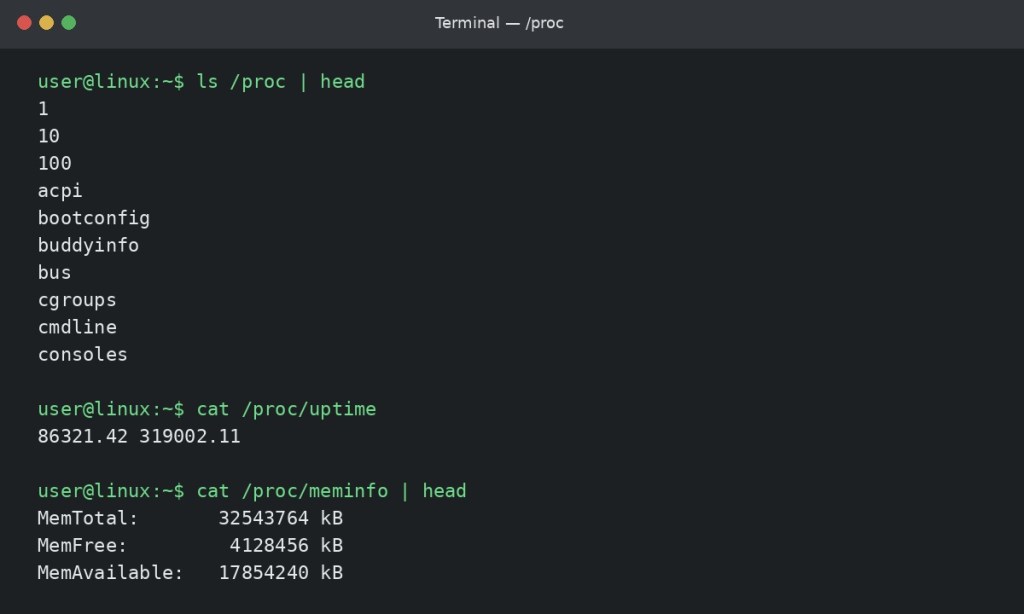
/proc exposes live process and kernel information through file-like interfaces.In the screenshot, the user lists part of /proc, reads /proc/uptime, and checks the first lines of /proc/meminfo. The values are generated from the running kernel, so they can change from one moment to the next without being edited like normal text files.
For Linux+ certification, understanding /proc is useful because many monitoring and troubleshooting tools ultimately read information exposed by this virtual filesystem. It also reinforces an important Linux idea: not every object that looks like a file is stored as normal data on disk.
A common beginner surprise is seeing tools report strange apparent sizes for files under /proc. Because /proc is a virtual filesystem, those reported values do not mean the directory is consuming that amount of physical disk space.
BitcoinVersus.Tech Editor’s Note:
BitcoinVersus.Tech publishes practical Linux, IT, engineering, and infrastructure education for informational purposes.


Leave a Reply