
Patch Tuesday is the name commonly used for Microsoft’s monthly Windows security-update release on the second Tuesday of each month. Instead of sending administrators a random stream of unrelated fixes, Microsoft packages important security and quality updates into a predictable release window so home users and IT teams know when to expect them.
The name sounds like industry slang because it is. Microsoft’s own current documentation also calls the release “Update Tuesday,” a “B week” release, a monthly security update, a quality update, or the latest cumulative update. Whatever name appears in a dashboard, the underlying idea is the same: software is never permanently finished, and security defects discovered after release eventually have to be corrected on the machines already in use.
Patch Tuesday Arrives On The Second Tuesday Of Each Month
Microsoft’s Windows update release-cycle documentation says the monthly security update is normally published on the second Tuesday of each month, typically at 10:00 a.m. Pacific time. Those releases are cumulative, meaning the newest supported update contains the new fixes plus earlier fixes that apply to that Windows version.
That cumulative model is important for ordinary users. A computer that missed last month’s security update does not usually need a long manual chain of every monthly package in sequence. Installing the latest applicable cumulative update generally brings the system forward with the fixes it previously missed.
Microsoft also ships other kinds of updates. Optional non-security previews commonly appear later in the month, out-of-band updates can appear whenever an urgent problem requires them, and annual feature updates change the Windows version more substantially. “Patch Tuesday” therefore describes an important recurring release window, not every Windows update that can ever appear.
Why Microsoft Created A Predictable Patch Schedule
Before the monthly cadence, Microsoft often released fixes whenever they were ready. That could protect users quickly, but it made life harder for organizations managing hundreds or thousands of computers. Administrators could begin any workday without knowing whether a new security update would suddenly need testing and deployment.
Microsoft says the regular schedule was formalized in 2003 in response to requests from customers who wanted predictable patch timing. The second-Tuesday schedule left Monday available for teams to handle problems carried over from the previous week while still leaving most of the workweek to test, deploy, and respond to update problems.
That decision turned patching from a purely reactive event into a recurring IT operating rhythm. Security teams can prepare advisories, endpoint teams can stage deployment groups, help desks can anticipate support volume, and business owners can protect maintenance windows before the updates even arrive.
A Patch Changes Software That Is Already Installed
A software patch modifies code, configuration, drivers, system components, or other installed files to correct a defect or change behavior. Security patches are specifically intended to close vulnerabilities that could otherwise be used to bypass protections, gain privileges, expose information, execute code, or disrupt a system.
The operating system is especially important because so many other programs depend on it. A vulnerability in networking, authentication, file handling, graphics, kernel code, or a system service may affect software far above that layer.
This is one reason Windows troubleshooting tools such as Event Viewer matter after an update. If a service, driver, application, or boot process behaves differently, event logs can help administrators distinguish an update-related failure from an unrelated problem that happened at roughly the same time.
Security Updates Fix Vulnerabilities Attackers May Already Know About
Not every fixed vulnerability is actively being exploited, but the publication of a security update changes the information environment. Once vendors describe affected components and release corrected code, defenders know what to fix—and attackers may gain additional clues about what was vulnerable.
A zero-day is especially urgent when a vulnerability is being exploited before a complete fix is broadly deployed. In those situations, delaying an available patch can leave a known opening exposed for longer than necessary.
Microsoft Threat Intelligence announcing a monthly security-update release is a good example of the public side of Patch Tuesday: fixes become available, vulnerability information becomes easier to act on, and administrators begin the deployment cycle.
Why Companies Do Not Update Every Computer At The Same Second
A home PC can often install an update automatically with little planning. A company may have thousands of devices running specialized applications, drivers, security software, industrial tools, VPN clients, accounting systems, or hardware that cannot simply stop in the middle of the day.
That is why enterprise patching commonly uses deployment rings. A small pilot group receives the update first. IT watches for unusual crashes, application failures, boot problems, performance changes, and support tickets. If the result looks healthy, the update expands to a larger group and eventually to the full fleet.
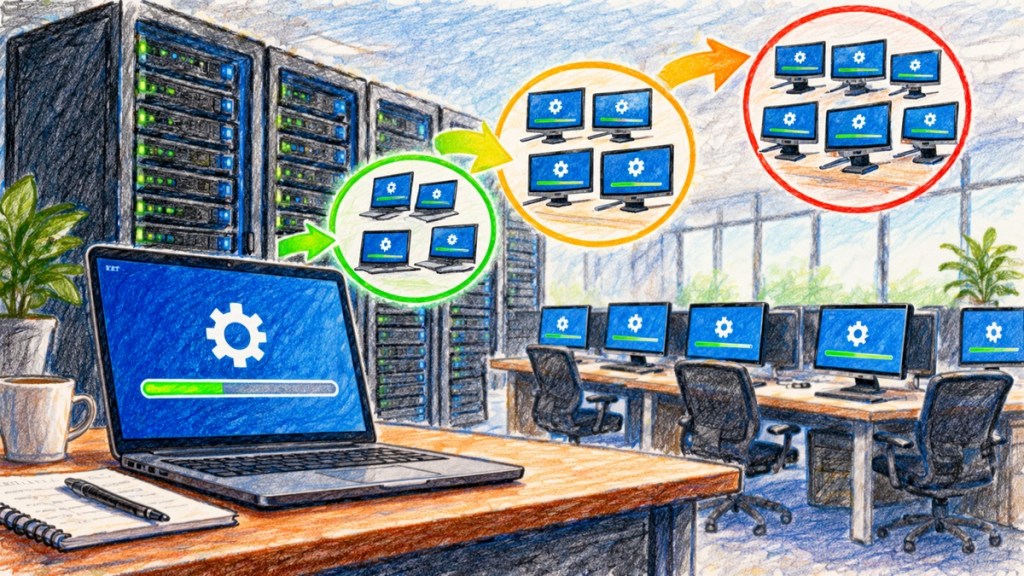
The goal is not to avoid updating. The goal is to discover compatibility problems with ten machines instead of ten thousand. Microsoft’s modern Windows management tools support this staged approach through deployment rings, deferral policies, Windows Autopatch, Microsoft Intune, and other enterprise update controls.
Microsoft Mechanics demonstrates modern Windows patch management with Intune, Windows Autopatch, staged deployment, compliance controls, and Hotpatch.
Why Updates Sometimes Require A Restart
Windows cannot safely replace every important file while that file is actively being used. Core operating-system components, drivers, security services, and low-level libraries may be loaded into memory or locked by running processes.
A restart gives Windows a controlled moment to stop active components, replace protected files, complete servicing work, and start the system again using the updated versions. The reboot is therefore not merely an inconvenience added by habit; in many cases it is part of how the operating system safely changes itself.
Microsoft has also expanded technologies such as Hotpatch for supported systems, which can apply some security protections without requiring an immediate reboot. That reduces disruption, but it does not make restarts obsolete for every type of update.
Cumulative Updates Simplify The Recovery Path
Modern Windows monthly security releases are cumulative. That design reduces the number of different historical patch combinations administrators have to reason about. If two supported PCs are fully updated to the same monthly cumulative release, they should share the same relevant fixes even if one machine skipped an earlier month.
This is different from the older world where an administrator might need to install a long sequence of individual patches in a specific order. Cumulative servicing makes rebuilding and recovering systems far more predictable.
Not Every Update Is A Security Emergency
Windows uses several release types because not every change has the same urgency. The monthly security update is generally the important baseline. Optional preview updates are often used to validate non-security fixes that may later roll into a future cumulative release. Out-of-band updates are reserved for situations that cannot reasonably wait for the normal schedule.
This distinction matters when someone sees several different update labels in Windows Update. “Optional” does not mean “fake,” and “preview” does not necessarily mean unfinished beta software, but those packages serve a different operational purpose from the normal monthly security baseline.
Why Firmware And Boot Security Can Be Part Of The Update Story
Operating-system patching is only one layer of maintaining a computer. Firmware, device drivers, browser components, security products, and application software may all need separate updates.
Low-level components matter because trust begins before the Windows desktop appears. BitcoinVersus.Tech’s bootloader and firmware-update architecture explainer shows why validation, rollback, recovery, and safe update design are engineering problems in their own right. Hardware trust features such as the Trusted Platform Module also participate in the security chain around modern Windows systems.
Why Patching Is A Balance Between Speed And Stability
Installing every update instantly without testing can create operational risk. Waiting too long can create security risk. Good patch management sits between those extremes.
For an ordinary home computer, automatic updates are usually the simplest answer. For a business, a reasonable process often means rapid deployment to test devices, short observation windows, backups and recovery plans, clear ownership, and progressively wider rollout. Systems exposed directly to the internet or protecting especially sensitive resources may deserve faster treatment than low-risk internal machines.
Microsoft’s own recent guidance has pushed organizations toward shorter patch windows as vulnerability discovery and exploitation accelerate. The core principle is straightforward: testing is useful, but indefinite delay is not a patching strategy.
What Home Users Should Actually Do
Most people do not need to build an enterprise patch-management program. They do need a computer that receives supported security updates and actually finishes installing them.
- Keep automatic Windows updates enabled. Disabling them permanently trades short-term convenience for longer-term exposure.
- Restart when Windows says a security update needs completion. A pending restart can leave part of the servicing process unfinished.
- Back up important files. Patching is much less stressful when recovery does not depend on one copy of irreplaceable data.
- Watch for unsupported Windows versions. A perfectly functioning old installation can still become a security problem once normal fixes stop arriving.
- Troubleshoot evidence, not timing alone. If something breaks after an update, logs, error messages, driver versions, and rollback information are more useful than assuming every new problem was caused by the patch.
The Practical Takeaway
Patch Tuesday exists because modern software needs continuous maintenance and large organizations need a predictable way to perform that maintenance. Microsoft gathers important Windows security and quality fixes into a recurring second-Tuesday release so users and administrators can plan around a known cadence.
The patch itself is only one part of the process. Good IT operations also require testing, deployment, monitoring, reboot planning, rollback options, and confirmation that the machines actually reached the intended update level. The goal is not to install updates for the sake of installing updates. The goal is to keep systems secure enough to trust and stable enough to use.


Leave a Reply