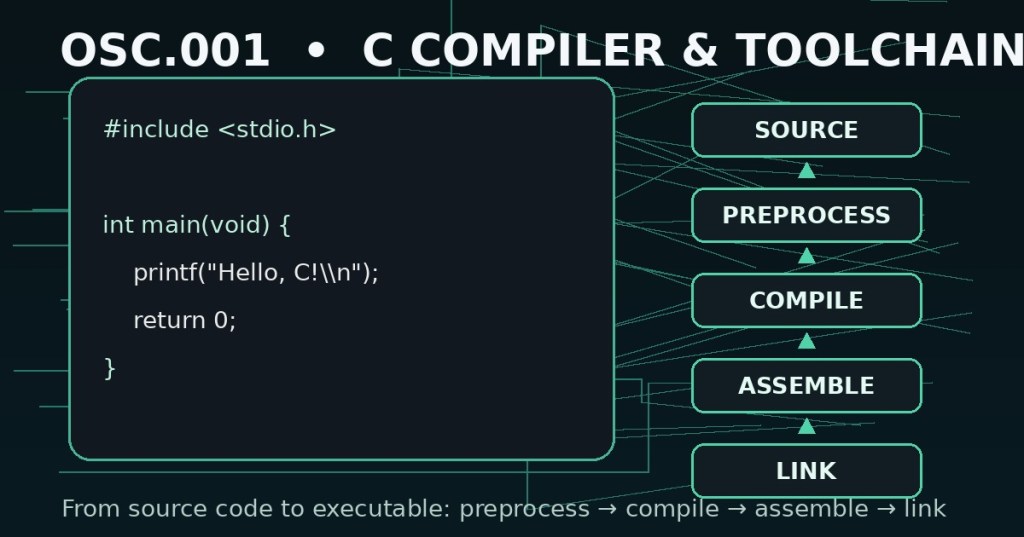
Elementary Overview
A C source file is not the final executable program. Before the operating system can run your code, a toolchain transforms the source through several stages. With GCC, the normal build flow can involve preprocessing, compilation, assembly, and linking. Learning that flow early makes later compiler errors, linker errors, libraries, headers, Makefiles, debugging, and embedded builds much easier to understand.
This is the first lesson in the Open Source C track. It connects naturally to PATH, because your shell must be able to find the compiler command, and to syntax highlighting and monospace fonts, which make source easier to read but do not change how the compiler interprets valid C.
What You Should Learn
- What a compiler toolchain is.
- What the
gcccommand does at a beginner level. - The difference between preprocessing, compilation, assembly, and linking.
- What
.c,.i,.s,.o, and executable files represent. - How to compile and run a first C program.
- How
-E,-S,-c, and-oexpose individual build stages. - How compiler errors differ from linker errors.
- How to perform a basic first-line toolchain check.
A Toolchain Is More Than One Program
People often say “the compiler” as if one program performs every step. In practice, a C toolchain includes multiple jobs. The GCC driver coordinates the stages needed for a normal build. GNU’s GCC documentation describes the standard order as preprocessing → compilation → assembly → linking. GCC can also stop after an intermediate stage when you want to inspect what happened.
hello.c
  ↓ preprocess
hello.i
  ↓ compile
hello.s
  ↓ assemble
hello.o
  ↓ link
hello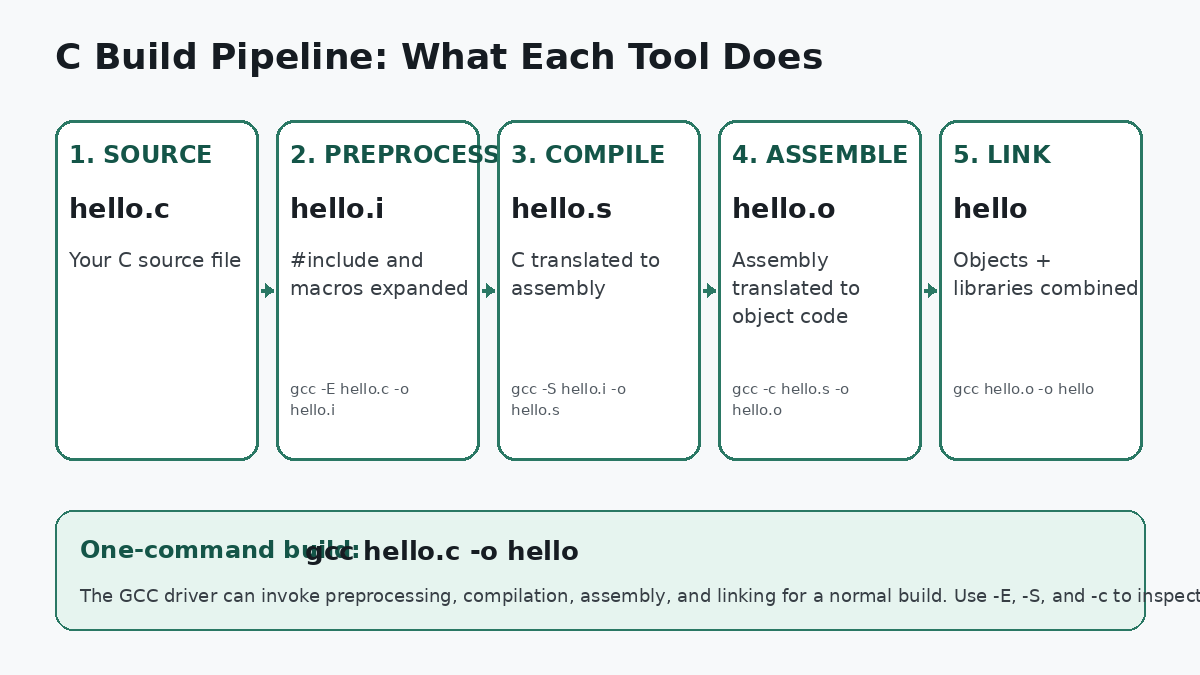
Write A First C Program
Create a file named hello.c:
#include <stdio.h>

int main(void) {
    printf("Hello, C!\n");
    return 0;
}
The #include line is handled during preprocessing. The main function is the program’s entry point in this simple example. printf comes from the C standard library interface declared by stdio.h. Later C lessons will explain headers, functions, types, and the language syntax in detail. For now, the goal is to make the toolchain visible.
Compile And Run In One Normal Build
On a Unix-like shell with GCC installed, a simple build is:
gcc hello.c -o hello
./hello
The first command asks GCC to process hello.c through the necessary build stages and place the final executable at hello. The -o option names the output. The second command runs the executable from the current directory.
If you omit -o hello in a basic GCC build on many Unix-like systems, the default executable name is commonly a.out. Naming the output explicitly is clearer for beginners.
gcc -Wall -Wextra -Wpedantic hello.c -o helloThe warning options above are useful during learning because they ask GCC to report more suspicious code. A warning is not automatically the same thing as an error, but warnings should be read rather than ignored.
Stage 1: Preprocessing
The preprocessor handles directives that begin with #, including #include, #define, and conditional compilation directives. It operates before normal C compilation. One useful way to inspect the result is:
gcc -E hello.c -o hello.iThe -E option tells GCC to stop after preprocessing. The resulting hello.i file can be much larger than the source because included headers and macro expansions have been processed into the preprocessed translation unit.
Stage 2: Compilation Proper
The compilation stage analyzes the C program and produces assembly-language output for the target architecture. To stop after this stage:
gcc -S hello.i -o hello.sYou can also run gcc -S hello.c -o hello.s; in that case GCC performs the required preprocessing first and then stops after producing assembly. The .s file is human-readable assembly rather than the final executable.
Stage 3: Assembly
The assembler converts assembly instructions into an object file. An object file contains machine code and metadata needed for later linking, but it is usually not a complete standalone program yet.
gcc -c hello.s -o hello.oFor day-to-day work you will often compile directly from C source to an object file:
gcc -c hello.c -o hello.oThe -c option tells GCC not to perform the final link step. This becomes important when a project contains multiple source files that can be compiled separately.
Stage 4: Linking
The linker combines object files and required libraries, resolves references between compiled pieces, and produces the final executable or another linked output. With the single object file above:
gcc hello.o -o helloThe distinction between preprocessing and linking is important. Preprocessing modifies the source translation unit before compilation. Linking happens after object code exists and connects compiled pieces and libraries. A recent C programming discussion illustrates exactly this beginner confusion and the difference between those stages.
Compiler Errors And Linker Errors Are Different
A compiler error usually means the compiler could not correctly analyze or translate the source. Examples include malformed syntax, undeclared identifiers, incompatible expressions, or other language-level problems.
int main(void) {
    printf("Hello"  // missing closing syntax
    return 0;
}
A linker error happens later. The source may have compiled into object code, but the linker cannot resolve a required symbol or combine the requested pieces correctly. A common example is declaring or calling a function but failing to link the object file or library that defines it.
undefined reference to `some_function'When you see a failure, first identify which stage failed. That prevents wasting time changing source syntax when the real problem is a missing object file or library.
GCC Is A Driver For The Build Process
The gcc command is convenient because it can coordinate the entire normal build or stop at a requested stage. GNU documentation states that GCC normally performs preprocessing, compilation, assembly, and linking, and that options such as -E, -S, and -c stop the process earlier.
This is also why you do not normally invoke the linker directly for a beginner program. Letting the compiler driver perform the link helps it supply the expected startup files, libraries, and platform-specific options.
Clang Is Another Major C Toolchain
GCC is not the only C compiler toolchain. Clang, built on LLVM, is another widely used compiler front end. For simple beginner builds, its command-line interface often looks familiar:
clang hello.c -o helloThe exact compiler available depends on the operating system, development environment, and project. This track uses GCC examples first because its intermediate-stage switches make the build pipeline easy to inspect. The concepts—source, preprocessing, compilation, object files, and linking—transfer to other toolchains.
When Make Enters The Picture
Typing one GCC command is fine for a one-file program. As projects grow, manually rebuilding many files becomes repetitive. Build tools such as make automate which commands should run and which files need rebuilding. That is a later topic, but seeing a basic Makefile now helps place the compiler inside the larger development workflow.
The First Troubleshooting Order
- Can the shell find the compiler? Run
gcc --version. - Are you in the correct directory? Confirm the source file actually exists with the expected name.
- Does preprocessing succeed? Use
gcc -Eif includes or macros are suspected. - Does compilation succeed? Read the first useful compiler diagnostic.
- Does object generation succeed? Use
gcc -cto separate compilation from linking. - Does linking succeed? Check for missing object files, missing libraries, and unresolved symbols.
- Does the executable run? Confirm the output path and permissions, then run the correct file.
Mini Lab
- Create
hello.cwith the example program. - Run
gcc --version. - Build normally with
gcc hello.c -o hello. - Run
./hello. - Generate preprocessed output with
gcc -E hello.c -o hello.i. - Generate assembly with
gcc -S hello.c -o hello.s. - Generate an object file with
gcc -c hello.c -o hello.o. - Link the object file with
gcc hello.o -o hello. - Introduce one syntax error and observe the compiler diagnostic.
- Restore the source and confirm the full build works again.
Knowledge Check + Answers
- What are the four normal GCC build stages? Preprocessing, compilation, assembly, and linking.
- What does
-Edo? Stop after preprocessing. - What does
-Sdo? Stop after compilation proper and produce assembly output. - What does
-cdo? Compile or assemble without performing the final link. - What does
-odo? Set the output file name. - What is an object file? Compiled machine-code output plus metadata that normally still needs linking before becoming the final program.
- What does the linker do? Combine object files and required libraries and resolve references to produce the linked output.
- Why should you identify the failing stage first? Compiler, assembler, and linker failures require different fixes.
Primary References
- GNU GCC — Invoking GCC
- GNU GCC — Options Controlling the Kind of Output
- GNU GCC — Online Documentation
- Clang Compiler User’s Manual
Elementary Review
The first C skill is knowing how source becomes a program. Write the .c file, let the toolchain preprocess it, compile it, assemble it, and link it, then run the executable. GCC hides most of those steps during a normal build, but -E, -S, and -c let you expose them whenever you need to understand what happened.
Editor’s Note
The featured image is an original 1200×630 BitcoinVersus.Tech cover created specifically for OSC.001 and is not reused in the body. The lesson uses a separate original 1200×675 build-pipeline diagram. The three YouTube videos use responsive native Gutenberg 16:9 embed blocks, and the social item uses a responsive native Gutenberg embed. Ordinary lesson prose is not placed inside bordered, shaded, card, callout, panel, or fixed-width text boxes.
BitcoinVersus.Tech content is provided for informational and educational purposes.


Leave a Reply