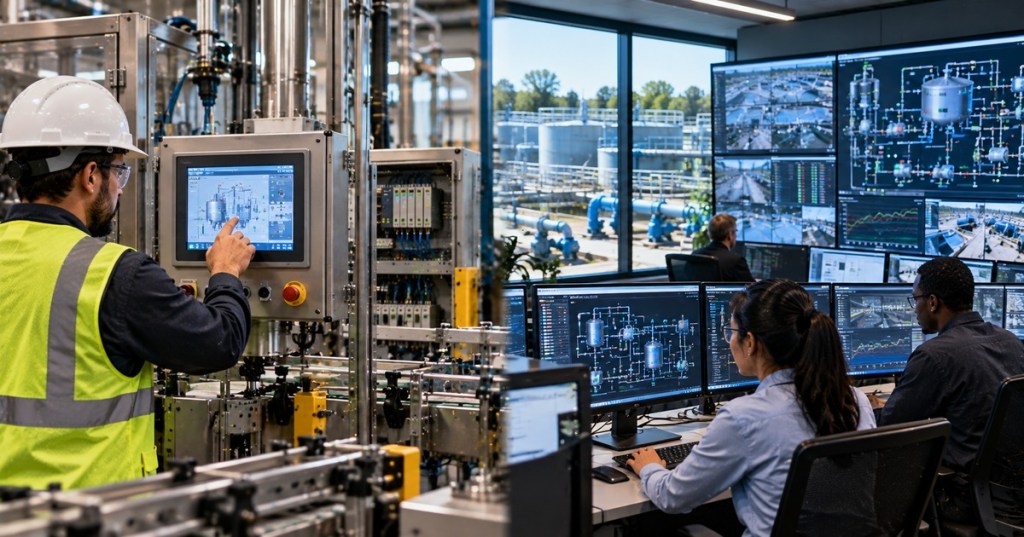
HMI and SCADA are often mentioned together because both can show operators what an industrial process is doing. But they are not the same thing. An HMI is the interface a human uses to see and control a machine or process. SCADA is a larger supervisory architecture that can connect many controllers, sites, operator stations, alarms, historians, and data services.
The simplest distinction is:
HMI = the operator interface.
SCADA = the supervisory system around the process.
An HMI can exist without a full SCADA system. A SCADA system almost always exposes one or more human interfaces somewhere in the architecture.
What an HMI is
HMI stands for human-machine interface. It is the part of an automation system that turns controller data into something an operator can understand and act on.
An HMI may show motor status, temperatures, tank levels, valve positions, alarm messages, setpoints, production counts, recipes, trends, and buttons for commands such as Start, Stop, Reset, Open, or Close.
The HMI itself does not normally replace the PLC’s real-time control logic. The PLC should still enforce machine sequencing, interlocks, permissives, timing, and safety-related behavior. The HMI primarily gives the operator visibility and authorized command access.
Siemens describes modern HMI systems as scalable operator and visualization platforms ranging from individual machine panels to more complex industrial monitoring applications.
An HMI does not have to be a touchscreen
The word HMI describes a function, not one specific piece of hardware.
A dedicated panel mounted on a machine is an HMI. A PC application in a control room can be an HMI. A browser-based operator screen can be an HMI. A mobile interface can perform HMI functions if the architecture and security model allow it.
This is one reason HMI and SCADA terminology becomes confusing: modern SCADA clients are themselves HMIs from the operator’s point of view.
What SCADA is
SCADA stands for supervisory control and data acquisition. The name describes a system that collects data from industrial equipment, presents that information to operators, records it, raises alarms, and allows supervisory commands to be sent back toward the process.
A SCADA system may connect PLCs, RTUs, drives, meters, remote I/O, sensors, substations, pumping stations, machines, or complete process areas. It can then centralize their information in operator workstations and servers.
RealPars’ HMI and SCADA comparison summarizes the relationship well: HMI focuses on human interaction with the process, while SCADA ties together a wider supervisory environment.
SCADA usually adds more than visualization
A machine HMI may have alarms and basic trends, but a SCADA system is commonly designed around broader services such as centralized alarming, long-term history, user accounts, reporting, multiple operator stations, redundant servers, remote communications, and larger tag databases.
- Alarm management: plant-wide alarm priorities, acknowledgement, shelving, history, and analysis.
- Historian: long-term storage of process values and events.
- Redundancy: backup servers, communication paths, or operator stations for higher availability.
- Reporting: production, energy, downtime, quality, maintenance, and regulatory records.
- Remote sites: communication with RTUs, PLCs, substations, wells, pump stations, or geographically separated infrastructure.
- Multi-user access: different screens and privileges for operators, engineers, supervisors, and maintenance staff.
One machine HMI vs. one plant SCADA system
Imagine a packaging machine with one PLC and one touchscreen. The HMI shows conveyor status, motor faults, machine mode, product count, and operator controls. That may be everything the machine needs.
Now imagine 25 machines feeding one production plant. Management wants one control room that can view all lines, compare production, store months of data, see plant-wide alarms, review downtime, and send authorized supervisory commands to multiple PLCs.
That second architecture is where SCADA becomes the better description.
The PLC still does the fast control
SCADA is supervisory. That word matters.
If a pump must stop within milliseconds when a protection input changes, the PLC or dedicated safety/control hardware should make that decision locally. A SCADA server should not be the only thing standing between a hazardous process and a safe shutdown.
The same idea applies to machine HMIs. An HMI may request that a motor start, but the controller should determine whether all interlocks and permissives allow the start.
Our recent PLC vs. PAC comparison explains the controller layer underneath these operator and supervisory systems.
SCADA depends heavily on communications
A local HMI may connect directly to one PLC on the same machine. SCADA commonly has to communicate across many controllers, networks, buildings, and sometimes remote geographic sites.
Protocols can include Modbus TCP, EtherNet/IP, PROFINET, OPC UA, DNP3, IEC 60870-5-104, MQTT, vendor-specific drivers, and many others depending on the industry.
That is why our older 2024 Modbus RTU and RS-485 guide still matters here. SCADA may be several software layers above the serial field bus, but the data ultimately begins at physical devices and registers.
Once those systems move onto Ethernet, our 2025 network-port overview becomes equally relevant. SCADA engineering increasingly overlaps with routing, switching, firewalls, certificates, redundancy, addressing, and OT cybersecurity.
An HMI can still be very advanced
It would be wrong to define an HMI as “simple” and SCADA as “advanced.” Modern HMIs can include scripting, recipes, alarms, trends, user authentication, remote access, web clients, data logging, and database connections.
The difference is primarily one of scope and architecture, not screen quality.
A powerful HMI can still be dedicated to one machine. A plain-looking SCADA screen can still sit on top of thousands of tags and dozens of remote controllers.
SCADA can have many HMIs
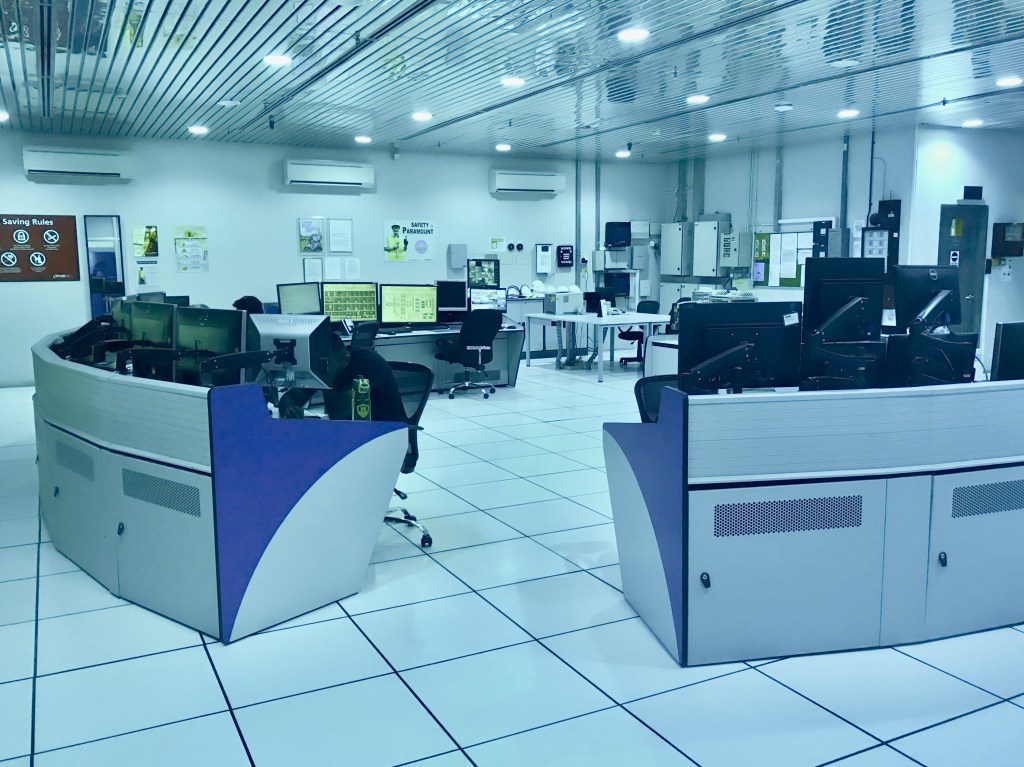
A large SCADA deployment may have operator stations in several control rooms, engineering workstations, web clients, mobile views, and wall displays. Each is effectively a human interface into the larger supervisory system.
This is why saying “HMI versus SCADA” can sometimes be misleading. They are not always competing products. An HMI can be a component of the SCADA system itself.
HMI vs. SCADA
| Question | HMI | SCADA |
|---|---|---|
| Primary role | Human interaction with a machine or process | Supervisory monitoring, control, and data acquisition |
| Typical scope | One machine, skid, cell, or process area | Plant, facility, infrastructure system, or many remote sites |
| Connects to PLCs | Yes | Yes, often many |
| Operator graphics | Yes | Yes, through HMI/client screens |
| Alarm handling | Often local/basic to advanced | Usually centralized and system-wide |
| Historian | Sometimes limited logging | Common and often long-term |
| Redundant servers | Less common on local panels | Common in higher-availability systems |
| Remote sites | Possible | Common design use case |
| Reports and analytics | Possible | Common at larger scale |
| Real-time machine logic | Normally remains in PLC/controller | Normally remains in PLC/RTU/controller |
Where SCADA becomes a cybersecurity concern
Because SCADA often sits above many trusted controllers, a compromised supervisory server can have a much larger blast radius than one isolated operator panel.
Our recent report on Booz Allen’s AI-assisted OT test demonstrated exactly why trusted SCADA relationships matter. In the controlled lab, reaching the supervisory layer exposed additional authenticated paths toward multiple OT devices.
That does not mean SCADA is inherently insecure. It means centralization raises the importance of segmentation, authentication, backups, least privilege, monitoring, redundancy, patch management, and disciplined engineering access.
Which one do you need?
- Use a local HMI when: one machine or small process mainly needs operator controls, alarms, status, recipes, and basic trends.
- Use SCADA when: operators need centralized visibility across many controllers or sites, long-term data, system-wide alarms, reports, redundancy, or remote supervision.
- Use both when: individual machines need local operator panels while the plant also needs centralized monitoring and history.
The easiest way to remember it
The HMI is where the human sees and touches the process. SCADA is the larger system that watches, records, and supervises the process across more equipment and more distance.
A touchscreen mounted beside one machine may be all the HMI that machine needs. A control room supervising dozens of PLCs, remote sites, alarms, and years of historical data is operating at SCADA scale.
BitcoinVersus.Tech Editor’s Note: HMI and SCADA are functional categories rather than rigid hardware boundaries. Modern software platforms can scale from a single-machine HMI to distributed SCADA, so architecture, availability, data retention, networking, cybersecurity, and control scope matter more than the product label alone.
Follow BitcoinVersus.Tech for HMI, SCADA, PLCs, industrial networking, Modbus, robotics, data centers, and automation engineering.
Support independent technology reporting: Bitcoin donations help fund BitcoinVersus.Tech research and publishing.
Disclaimer: BitcoinVersus.Tech provides technology news and education for informational purposes only.


Leave a Reply