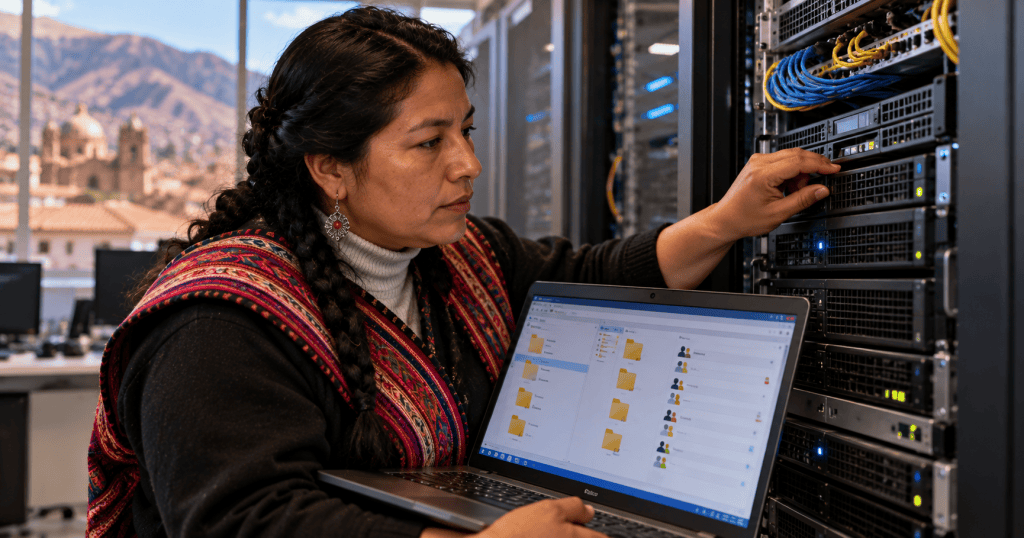
Windows file sharing allows users to access folders over a network while administrators control who can connect, read, modify, or administer data. This lesson follows OSITC.006: Windows Users, Groups, and Permissions.
Learning objectives
- Explain SMB shares and UNC paths.
- Distinguish NTFS permissions from share permissions.
- Calculate effective access across both permission layers.
- Diagnose authentication, name resolution, firewall, and access-control failures.
- Apply least privilege and safe auditing.
SMB and UNC paths
Server Message Block (SMB) is the primary Windows file-sharing protocol. A Universal Naming Convention (UNC) path identifies a remote resource, for example \\fileserver\engineering. Modern Windows uses SMB 2 and SMB 3 variants; SMB 1 is obsolete and should remain disabled unless an exceptional, controlled legacy requirement has been formally approved.
Share permissions versus NTFS permissions
A shared folder can have both share-level permissions and NTFS access-control entries. When accessed across the network, the effective permissions are constrained by both layers. A user allowed to modify files at the share level cannot modify a file when NTFS grants only Read. Conversely, an NTFS Modify grant does not overcome a share-level Read restriction.
Windows access evaluation is more nuanced than simply saying ‘deny always wins’: explicit and inherited access-control entries, group membership, ownership, privileges, and the ordering of access checks matter. Use the Advanced Security settings’ Effective Access view for investigation.
Groups and least privilege
Assign access to security groups representing job functions instead of maintaining individual exceptions. A common design gives a department’s readers Read and a smaller editors group Modify, while reserving Full Control for administrators. Avoid granting broad Everyone access without a documented reason and security review.
Creating a share
- Create a folder on an NTFS volume and confirm its owner and existing ACL.
- Open Properties → Sharing → Advanced Sharing, enable sharing, and assign a clear share name.
- Configure share permissions and NTFS permissions deliberately.
- Test with a standard user who belongs to each intended group.
- Confirm both allowed actions and denied actions; document results.
Useful PowerShell commands
On an authorized Windows system, inspect shares with Get-SmbShare and share access with Get-SmbShareAccess -Name Engineering. Inspect folder ACLs with Get-Acl 'C:\Shares\Engineering' | Format-List. Check network connections with Get-SmbConnection. These commands inspect different layers; none by itself proves that a specific user can open or modify a particular file.
Troubleshooting access denied
- Verify the user identity and the account actually used for the SMB session.
- Confirm the UNC server and share names, DNS resolution, and basic reachability.
- Check SMB service availability and the approved firewall rules, including TCP port 445.
- Inspect share permissions, NTFS permissions, group membership, and inherited ACLs.
- Check whether a file is locked, encrypted, offline, or blocked by other security controls.
- Re-test with the affected standard user and record the exact error message.
Security considerations
Prefer current SMB versions, patch systems, disable guest access where inappropriate, and require authentication. SMB signing helps protect message integrity; SMB encryption can protect data in transit when supported and configured. Do not expose SMB directly to the public internet. Use approved VPN or zero-trust access pathways for remote users.
File and share permissions in Windows Server, demonstrated by Eli the Computer Guy (legacy Windows Server 2012 interface; principles remain relevant).
BurningIceTech explains NTFS permissions, inheritance, and shared folders.
Administrator discussion distinguishing SMB share permissions from NTFS permissions.
Administrator discussion of share-level permissions, NTFS access, and the risks of overbroad access. Community views are not official security guidance.
Practical lab
In an isolated Windows test environment, create a shared folder called Engineering. Create a Readers group and an Editors group. Configure Readers to read files and Editors to create and change files, without giving either group administrative control. Verify effective permissions using separate standard accounts. Record each account’s result for listing, opening, creating, editing, and deleting a test file.
Knowledge check
- What protocol normally provides Windows file sharing?
- Why can a user have share Modify but still be unable to edit a file?
- What is the purpose of a UNC path?
- Why should access be granted to groups rather than many individuals?
- Which PowerShell command lists SMB share permissions?
Answer guide
- SMB.
- NTFS permissions may restrict editing despite the share grant.
- It identifies a network resource by server and share.
- Groups simplify administration, auditing, and least-privilege enforcement.
- Get-SmbShareAccess.
Primary documentation and previous lessons
See Microsoft’s SMB overview, Get-SmbShareAccess documentation, and SMB security guidance. Review OSITC.006 and OSITC.005.
BitcoinVersus.Tech Editor’s Note:
We volunteer daily to ensure the credibility of the information on this platform is Verifiably True. If you would like to support to help further secure the integrity of our research initiatives, please donate using the QR code provided
For best QR-code scanning results, please scan this donation code from a desktop or larger screen. Mobile screens may prevent camera recognition.



Leave a Reply