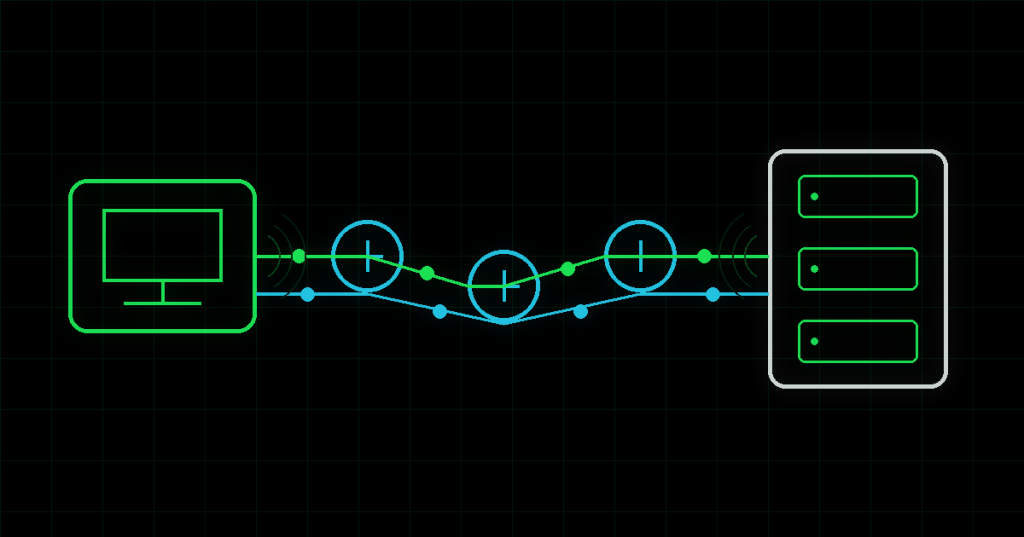
ICMP, or Internet Control Message Protocol, is the feedback system built into IP networking. It does not carry a web page, file or video. Instead, computers and routers use it to report reachability, errors and conditions that help diagnose what happened to an IP packet.
The original RFC 792, published in 1981, describes ICMP as an integral part of IP. Its best-known messages include Echo Request, Echo Reply, Destination Unreachable and Time Exceeded.
Ping is an ICMP conversation
When you run ping, your computer usually sends an ICMP Echo Request and waits for an Echo Reply. The round-trip time gives you a quick measure of latency, while missing replies can indicate packet loss, filtering or a destination that is not responding. That is why a successful ping confirms useful Layer 3 reachability—but a failed ping does not automatically prove the remote machine is offline.
A good troubleshooting sequence often starts close to home: test loopback, then the local interface, default gateway and a remote IP. If an IP address works but a hostname does not, the problem may be DNS rather than connectivity.
Traceroute uses ICMP errors as clues
Traceroute works by deliberately sending packets with small Time-To-Live values. Each router lowers the TTL as the packet moves forward. When the value reaches zero, that router can return an ICMP Time Exceeded message. Repeating the process with larger TTL values reveals successive hops along the path. Microsoft’s tracert documentation describes the same mechanism in Windows.
Routers can rate-limit or ignore those replies, so a row of asterisks in traceroute is not necessarily a broken hop. The packet may continue through a router that simply chooses not to answer diagnostic traffic.
ICMP is not TCP or UDP
ICMP does not use TCP or UDP ports. It operates alongside IP and describes network conditions rather than application sessions. That means a server can answer ping while a web service is down, or block ping while HTTPS continues to work. The same distinction matters when troubleshooting routers, firewalls and NAT state.
The simplest way to think about ICMP is this: IP moves packets, while ICMP helps the network explain what happened to them.
BitcoinVersus.Tech Editor’s Note:
We volunteer daily to ensure the credibility of the information on this platform is Verifiably True. If you would like to support to help further secure the integrity of our research initiatives, please donate using the QR code provided

For best QR-code scanning results, please scan this donation code from a desktop or larger screen. Mobile screens may prevent camera recognition.
BitcoinVersus.tech is not a financial advisor. This media platform reports on financial subjects purely for informational purposes.


Leave a Reply