
Linux Command #64 — localectl (Linux OS). When a Linux server displays the wrong language, an unexpected keyboard layout, or an unfamiliar character encoding, the first step is to inspect its system-level locale configuration. The localectl command is a systemd utility that reports the system’s language and keyboard mapping settings and, with appropriate permissions, can change them. This focused lesson follows Linux Command #63 — timedatectl, which inspects time and date configuration.
Learning Objectives
- Identify what a system locale and a keyboard layout control.
- Inspect both settings using read-only
localectlcommands. - Know when a system-wide change is appropriate and why remote administrators should proceed cautiously.
What Does localectl Do?
A locale influences the language and formatting defaults used by programs, such as messages, numbers, and dates. A keyboard map influences which characters certain keys produce on a text console or graphical login screen. These are related settings, but they are not the same. A system may use an English locale with a German keyboard layout, for example. The official systemd localectl manual documents these separate controls.
On systemd-based Linux installations with a working systemd-localed service, localectl can display system defaults, list available choices, and perform authorized changes. Minimal containers, embedded appliances, or distributions without that service may not support the command in the same way.
Three Safe Commands to Run First
- 1.
localectl status— Display the current system locale and configured keyboard layouts. Plainlocalectlalso defaults to status. - 2.
localectl list-locales— List locale identifiers supported or available through this installation, such asen_US.UTF-8where installed. - 3.
localectl list-keymaps— List console keymaps recognized by the system. On systems without console keyboard packages or relevant support, the list may be unavailable.
These three commands are read-only and ordinarily do not require sudo. Run them before editing configuration; record the original settings if you plan a change.
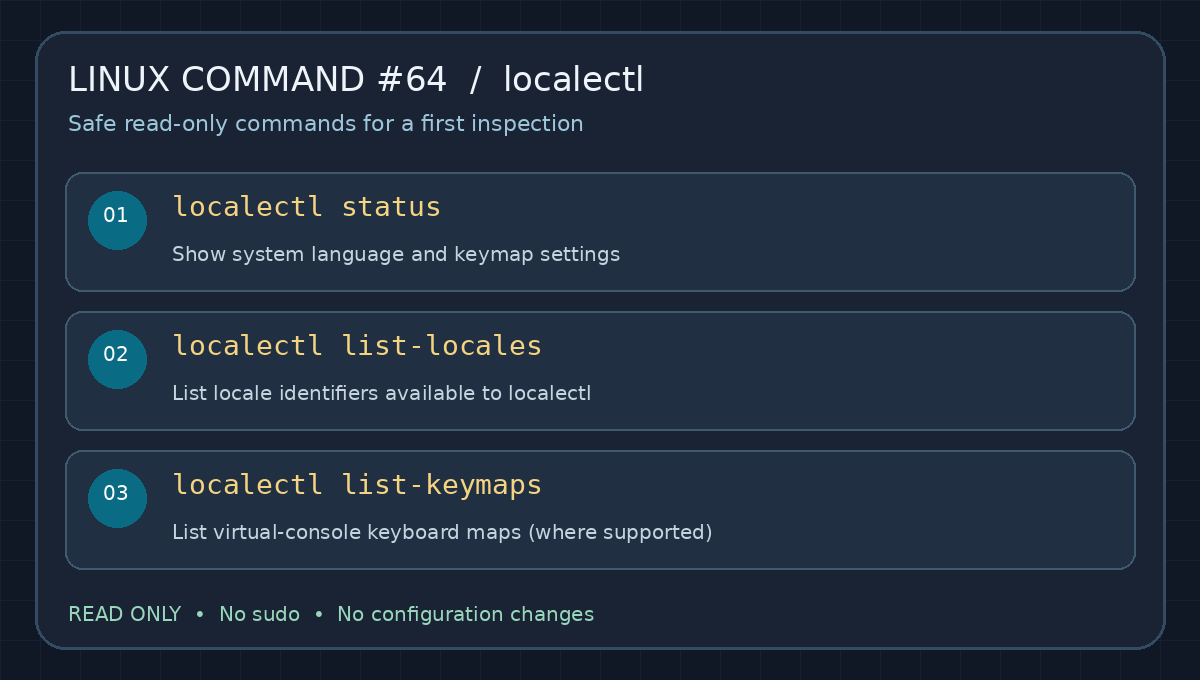
Original quick-reference visual: the first three checks inspect settings only. They do not alter the machine.
Video Demonstration
The following hands-on Linux demonstration illustrates keyboard layout configuration using localectl. Commands and behavior may differ between older Red Hat systems and current distributions. Watch the workflow, then compare it against the current systemd manual.
Video: Geeks Linux Video Tutorials, “10.changing the keyboard layout using localectl” (2016). If the embedded player is unavailable, open the same tutorial directly on YouTube. The direct link is provided as a fallback and is not a second embed.
Read an Example Status Output
A workstation might report a system locale such as LANG=en_US.UTF-8 and a keymap such as us. LANG establishes a general locale default, while UTF-8 refers to the Unicode text encoding. The keyboard map controls how input keys are interpreted; it does not tell you what language a particular application is displaying in every circumstance.
To examine the locale inherited by your current shell, run locale. This output can differ from system defaults because user sessions and application environments can override locale variables. That distinction matters when a terminal is in one language while the login screen uses another.
Making Changes — Administrator-Only
After validating the required locale is available, an authorized administrator may use sudo localectl set-locale LANG=en_US.UTF-8 to set the system default locale. A virtual-console keyboard layout may be changed with sudo localectl set-keymap us when supported. These commands change system configuration; they are not part of the read-only practice exercise. The Ubuntu localectl reference and upstream manual describe syntax and constraints.
Do not switch a keyboard mapping during an unplanned remote maintenance session. An incorrect keymap or locale can complicate local recovery and troubleshooting; some changes also require a new login session or additional system-specific steps before they are reflected in all processes. Confirm your access method, fallback path, and approved maintenance procedure first.
Practical Example from Infrastructure Operations
Suppose a newly deployed data-center host reports a German keyboard configuration even though local support staff use U.S. keyboards. A technician can check localectl status, compare it with the intended baseline, and record the result in the change ticket. If the system locale and login keyboard are inconsistent, the team can plan a controlled adjustment without guessing. For related systemd administration, revisit Linux Command #61 — hostnamectl and Linux Command #62 — loginctl.
Knowledge Check
- Which command reports both system locale and keyboard mapping?
- Which command lists installed or available locale identifiers?
- Does changing a system locale always instantly change the language of an already running shell?
Answers: 1. localectl status. 2. localectl list-locales. 3. No. Existing sessions or applications can retain their current environment and may need a new session or additional configuration.
Summary and Primary Sources
Remember: localectl manages system locale and keyboard mapping defaults; locale inspects locale variables in the current process environment. Always inspect before changing anything. Sources: systemd’s official localectl documentation and the Ubuntu localectl manpage.
BitcoinVersus.Tech Editor’s Note: We volunteer to make technical education practical, accurate, and accessible. To support independent instructional work, please consider contributing 5,000 sats with the donation QR code below.

To scan the QR code, open this article on a larger screen and use your mobile Bitcoin wallet’s QR scanner. Thank you for supporting verifiable technical education.


Leave a Reply