
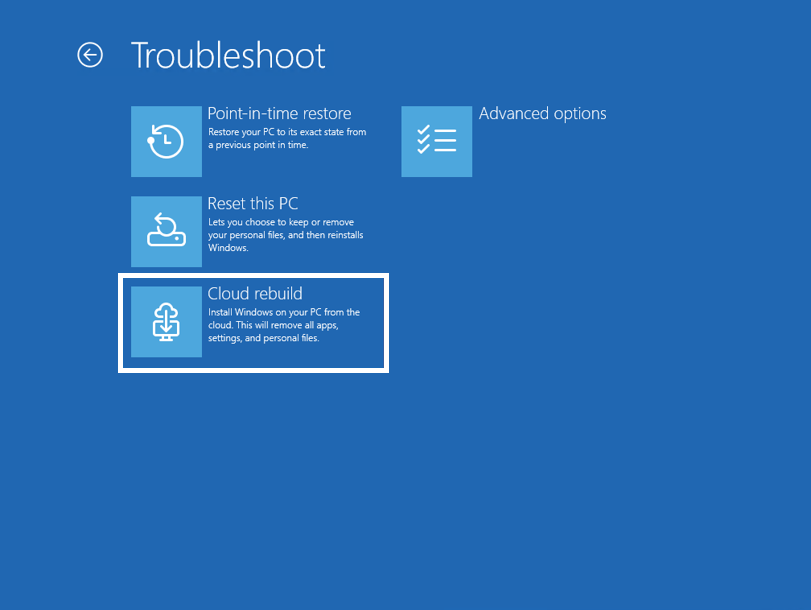
Microsoft is bringing a new Cloud rebuild recovery option to Windows 11 through its October 28, 2026 preview update for versions 25H2 and 26H2. The tool can reinstall Windows and hardware drivers using Windows Update even when the installed operating system will not boot, reducing dependence on a prepared USB recovery drive.
Unlike the existing Reset this PC experience, Cloud rebuild downloads a fresh Windows image and the device’s drivers rather than relying on the condition of the installed Windows files. Microsoft has previously tested the feature with Windows Insiders; the October update begins bringing it to more eligible PCs through a staged rollout.
A full reinstall when Windows cannot boot
Users can start Cloud rebuild from Settings > System > Recovery while Windows is running, or from the Windows Recovery Environment after repeated startup failures. It requires a working recovery environment, compatible network drivers and internet connectivity through Ethernet or Wi-Fi.
The recovery interface displays the target Windows version, edition and language before installation. Microsoft says Windows Recovery can now reuse eligible saved Wi-Fi profiles, including some certificate-based networks, making network access easier when a PC is unable to start normally.

There is a critical trade-off: Cloud rebuild reformats the system disk and removes locally stored files, accounts, applications and settings. It is not a nondestructive repair method, and users should back up recoverable data before proceeding.
The tool offers a faster Remove files option and a more thorough Remove & sanitize option intended for computers being sold, returned or reassigned. The latter uses supported storage hardware erase capabilities and is irreversible. Microsoft recommends different recovery approaches depending on whether the failure calls for a restore point, an ordinary reset or a complete reinstall.
What IT teams and users should know
For enterprise IT teams, Cloud rebuild also supports remote initiation and configuration through the Recovery configuration service provider, including selecting a target Windows build. Organizations can use their existing provisioning systems after the clean installation, but must plan for lost local data and application reinstallation.
The non-security preview contains other Windows changes, including memory-integrity protection for more eligible PCs and IPv6 CLAT support. The recovery feature is arriving gradually, so installing the update does not guarantee it will appear immediately. It complements Microsoft’s broader efforts to improve Windows maintenance and reduce the impact of driver-related failures.
BitcoinVersus.Tech Editor’s Note:
We volunteer daily to ensure the credibility of the information on this platform is Verifiably True.
If you would like to support to help further secure the integrity of our research initiatives, please scan the QR code to donate (For the best results, scan the QR code on a Laptop or larger screen).



Leave a Reply