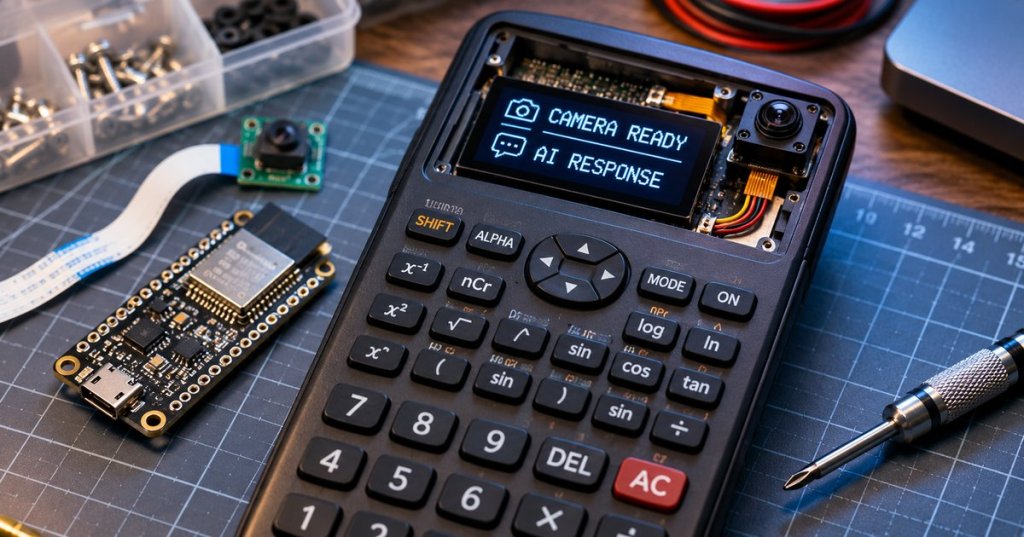
A scientific calculator housing can become a compact AI camera console by hiding a small computer, camera, networking hardware and a text display inside or alongside the original shell. A reader-shared Instagram reel depicts such a modification, reportedly involving a JS-MS82-A calculator and a ChatGPT-style interface. The exact model, creator, wiring and software shown in the reel have not been independently verified; the construction method below is an engineering proposal, not a teardown of the pictured device.
The calculator case is the enclosure, not the AI computer
A conventional scientific calculator is designed for numerical functions, not camera capture, Wi-Fi networking or a scrolling chat interface. Simply installing ChatGPT on its original chip is generally not realistic. A workable retrofit adds a separate processing board, using the existing case and optionally its keys. BitcoinVersus.Tech’s Raspberry Pi introduction explains why a small Linux computer is useful for electronics prototypes.
A Raspberry Pi Zero 2 W is one plausible host. Pair a Pi-compatible camera module with a replacement OLED or small TFT display, plus pushbuttons for capture, scrolling and cancellation. An ESP32-S3 camera board is a smaller microcontroller alternative, although an intermediary server may simplify image uploads, authentication and text handling. Both approaches belong to the broader ESP32 and Raspberry Pi maker ecosystem.
Original video: Watch the supplied calculator-and-camera Instagram reel. The native Instagram block appears above. If Instagram prevents in-page playback, the original Reel opens through the source link.
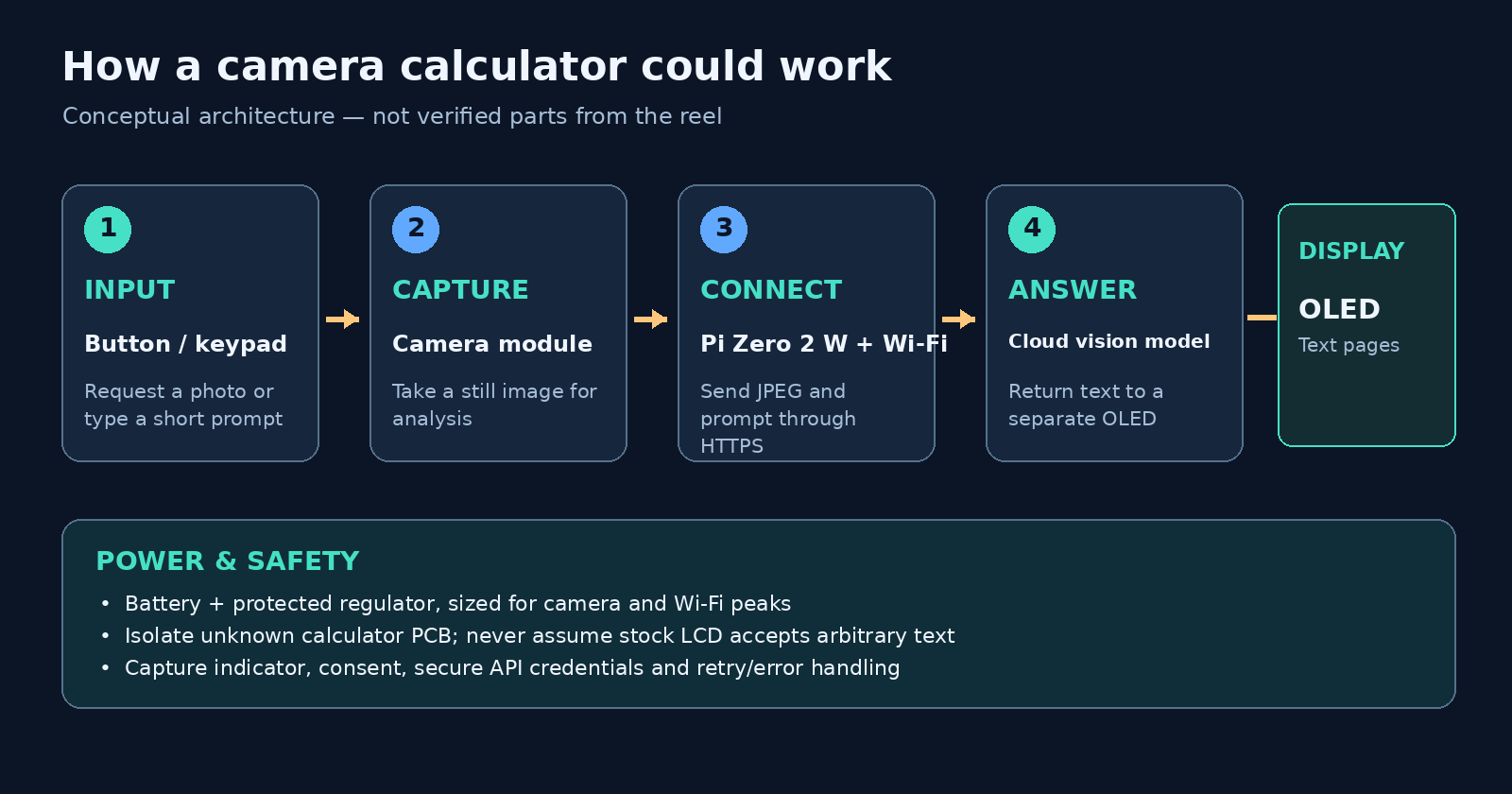
Build the camera-to-response loop
With power disconnected, inspect interior dimensions, keypad traces and battery terminals before fitting electronics. Avoid attaching a microcomputer directly to unknown calculator supply rails or chip pins. Mount the camera through a clearly visible opening, then route its supported ribbon or wiring to the processor. Configure a Wi-Fi connection and connect a new text-capable display through a supported interface such as I²C or SPI.
On Raspberry Pi OS, the official camera stack provides the rpicam-still command and Picamera2 Python library. A capture-button event can save a JPEG, reduce its resolution, and send an image plus a question to a vision-capable model using the OpenAI Responses API. The response text is then broken into short pages for the display; arrow keys advance through longer answers.
A minimal Python controller needs a camera-capture function, a debounced button handler, an authenticated HTTPS request, display pagination and explicit timeouts. API credentials belong in protected configuration or, preferably, a trusted relay service—not in source code or publicly downloadable firmware. Image analysis happens remotely unless the builder separately provisions a capable local vision model.
The difficult part is the screen and power
Most ordinary calculator screens use fixed segments to display digits and mathematical symbols. Their original circuitry cannot be assumed to accept arbitrary letters, sentences or images. The practical approach is to replace or supplement the LCD and read selected buttons independently. Reusing the original keypad requires mapping its matrix with a multimeter before connecting GPIO pins; device-driver fundamentals explain how software reaches hardware.
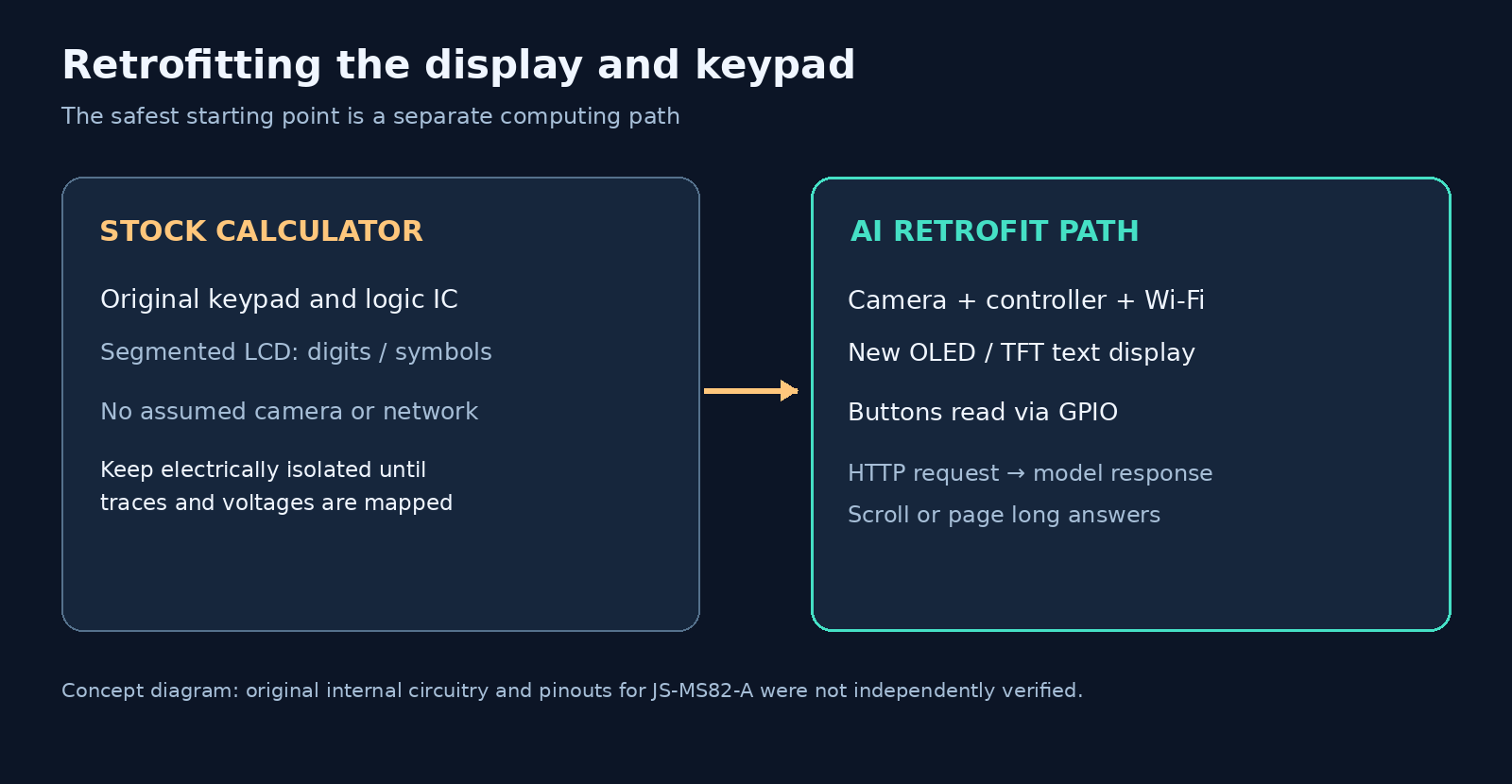
Choose a protected battery, appropriate charging circuitry and regulated supply rails for every board. Camera initialization and Wi-Fi transmissions produce current peaks, so brownout protection and thermal checks matter. BitcoinVersus.Tech previously covered brownout-reset diagnostics in embedded devices. Test standby draw, capture power, heat, boot time and recovery from lost connectivity before closing the case.
A visible capture indicator, consent before photographing people, encrypted transmission and a reset option are essential safeguards. Photographing restricted materials or using an AI-enhanced calculator where assistance is prohibited is inappropriate. The real technical achievement is packaging a computer-vision client into an old familiar form—not upgrading a calculator’s original arithmetic chip into a standalone AI model.
Editor’s Note: Prepared November 8, 2026. The Instagram reel was supplied by a reader; direct independent inspection of its video, creator, upload date and internal parts was unavailable. The label “JS-MS82-A” was supplied with the link and was not corroborated against a manufacturer datasheet. Proposed Raspberry Pi camera steps were checked against Raspberry Pi documentation, vision inputs against the OpenAI API guide, and supported WordPress Instagram embedding conditions against WordPress.com documentation. Diagrams and featured image are original conceptual illustrations, not photographs of the reel creator’s hardware. The native Instagram block was repaired and its server-rendered Instagram media markup verified against working BitcoinVersus.Tech posts. The original reel link remains available as a fallback. Interactive playback, electrical pinouts, real-device performance and camera permissions have not been independently tested.

To donate 5,000 sats, open the article on a separate display and scan the original QR code with a compatible Bitcoin wallet. On mobile, use another screen or your wallet’s supported image-scanning feature. Verify the destination 3C9o19EH5HSiwEPyCTmEKzxhNCbo2X6TTb before sending.
We volunteer daily to ensure the information on this platform is Verifiably True. If you would like to support the research, please scan QR code.
BitcoinVersus.tech is not a financial advisor. Hardware modifications can damage equipment or batteries; follow applicable electrical-safety requirements and seek qualified help where necessary.


Leave a Reply