
A JavaScript array stores an ordered sequence of values under one variable. Arrays make it practical to organize sensor readings, website products, messages, or test results. Values are accessed through numeric indexes beginning at zero. The built-in length property reports the array’s span. Some operations, such as push() and splice(), change the original array; others, including slice(), create a separate array.
The topic follows JavaScript control flow, which introduced loops over values. Earlier references explain operators and comparisons, variables and constants, and primitive types. Technical definitions follow the MDN Array reference.
Elementary Overview
Imagine a shelf with numbered spaces for objects. An array is a shelf that can gain or lose spaces. Position zero contains the first value, and position one contains the second. Different names can point to the same shelf, so changes through either name appear in the shared collection. A copied array behaves like a second shelf, although the same nested objects can remain shared.
Learning Objectives
- Create arrays and locate values with zero-based indexes.
- Explain
length, including arrays with empty positions. - Compare
push,pop,slice, andsplice. - Recognize aliases and shallow copies.
- Run 21 functional checks using Node.js without external dependencies.
Bro Code, “Learn JavaScript ARRAYS in 8 minutes!”, an identified educational video covering array syntax and common operations. Original video page. Server-generated player markup is distinguishable from verified playback.
Array Literals and Zero-Based Indexes
An expression such as const readings = [12, 18, 21] creates a three-element array. Its first element is readings[0], which evaluates to 12. readings[2] evaluates to 21. An absent index ordinarily reads as undefined, and readings.at(-1) accesses the last element. JavaScript permits mixed element types, although predictable data types make many applications easier to validate.
The value of readings.length is 3. Array length is not a count of occupied positions in every case. For example, assigning index 5 in a three-element array extends the length to 6 and leaves gaps. An array hole is an absent property, not a stored undefined value. The MDN array-length reference describes the relationship between indexes, empty slots, and truncation.
Adding and Removing Values
push(25) appends a value to an array and returns its new length, not the resulting array. For [12, 18, 21], the returned value is 4. Calling pop() then removes and returns 25. Both methods mutate the existing array object. Because another variable can hold a reference to the same array, callers should document whether shared values may be changed.
A variable declared with const cannot be rebound to a different array, but the array’s elements may still change. For a stable original, use a copying method or make an independent copy before editing. The introductory MDN arrays guide explains the practical difference between adding and removing elements.
Copying with slice
slice(1, 3) selects indexes 1 and 2; index 3 is excluded. The returned array is new, and the original remains unchanged. Calling slice() without arguments makes a shallow copy of the complete array. Independent primitive values are copied, but object elements remain references to the same underlying objects. Mutating a nested object can therefore affect both collections. The MDN slice documentation explains half-open ranges and shallow copying.
Editing in Place with splice
The method splice(start, deleteCount, ...items) inserts, replaces, or removes values inside the original array. Starting with [12, 18, 21], calling splice(1, 1, 19) returns the removed element as [18] while changing the original array to [12, 19, 21]. Confusing slice with splice can produce hard-to-find mutation errors. Modern JavaScript also provides toSpliced() for a copying alternative, subject to runtime support.
The MDN splice reference specifies the number of deleted values and the optional inserted values. When a program depends on a collection remaining unchanged, copying operations make its intent clearer than modifying shared storage.
freeCodeCamp.org, “Everything You Need to Know About JavaScript Arrays,” published April 23, 2025. The original course covers creation, indexing, mutating and non-mutating methods, plus advanced array operations. Original course page.
Aliases, Shallow Copies, and Sparse Arrays
The assignment const alias = readings copies an object reference rather than duplicating the array. Both variables identify the same array, so modifying alias[0] also changes readings[0]. By contrast, readings.slice() creates a separate array of element references. For arrays containing only numbers, an indexed replacement in the copy does not change the source. Nested objects still require separate copying when independent mutable contents are necessary.
The literal [1, , 3] creates a sparse array with one missing position. Its length is 3, but the expression 1 in sparse is false. Reading that position yields undefined even though no indexed property exists there. Also distinguish Array(3), which creates an array with three empty positions, from Array.of(3), which creates one element containing the value 3. The difference matters when validating collection sizes.
Reproducible Node.js Lab
Save the following complete file as arrays.js. The source uses Node.js built-in strict assertions, synthetic numeric readings, and no external packages. Each check raises an assertion failure if actual behavior differs from the stated expected result:
"use strict";
const assert = require("node:assert/strict");
let checks = 0;
function check(actual, expected, label) {
  assert.deepEqual(actual, expected, label);
  checks += 1;
}

const readings = [12, 18, 21];
check(Array.isArray(readings), true, "array type");
check(readings.length, 3, "length");
check(readings[0], 12, "zero index");
check(readings.at(-1), 21, "last element");
check(readings[9], undefined, "missing index");

const newLength = readings.push(25);
check(newLength, 4, "push returns new length");
check(readings, [12, 18, 21, 25], "push changes original");
check(readings.pop(), 25, "pop returns final element");
check(readings.length, 3, "pop changes length");

const middle = readings.slice(1, 3);
check(middle, [18, 21], "slice returns half-open range");
check(readings, [12, 18, 21], "slice preserves source");
const removed = readings.splice(1, 1, 19);
check(removed, [18], "splice returns removed values");
check(readings, [12, 19, 21], "splice mutates source");

const alias = readings;
alias[0] = 15;
check(readings[0], 15, "assignment creates alias");
const snapshot = readings.slice();
snapshot[0] = 0;
check(readings[0], 15, "slice copies primitive elements");
check(snapshot, [0, 19, 21], "copy can be changed separately");

const objects = [{ count: 1 }];
const shallow = objects.slice();
shallow[0].count = 2;
check(objects[0].count, 2, "shallow copy shares nested object");

const sparse = [1, , 3];
check(sparse.length, 3, "sparse length includes hole");
check(1 in sparse, false, "hole is not an indexed property");
check(sparse[1], undefined, "reading hole produces undefined");
check(Array.of(3), [3], "Array.of creates one element");

console.log(checks + " array checks passed");
console.log("readings: " + readings.join(", "));
Open a terminal in the file’s directory, check syntax, then run the program:
node --check arrays.js
node arrays.js
The independently executed example produced the following output under Node.js v22.16.0:
21 array checks passed
readings: 15, 19, 21
The 21 checks verify element access, mutation return values, copying, aliases, shared object references, and sparse arrays. Passing tests establish the behavior of the demonstrated cases, not universal application correctness or a production performance benchmark.
Common Errors
- Treating the value returned by
push()as an array instead of its new length. - Assuming
slice()modifies the source, or assumingsplice()leaves the source unchanged. - Assuming
constmakes referenced arrays immutable. - Assuming shallow copies clone their nested objects.
- Assuming every position below an array’s length contains an element.
Knowledge Check
- Where is the first element stored? At index zero.
- What does
pop()return? The removed final element, orundefinedfor an empty array. - Why can an alias modify its source? Both names reference the same array object.
- Does
slice(1, 3)include index three? No; the end boundary is excluded.
References
Elementary Conclusion
An array keeps a sequence of values in one collection. You can read an item by its numbered position, add a new item, remove one, or make a copy. The important question is whether an operation changes the original collection or creates a new one. Knowing the difference makes programs safer to edit and easier to test.
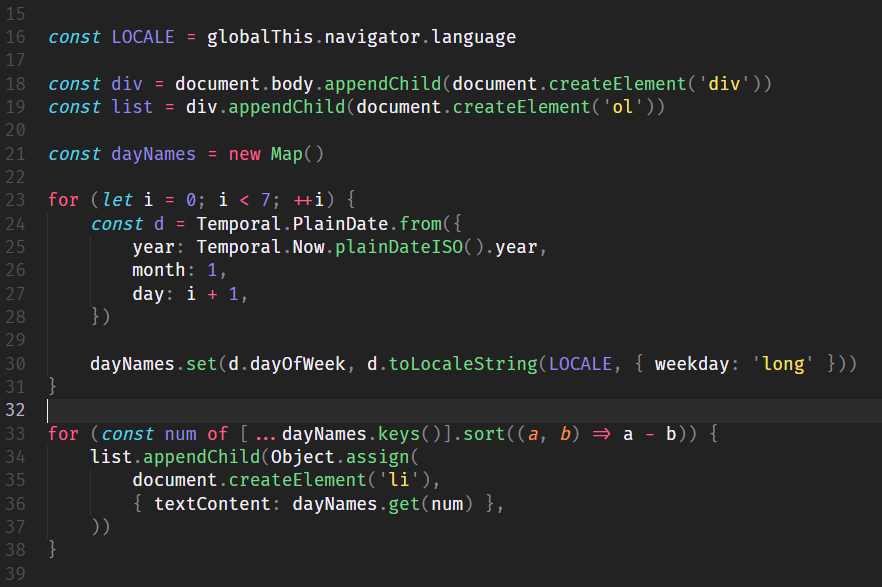
Editor’s Note: Curriculum identifier OSJavaScript.006 follows OSJavaScript.005 after Java OSJava.007 in the master rotation. The featured photograph-style cover is original AI-generated editorial art of a fictional developer with a consistent bottom-left BitcoinVersus.tech secondary logo; it is not documentary photography. The in-story code image is the existing Wikimedia Commons CC0 media item. Both YouTube sources have identifiable public video pages. The example passed 21 checks and Node.js syntax validation under Node.js v22.16.0. Actual third-party video playback, browser interaction and mobile viewport screenshots were not independently tested.

For mobile scanning, display the original QR on a second screen or use a wallet’s saved-image scanner. Confirm the intended recipient 3C9o19EH5HSiwEPyCTmEKzxhNCbo2X6TTb and 5,000 satoshis before sending funds.
We volunteer daily to ensure the credibility of information on BitcoinVersus.Tech is Verifiably True. If you would like to support our work and help further secure the integrity of our research initiatives, please scan the QR code above.
BitcoinVersus.Tech provides programming education for informational purposes. Review official documentation and validate code in its intended runtime before production use.


Leave a Reply