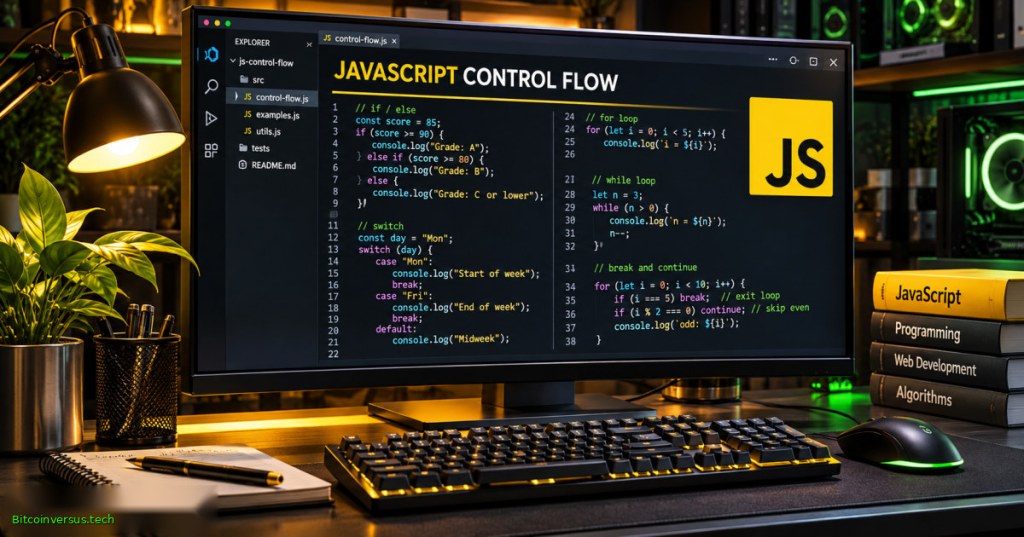
OSJavaScript.005 explains how a JavaScript program chooses which instructions run, repeats work over data, and stops safely. Conditions and loops are used in browser applications, scripts, automated tests, monitoring systems, and command-line tools. Control flow is the order in which a program executes statements; sound control-flow design makes decisions explicit and prevents accidental infinite loops.
The previous lesson, OSJavaScript.004: Operators and Coercion, established comparisons, truthy values, and strict equality. Those expressions become decision conditions here. The examples below use illustrative temperature readings, not measurements from a real operating facility or safety-approved equipment thresholds.
Learning objectives and prerequisites
- Construct
if,else if, andelsebranches with deliberate comparisons. - Describe
switchmatching,default, and fall-through. - Choose between
for,while,do...while, andfor...of. - Explain the difference between
breakandcontinue. - Build a bounded monitoring example, inspect expected output, and run 18 automated assertions.
- Identify wrong data types, off-by-one errors, unsafe loop conditions, and unintended branch execution.
Prerequisites: variables, primitive values, logical comparisons, and a terminal or JavaScript console. Review OSJavaScript.003: Variables and Scope before using let inside a loop. The executable lab was run locally with Node.js v22.16.0 and requires no external packages, network access, credentials, or administrator privileges.
Conditional branches with if, else if, and else
An if condition is evaluated first. When it is truthy, its block runs and the remaining branches of the same chain are skipped. When it is falsy, JavaScript checks the next else if; a final else provides a fallback. Use braces even for single statements to make branch boundaries obvious. Numeric zero and an empty string are falsy; an empty array is truthy. An explicit check such as Number.isFinite(value) is better than relying on truthiness when sensor input must be numeric.
const temperature = 85;
if (temperature >= 85) {
  console.log("ALERT");
} else if (temperature >= 70) {
  console.log("WATCH");
} else {
  console.log("NORMAL");
}
// Expected output: ALERT
The illustrative example uses 85 and 70 degrees Celsius only as teaching thresholds, not manufacturer limits, industrial trip settings, or a recommendation for equipment operation. Validate external data before selecting a branch; "85" is a string rather than a verified measurement. Read the MDN JavaScript control-flow guide for conditional semantics and the distinction between a block and a function scope.
Bro Code, “If statements in JavaScript are easy,” published October 21, 2023. Public tutorial covering if, else if, booleans, and branching. Official YouTube page. Video identity was checked; end-to-end embedded playback was not independently verified.
Selecting a case with switch
switch compares one discriminant against cases using strict equality semantics. In the example, a string status maps to an integer severity. A break exits the switch after the matching case; without it, execution may continue into later cases even when their labels do not match. A default branch handles unknown values.
const status = "WATCH";
let priority;
switch (status) {
  case "ALERT": priority = 3; break;
  case "WATCH": priority = 2; break;
  case "NORMAL": priority = 1; break;
  default: throw new RangeError("Unknown status");
}
console.log(priority); // 2
A case labeled 3 does not match the string "3". Intentional fall-through is valid JavaScript, but it should be documented because unintended fall-through is a common defect. For more examples, review MDN switch documentation.
Counting iterations with for
The traditional for statement has an initializer, a condition checked before each iteration, and an update expression. An index typically begins at zero, and index < samples.length visits every valid array index without reading beyond the array. Using <= here would attempt one extra position. Keep the loop’s terminating condition visible.
const samples = [70, 82, 94];
for (let index = 0; index < samples.length; index++) {
  console.log(index, samples[index]);
}
// 0 70
// 1 82
// 2 94
An index declared with let inside the loop header is block-scoped. The earlier primitive-values lesson explains numbers, booleans, null, undefined, and NaN; the distinction matters because invalid readings must be recognized before arithmetic.
While and do…while
A while loop evaluates its condition before the first pass, so it can execute zero times. A do...while loop evaluates the condition after the body, so it executes at least once. Neither form automatically guarantees termination. For retries, polling, or queue processing, include an attempt limit, a timeout, or another well-defined exit condition. A bounded loop is not the same as a real timer or asynchronous polling delay.
let attempts = 0;
while (attempts < 3) {
  attempts++;
  if (attempts === 2) break;
}
console.log(attempts); // 2

let checks = 0;
do {
  checks++;
} while (checks < 0);
console.log(checks); // 1
The second loop still runs once even though checks < 0 is false. For actual asynchronous hardware or network operations, an additional delay or event mechanism may be required; a tight loop can block the Node.js event loop. The MDN loops-and-iteration guide documents both forms.
For…of, break, and continue
for...of visits values from an iterable such as an array. In contrast, for...in enumerates property keys and is generally not the correct default for numeric array values. continue skips the remainder of the current iteration, while break exits the nearest enclosing loop or switch. When either is nested, identify precisely which statement it applies to.
let total = 0;
for (const value of [2, 3, 4, 5]) {
  if (value % 2 === 0) continue;
  total += value;
}
console.log(total); // 8
If a reading is invalid, continuing to the next sample can be a deliberate data-cleaning policy. If a critical threshold is reached, breaking immediately can be a deliberate policy too—but either choice needs to be explicit. Silent data omission can conceal a sensor defect; real systems should record invalid readings separately. A loop is not a substitute for manufacturer interlocks, alarms, or certified protective controls.
freeCodeCamp.org, “JavaScript Course for Beginners,” published May 13, 2024. Control-flow chapter begins at 56:31 and includes if/else, switch, for, while, do…while, and break/continue. Official YouTube page. Video identification was checked, but end-to-end embedded playback remains unverified.
Complete runnable monitoring lab
The complete ControlFlowLab.js source implements six short functions. It classifies readings, assigns priorities, skips non-finite measurements, stops at the first critical value, caps polling attempts, demonstrates a loop that runs once, and sums odd integers. It uses the Node.js CommonJS module system so the accompanying test program can import the functions. Neither file reads a device, accesses the network, nor controls actual hardware.
Save ControlFlowLab.js and ControlFlowLab.test.js in the same directory. Run the commands below in a terminal with Node.js 22 or a compatible supported Node.js release. The test runner is built into Node; no npm install step is required.
node --check ControlFlowLab.js
node ControlFlowLab.js
node --test ControlFlowLab.test.js
Observed local output from Node.js v22.16.0 is listed below. The array scan deliberately ignores NaN, accepts valid values 70, 82, and 94, totals 246, and stops before reading the final 99. Those values are constructed sample inputs, not production observations.
85 C: ALERT
70 C: WATCH
55 C: NORMAL
ALERT priority: 3
Scan: {"validCount":3,"total":246,"firstCritical":{"index":3,"value":94}}
Polls before ready: 2
do...while with limit 0: 1
Sum of odd values: 8
The test harness exercises correct branches, type rejection, invalid status handling, empty arrays, early termination, bounded attempts, mandatory first execution for do...while, and odd-number filtering. All 18 of 18 automated tests passed locally with Node.js v22.16.0. Passing unit tests verify the specific inputs covered; they do not prove every input safe, certify a program for industrial operations, or benchmark performance. See Node.js test-runner documentation and Node command-line documentation.
Troubleshooting and safety
- Loop never exits: make sure the counter changes, the condition can become false, and externally driven loops have a finite cap or cancellation route.
- Unexpected branch: inspect the value and its type; prefer
===and explicit number validation over accidental coercion. - Switch runs extra cases: confirm
break,return, or intended documented fall-through after each match. - Last array element is undefined: correct a likely
<= lengtherror to< lengthif traversing zero-based indexes. - Missing or skipped data: inspect the
continuepolicy; report invalid measurements instead of treating silence as a normal sensor reading. - Heavy CPU use: avoid tight infinite polling. Use event-driven I/O or timers for actual asynchronous work, not a busy wait.
- Integer precision: validate and constrain numeric inputs; values beyond safe integer precision can produce misleading sums.
Do not copy illustrative thresholds into facility control systems. Field deployments require validated instruments, authorized setpoints, change control, independent safety interlocks, and failure-response testing. The lab is educational; it does not connect to a PLC, sensor network, or production equipment.
Guided practice and knowledge assessment
- Change the temperature to 69, 70, and 85. Identify which branch executes at every boundary.
- Remove one
breakfrom a safe localswitchexample. Predict which later statements run, then restore it. - Change the array loop condition to
index <= samples.lengthin a throwaway test. Explain the finalundefinedelement. - Demonstrate
whileat zero attempts anddo...whileat zero limits; explain why their counts differ. - In
scanSamples, replacebreakwithcontinue. Predict howvalidCountandtotalchange. - Extend the test harness with
Infinity, a negative sample, and an unknown status. Document expected behavior before running.
Answer key: 69 is NORMAL, 70 is WATCH, and 85 is ALERT; removing break allows case fall-through; index equal to length is out of range; while can run zero times while do...while runs once; removing the scan’s early break permits later valid readings to be counted, with consequences for the meaning of first-critical detection; Infinity is rejected as a non-finite reading, negative finite input currently classifies as NORMAL unless the caller adds a domain constraint, and an unknown priority status throws RangeError.
Authoritative references and continuation
Primary technical sources: MDN Control Flow and Error Handling, MDN Loops and Iteration, MDN switch, MDN do…while, and Node.js Testing Documentation. The JavaScript series introduction explains the browser and server-side runtimes. The next lesson in this track can advance to arrays, functions, and structured program composition.
Control flow connects expressions to practical program behavior. A readable program makes conditions, repetition, exit conditions, and error-handling rules visible. Branches should reflect validated data; loops should make progress or end deliberately. The executable lab and reproducible tests provide a foundation for larger web applications and infrastructure scripts.
Editor’s Note: OSJavaScript.005 follows the published OSJavaScript.004. The original 1200 × 630 featured art is an AI illustration of a JavaScript workstation, not an actual software screenshot; the small neon-green Bitcoinversus.tech signature is part of the graphic. Educational video pages were identified independently; live in-page playback and visual mobile behavior have not been independently confirmed. The Node.js example and all 18 tests were executed locally using Node.js v22.16.0. Example temperatures, thresholds, and scan readings are simulated training inputs. No actual physical monitoring equipment was tested.

For mobile scanning, display the QR code on another screen or use a wallet’s saved-image scanner. Always confirm the address and amount before authorizing a payment.
We volunteer daily to ensure the information on this platform is Verifiably True. If you would like to support the research, please scan the QR code.
BitcoinVersus.Tech educational lessons do not substitute for independently validated engineering procedures or operational safety controls.


Leave a Reply