Elementary overview: JavaScript is a programming language used heavily on the web, but it is not limited to webpages. A JavaScript engine executes the language, while a host environment—such as a web browser or Node.js—provides extra capabilities around it.
This is the first lesson in the Open Source JavaScript track. The goal is intentionally narrow: understand what JavaScript is, where it runs, and what happens when you execute one tiny JavaScript program. Syntax details, variables, functions, objects, the DOM, and asynchronous programming will get their own lessons later.
What You Should Learn
- What JavaScript is.
- What ECMAScript means.
- The difference between the language, the engine, and the host environment.
- Why JavaScript runs in browsers and also outside browsers.
- How to execute
console.log("Hello, JavaScript!").
What Is JavaScript?
JavaScript is a general-purpose scripting and programming language. It became famous because browsers use it to make webpages interactive, but the same language can also run in servers, command-line tools, desktop applications, embedded systems, and other environments.
On a webpage, JavaScript commonly works alongside HTML. HTML describes the structure of the page; JavaScript can react to clicks, change page content, request data, validate input, and perform calculations. If you want a broader picture of what happens around a browser before JavaScript even runs, see What Happens When You Type a Website Into Your Browser?
JavaScript and ECMAScript
ECMAScript is the standardized language specification that defines JavaScript’s core syntax and behavior. The specification defines language features such as values, objects, operators, statements, functions, and classes. JavaScript is the name developers normally use for the language and its implementations.
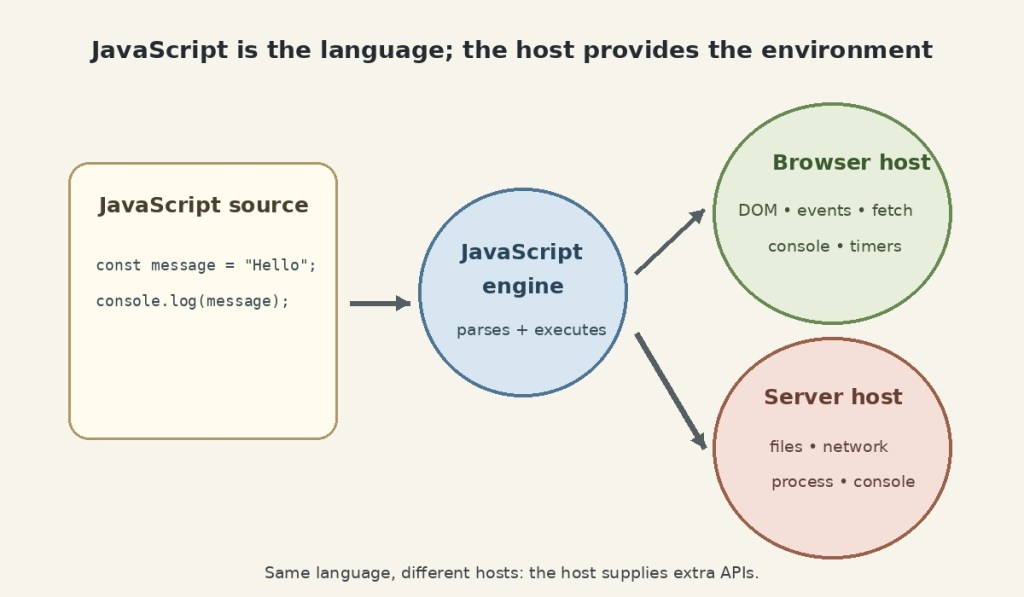
This distinction matters because the ECMAScript specification does not define every feature you use while programming in JavaScript. A browser, Node.js, or another host supplies additional APIs around the core language.
Language, Engine, and Host
| Part | Job | Example |
|---|---|---|
| JavaScript / ECMAScript | Defines the language | Variables, operators, functions, objects |
| JavaScript engine | Parses and executes JavaScript | V8, SpiderMonkey, JavaScriptCore |
| Host environment | Provides extra APIs around the engine | Browser, Node.js |
Modern JavaScript engines do more than simply interpret code one line at a time. Engines parse the source and may use just-in-time compilation and other optimization techniques to execute it efficiently. The engine is therefore different from the browser itself: a browser contains a JavaScript engine plus many other systems such as rendering, networking, storage, and user-interface components.
Where JavaScript Runs
The most familiar JavaScript host is a web browser. Browsers supply web APIs such as the Document Object Model (DOM), events, timers, networking interfaces such as fetch(), storage APIs, and the browser console. These APIs let JavaScript interact with the page and with the outside world.
JavaScript also runs outside the browser. Node.js is an open-source, cross-platform JavaScript runtime built on the V8 engine. Node supplies server-oriented capabilities such as file-system access, process information, networking, and command-line execution.
Your First JavaScript Program
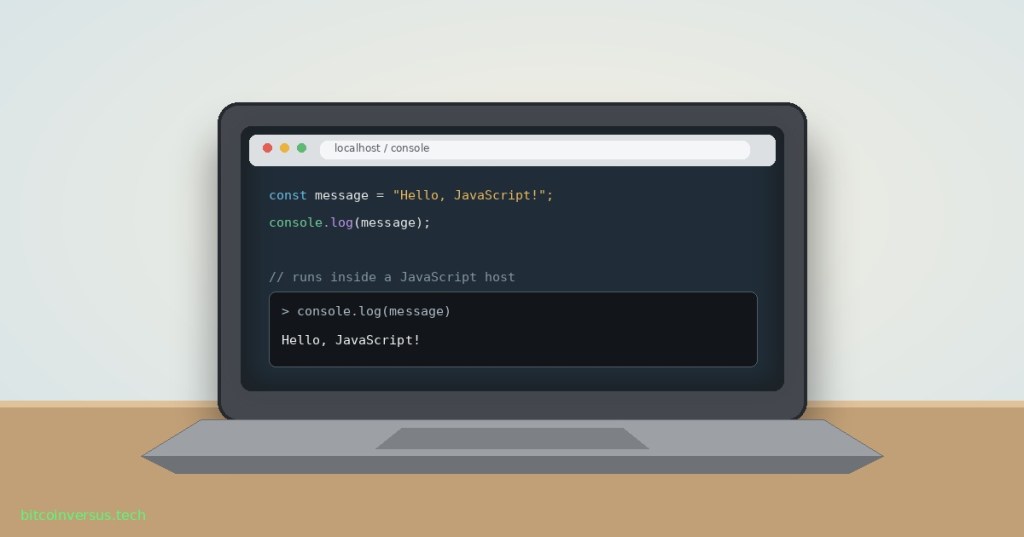
The quickest way to run JavaScript is the developer console built into a modern browser. Open the browser’s developer tools, choose the Console tab, and enter:
console.log("Hello, JavaScript!");You should see:
Hello, JavaScript!That single line already contains several useful ideas. console is an object supplied by the host environment, log is a method on that object, and "Hello, JavaScript!" is a string value passed to the method.
The important subtlety is that console.log() is not part of the core ECMAScript language specification. It is provided by the host. Browsers provide a Console API, and environments such as Node.js provide their own console implementation.
Run the Same Idea with Node.js
If Node.js is installed, put the same line in a file named hello.js:
console.log("Hello, JavaScript!");Then run the file from a terminal:
node hello.jsThe JavaScript statement is the same, but the host is different. The browser and Node.js both execute JavaScript, yet they expose different surrounding APIs. That is why browser code can use objects such as document, while Node.js code can work with server-side facilities that a normal webpage does not receive.
JavaScript Is Not Java
JavaScript and Java are different programming languages. Their similar names are historical, not evidence that one is a version of the other. They have different language designs, runtimes, ecosystems, and typical development workflows.
What JavaScript Can Do in a Browser
- React to mouse, keyboard, touch, and form events.
- Read and change elements in the DOM.
- Request data from servers through web APIs.
- Store data through browser-provided storage APIs.
- Draw graphics, control media, and update interfaces without reloading the whole page.
Those abilities come from JavaScript working with host APIs. The same general idea appears throughout software engineering: a language gives you computation, while surrounding APIs connect that computation to files, networks, displays, devices, or other software.
JavaScript and TypeScript
TypeScript builds on JavaScript by adding a static type system and additional tooling. TypeScript code is normally transformed into JavaScript that JavaScript runtimes can execute. Learning JavaScript first therefore makes later TypeScript concepts much easier to understand.
Common Beginner Mistakes
- Thinking JavaScript only runs in browsers: Node.js and other runtimes execute JavaScript outside the browser.
- Thinking every browser API is part of JavaScript: objects such as
documentcome from the host environment. - Confusing JavaScript with Java: they are separate languages.
- Copying code without checking the host: code written for a browser may depend on APIs that do not exist in Node.js, and vice versa.
- Skipping the console: the developer console is one of the fastest ways to experiment with small pieces of JavaScript.
Practice
- Open your browser developer console.
- Run
console.log("Hello, JavaScript!");. - Change the text inside the quotation marks and run it again.
- Run
2 + 3and observe the result. - Explain, in one sentence each, what the language, engine, and host environment do.
- If Node.js is installed, save the
console.log()example ashello.jsand runnode hello.js.
Knowledge Check + Answers
- What is JavaScript? A general-purpose programming language widely used on the web and in many other environments.
- What is ECMAScript? The standardized specification that defines the core JavaScript language.
- What does a JavaScript engine do? It parses and executes JavaScript code, often using optimization and JIT compilation.
- What is a host environment? The environment that contains the JavaScript engine and supplies additional APIs.
- Name two JavaScript hosts. A web browser and Node.js.
- Is the DOM part of core ECMAScript? No. Browsers supply the DOM as a web API.
- Is console.log() part of core ECMAScript? No. The host environment supplies the console API or equivalent console implementation.
- Are JavaScript and Java the same language? No.
Primary Technical References
- MDN — JavaScript Guide: Introduction
- MDN — JavaScript Language Overview
- MDN — console.log()
- TC39 — ECMAScript Language Specification
- Node.js — Introduction to Node.js
Elementary Review
JavaScript is the language. An engine executes it. A host gives it access to the outside world. In a browser, the host provides web APIs such as the DOM. In Node.js, the host provides server-oriented APIs. The tiny program console.log("Hello, JavaScript!") is enough to prove the basic model.
Next JavaScript Lesson
OSJavaScript.002: Values and Primitive Types will introduce strings, numbers, booleans, null, undefined, bigint, and symbol without jumping ahead into larger program structure.
Editor’s Note
The featured artwork is a unique 1200×630 technical editorial cover created specifically for OSJavaScript.001 and is not reused inside the lesson. Neon green is limited to the small bitcoinversus.tech tag at bottom-left. The separate body diagram illustrates the distinction between JavaScript, its execution engine, and host-provided APIs.
BitcoinVersus.Tech content is provided for informational and educational purposes.


Leave a Reply