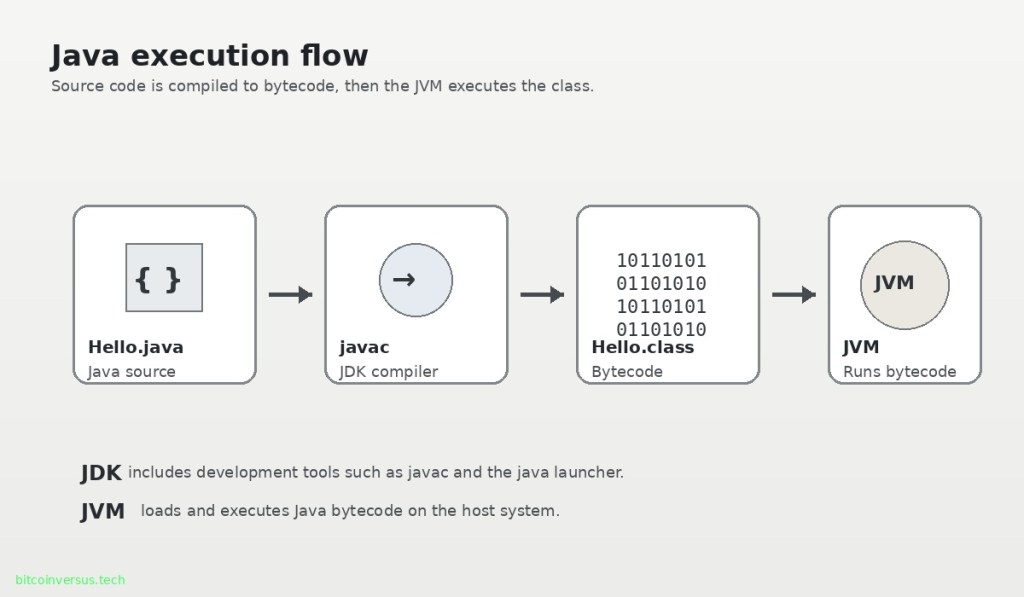
Elementary overview: Java is a general-purpose programming language built around a simple but important execution model: you write Java source code, a compiler can turn that source into bytecode, and a Java Virtual Machine (JVM) executes that bytecode on the computer running the program.
This is the first lesson in the Open Source Java track. The goal is intentionally narrow: understand what Java is, what the JDK and JVM do, and how one tiny Java program moves from source code to execution. Variables, primitive types, operators, classes, objects, methods, packages, exceptions, collections, and concurrency belong in later lessons.
What You Should Learn
- What Java is.
- What a
.javasource file is. - What
javacdoes. - What Java bytecode and a
.classfile are. - What the JVM does.
- What the JDK provides.
- How to compile and run a first Java program.
What Is Java?
Java is a statically typed, general-purpose programming language used for server software, enterprise applications, developer tools, desktop programs, data systems, Android-adjacent development, and many other types of software. It is part of the long evolution of programming languages described in From Assembly to Kotlin: How Programming Languages Changed Computing.
Java became especially influential because programs are commonly compiled into a platform-neutral instruction format called Java bytecode. A JVM for the target operating system and processor then executes that bytecode. This separates much of the application from the details of the underlying machine.
As of October 2026, Oracle’s current Java SE documentation is at Java SE 27. The core workflow taught in this lesson—source code, javac, bytecode, and JVM execution—remains fundamental even as the platform continues to evolve.
Java Is Not JavaScript
Java and JavaScript are separate programming languages. Their similar names do not make JavaScript a smaller or browser-only version of Java. They have different syntax, type systems, runtimes, ecosystems, and execution models. The previous lesson, OSJavaScript.001: What Is JavaScript?, introduces JavaScript’s language-engine-host model.
The Four-Part Java Execution Model
| Stage | Example | Purpose |
|---|---|---|
| Source code | Hello.java | Human-readable Java program |
| Compiler | javac Hello.java | Translates Java source into bytecode |
| Bytecode | Hello.class | Portable instructions defined for the JVM |
| Execution | java Hello | Starts a JVM, loads the class, and runs the program |
This is the mental model to remember. You write .java source. The Java compiler can produce .class files containing JVM bytecode. The java launcher starts a JVM, loads the requested class, and invokes the program’s entry point.
Step 1: Write a .java Source File
Create a plain-text file named Hello.java. Java source files are ordinary text files, so they can be written in a simple text editor, an IDE, or a code editor with features such as syntax highlighting.
public class Hello {
    public static void main(String[] args) {
        System.out.println("Hello, Java!");
    }
}
For this traditional form, the public class is named Hello, so the source file is named Hello.java. The main method is the program entry point used in this example. Do not worry about understanding every keyword yet; later lessons will break them apart.
Step 2: Compile with javac
The Java compiler command is javac. Oracle and Dev.java document javac as the JDK tool that reads Java class and interface definitions and compiles them into bytecode class files.
javac Hello.javaIf the source is valid, this command normally creates:
Hello.classThe .class file is not the original source text and is not a normal native executable for one operating system. It contains Java Virtual Machine instructions called bytecode.
Step 3: The JVM Executes Bytecode
The Java Virtual Machine is the abstract execution machine defined by the Java Virtual Machine Specification and implemented by JVM software such as HotSpot. The JVM loads classes, verifies and manages bytecode, provides runtime services, and executes the program. Modern JVMs can interpret code and use just-in-time compilation to turn frequently executed bytecode into optimized machine code while the application runs.
The JVM is a different idea from a full hardware-style virtual machine that emulates or virtualizes an entire computer. A JVM is primarily a process virtual machine designed to execute Java bytecode and provide the Java runtime model.
Step 4: Launch the Program
Run the compiled class with the java launcher:
java HelloThe expected output is:
Hello, Java!Oracle’s Java 27 tool documentation describes the java command as the launcher that starts a Java application by starting a JVM, loading the specified class, and calling its main() method. In the traditional class-launch form used here, the class name is written without the .class extension.
What Is the JDK?
JDK means Java Development Kit. It is the software kit used to develop Java applications. A modern JDK includes the Java runtime plus development and diagnostic tools. Important beginner commands include java, javac, javadoc, jar, javap, and jshell.
For development, think of the JDK as the toolbox. The JVM is one major runtime component inside that larger development environment.
What About the JRE?
JRE means Java Runtime Environment. Historically, Java users often installed a separate JRE when they only needed to run applications and installed a JDK when they needed development tools. Modern Java distributions and deployment practices have changed, so beginners should not assume that a separate standalone JRE package is always required or supplied. For this course, installing a JDK gives you the tools needed to both compile and run the examples.
Why Bytecode Helps Java Run on Different Systems
A Windows computer, Linux server, and Mac do not execute identical native machine instructions. Java’s common bytecode format creates an intermediate layer: the application can target the JVM instruction set, while the JVM implementation handles the details of the local operating system and processor.
This does not mean every Java program is magically portable with no conditions. Native libraries, operating-system dependencies, filesystem assumptions, architecture-specific code, and environment configuration can still reduce portability. The important idea is that Java bytecode and the JVM provide a standardized execution layer.
You Can Also Run a Source File Directly
Modern Java launchers also support source-file mode. For a suitable source program, you can run:
java Hello.javaThe launcher compiles and runs the source as part of that operation. This is convenient for small programs and learning, but understanding the explicit javac → .class → java workflow is still valuable because it exposes the underlying Java compilation model.
Check Your Installed Java Tools
java -version
javac -version
If java works but javac does not, you may have a path or installation problem, or you may be using an environment that exposes a runtime but not the full development toolset. Oracle’s JDK installation documentation covers Windows, macOS, and Linux installation paths.
Common Beginner Mistakes
- Running
javacon the wrong filename: verify the file is really namedHello.java. - Running
java Hello.class: the normal class-launch form usesjava Hello, not the filename. - Using the wrong capitalization: Java identifiers and filenames can be case-sensitive in important ways.
- Forgetting that
javacandjavaare different tools: one compiles; the other launches. - Confusing the JVM with the JDK: the JVM executes bytecode; the JDK is the broader development kit.
- Confusing Java with JavaScript: they are different languages.
- Assuming every Java program is perfectly portable: applications can still depend on native libraries, files, environment variables, or OS-specific behavior.
Practice
- Run
java -versionandjavac -version. - Create
Hello.javausing the example in this lesson. - Compile it with
javac Hello.java. - Confirm that
Hello.classappears. - Run it with
java Hello. - Change the output message, compile again, and rerun it.
- Delete the
.classfile and explain whyjava Hellocan no longer find the compiled class. - Try
java Hello.javaand compare source-file mode with the explicit compile-and-run workflow.
Knowledge Check + Answers
- What is stored in a .java file? Human-readable Java source code.
- What does javac do? It compiles Java source into JVM bytecode class files.
- What is usually stored in a .class file? Java Virtual Machine bytecode and class metadata.
- What does the JVM do? It loads and executes JVM bytecode and provides the Java runtime execution environment.
- What is the JDK? The Java Development Kit, containing the runtime and development tools such as javac.
- What command launches a compiled Hello class?
java Hello. - Are Java and JavaScript the same language? No.
- Why does bytecode help portability? The application can target the standardized JVM instruction set while platform-specific JVM implementations handle the local machine.
- Can modern Java run a source file directly? Yes. The java launcher supports source-file mode, such as
java Hello.java.
Primary Technical References
- Dev.java — Your First Steps in Java
- Dev.java — Your First Java Code
- Dev.java — javac, the Compiler
- Oracle Java SE 27 — The java Command
- Oracle — JDK 27 Documentation
- Oracle — Java SE 27 Language, JVM, and JDK Specifications
Elementary Review
Write source. Compile to bytecode. Run the bytecode on a JVM. The JDK gives you the development tools, javac creates class files, and the java launcher starts the JVM that runs the program. That is the basic Java execution model.
Next Java Lesson
OSJava.002: Primitive Types and Variables will introduce Java’s basic value types, variable declarations, literals, assignment, and the difference between primitive values and reference types at an introductory level.
Editor’s Note
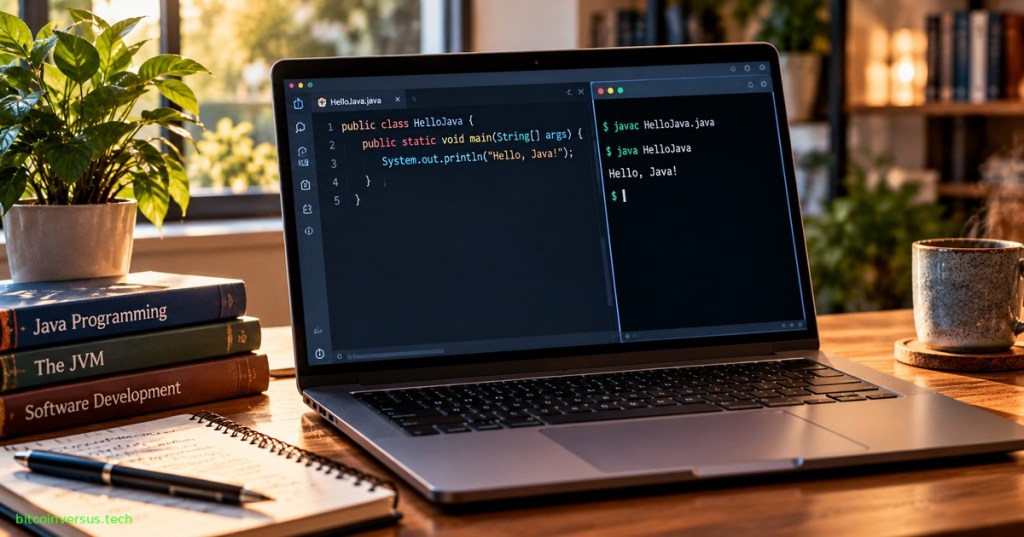
The featured artwork is a unique 1200×630 photorealistic editorial Java programming scene created specifically for OSJava.001 and is not reused inside the lesson. The separate 1200×700 body diagram explains the Java source → javac → bytecode → JVM flow. Neon green is limited to the small bitcoinversus.tech tag at bottom-left.
BitcoinVersus.Tech content is provided for informational and educational purposes.


Leave a Reply