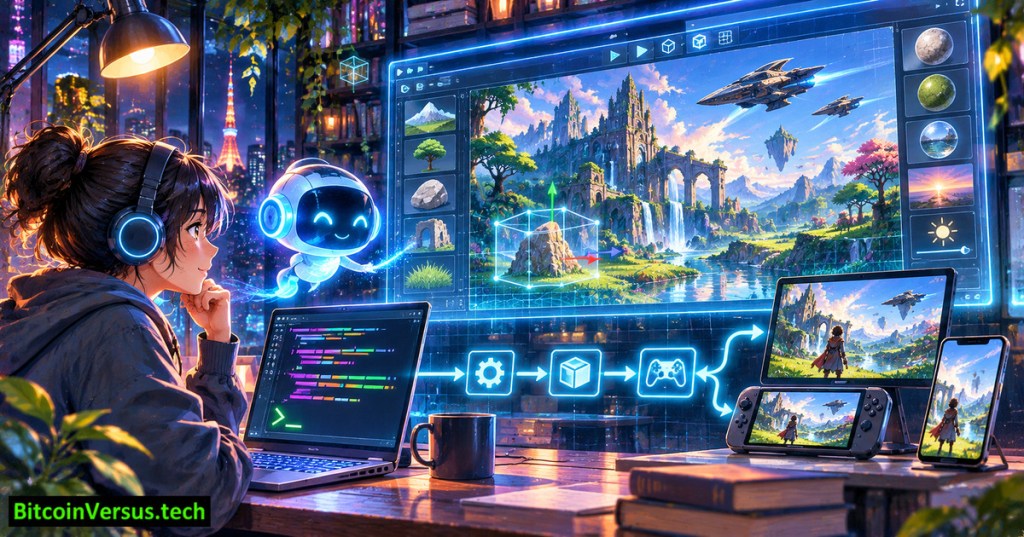
Unity has brought artificial intelligence deeper into game development with a command-line tool that lets coding agents build, compile and test projects inside a live Unity Editor. At its Unite Tokyo presentation on November 17, 2026, the company demonstrated Claude Code creating a first-person puzzle prototype, checking errors and entering Play mode. Unity CLI 1.0 is available now, although many of the Unity 7 graphics and engine changes highlighted alongside it remain future releases.
According to Unity’s CLI launch announcement, more than 350,000 logged-in users had issued over 600 million commands since July 20, and roughly 98% of command executions came from coding agents or other automation. Those are company-reported adoption figures, not independent measurements of games completed or jobs eliminated.
Unity’s original November 2026 presentation demonstrates the CLI and Pipeline APIs, including an AI-assisted puzzle prototype. Source: Unity’s Unite Tokyo keynote recap.
What AI agents can actually do
The practical shift is access to the actual game engine. A coding assistant can open the appropriate project and installed Editor, run an authorized command, inspect a compiler error and try a revision. Unity’s Pipeline package, com.unity.pipeline, exposes Editor operations through the CLI, reducing the need for a person to click through every build step.
Unity’s official integrations cover Claude Code, Codex, Grok Build and Google Antigravity. Developers can also install shared skills for other tools or run the CLI without AI. New commands handle project setup, builds, version-control summaries and audits. The release addresses stalled automation by detecting Editor dialogs that would otherwise halt unattended sessions.
A command-driven development pipeline could make prototyping less repetitive for a small studio. It does not remove the need to assess game design, validate performance on target hardware, protect licensed assets or review generated code. Agent permissions and project files still warrant security scrutiny, especially when automated tools can run other programs.
Five thousand spaceships test the new architecture
Unity paired the workflow announcement with the forthcoming ECS for All approach. Its Entity Component System reorganizes frequently updated game data so processors can handle large groups of objects more efficiently. In a controlled keynote scene with 5,000 spaceships, the company showed a GameObject implementation slowing as objects accumulated while its ECS version maintained a steadier frame rate.
Unity’s official “Introducing ECS for All” demonstration shows the GameObject and Entity models compared under the conference’s test conditions.
Such a demonstration does not establish a universal speed multiplier. Scene logic, hardware, rendering work and data layout determine whether ECS benefits a particular game. Unity says the next engine generation will increasingly connect familiar GameObjects to the ECS data model, reducing the separation between conventional authoring and data-oriented runtime code.
Graphics improvements need careful benchmarks
Graphics received another measurable demonstration. Unity said its new Graphics Kernel improved GPU performance by more than 62% in its Atrio sample with ray tracing enabled, while experimental neural texture compression reduced that sample’s texture memory by nearly 30%. The figures refer to distinct metrics and one selected sample, not an across-the-board 62% gain or 30% reduction for every project.
Unity’s official technical segment on Neural Texture Compression and Unity Graphics Kernel. Reported gains are measured in the featured Atrio demo.
Atrio also showcased Surface Cache Global Illumination, a real-time lighting method that avoids precomputed lightmaps. Unity reported a full-resolution 60-frames-per-second run in its demonstration. Actual results will depend on the device and rendering settings; developers should benchmark individual consoles, computers and mobile phones rather than extrapolate from a stage demo.
Unity 6.7 LTS is the near-term entry point for some graphics features, including experimental neural texture compression. Unity 7’s broader release remains ahead. The CLI’s public release history lists version 1.0.0 on November 12 and 1.0.1 on November 16, before the November 17 Tokyo announcement.
A bigger workflow, with open questions
Another move targets smaller developers: Unity announced that Synty Studios is joining the company and opened a fellowship for 10 independent teams per year, each receiving $50,000 plus professional support. The fellowship has no revenue-share or recoupment requirement, according to Unity. Its separate Pipeline web collaboration service remains in beta, with general availability planned for 2027.
The industry backdrop is mixed. BitcoinVersus.Tech recently covered developers’ concerns about AI in gaming, Epic’s experimental agent tools for Unreal, isolated environments for coding agents and modern rendering tools for Minecraft. Each tackles a different bottleneck or risk.
Unity’s central claim is not that an agent can design a successful game alone. The demonstrated advance is a more accessible bridge between prompts, the Editor, testing and production workflows. Whether the technology delivers durable gains depends on reliable builds, developer oversight, and performance measured in finished games rather than keynote scenes.
Primary sources and official videos
- Unity, Unite Tokyo 2026 Keynote Recap, November 17, 2026
- Unity, The Unity CLI 1.0 Is Here, November 17, 2026
- Official Unity CLI release notes for 2026
- Unity documentation: CLI plug-ins and dependencies
- Unity original video: CLI 1.0 and Pipeline APIs
- Unity original video: ECS for All
- Unity original video: Neural Texture Compression and Graphics Kernel
Editor’s Note: We volunteer daily to ensure the credibility of the information on this platform is Verifiably True. If you would like to support to help further secure the integrity of our research initiatives, please scan the QR code below

For mobile scanning, open the article on another display and scan the QR code with a Bitcoin wallet. Verify the receiving address 3C9o19EH5HSiwEPyCTmEKzxhNCbo2X6TTb before sending.
BitcoinVersus.Tech provides technology and gaming journalism for informational purposes. Product roadmaps and performance demonstrations are subject to change; independent production benchmarks remain important.


Leave a Reply