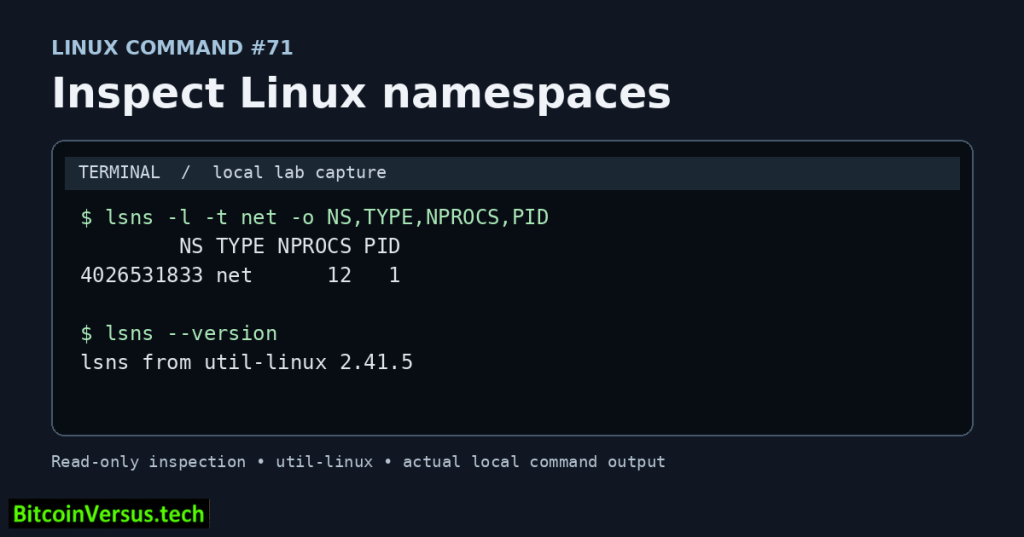
Linux Commands | Lesson 71 | Intermediate | 30–40 minutes | util-linux and Linux procfs
A container can share a host kernel while seeing a different network stack, process tree or mount layout. When a service behaves differently inside a container, engineers need evidence about its isolation boundaries before changing configuration. The read-only lsns utility enumerates namespaces visible from the current execution environment.
Prerequisites and sequence
Continue from Linux Command #70: unshare. Review #69: systemd-cat, #68: systemd-cgls and #67: systemd-cgtop. Use a local Linux lab shell with util-linux installed; no administrator access is required for the examples.
Learning objectives
- Distinguish namespace types and explain how they relate to container isolation.
- Interpret namespace identifiers, visible process counts and representative PIDs.
- Filter namespace listings by process and type; corroborate a network namespace through procfs.
- Produce predictable JSON output and recognize incomplete observations.
- Apply a read-only diagnostic workflow and identify security and escalation boundaries.
1. Kernel architecture: what a namespace represents
A namespace provides a particular view of a kernel-managed resource. Processes sharing an instance of a namespace share the corresponding view; processes in different instances may see different resources. One process can belong to separate instances for each namespace type. Linux exposes the associated references in /proc/PID/ns/; their identifiers are inode numbers, not container names or permanent global asset IDs.
- mnt: mount topology; pid: process ID visibility; net: interfaces, routes and network stacks.
- uts: host and domain names; ipc: supported interprocess communication resources.
- user: user/group identity mappings and capability scope; cgroup: cgroup hierarchy view, not an enforcement policy by itself.
- time: offsets for selected monotonic and boot-time clocks, not an independent wall-clock time zone.
Namespaces and cgroups solve different problems. Namespace membership controls views of resources, whereas resource controllers can constrain or account for CPU, memory and other consumption. Containers also depend on capabilities, mount permissions, system-call filtering and additional security policy.
2. Reading namespace listings
Run lsns --version and lsns --help to establish installed capabilities. Then run lsns -l -o NS,TYPE,NPROCS,PID. The list flag requests a flat layout; the output flag selects explicit columns.
- NS: inode identifier of the visible namespace instance.
- TYPE: the isolated resource category.
- NPROCS: process membership count observed by the utility, subject to visibility and races.
- PID: the lowest observed PID associated with the namespace, not proof that it created the namespace or owns it.
Two processes with matching network namespace identifiers share the same network namespace at observation time. They can still differ in mount, PID or user namespace membership. An inode number should not be treated as a durable identifier across reboots or namespace lifetimes.
3. Read-only lab: inspect and corroborate
Use a disposable local shell. The variable $$ expands to the shell PID. Run lsns -l -p $$ -o NS,TYPE,NPROCS,PID to list namespaces held by the shell. Next run lsns -l -t net -o NS,TYPE,NPROCS,PID to list accessible network namespaces. Finally run readlink /proc/$$/ns/net. The value inside brackets should correspond to the network namespace inode observed for the shell.
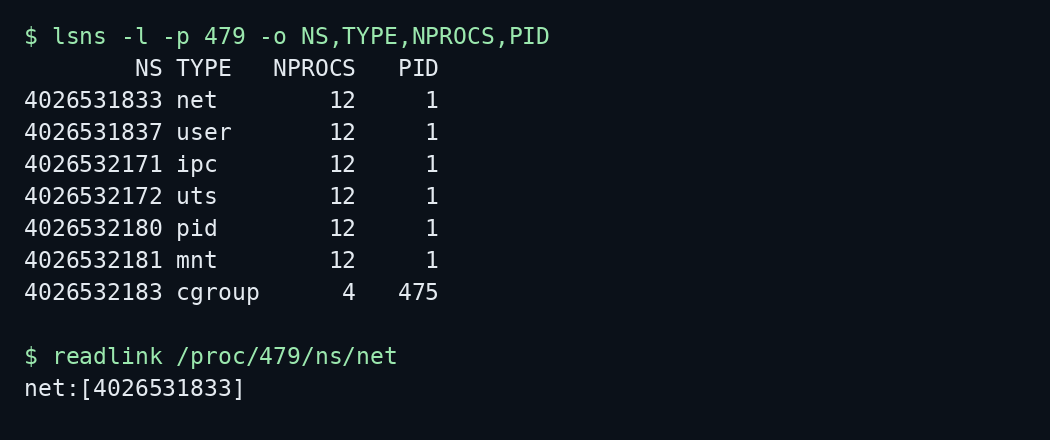
In the local test, the network namespace was 4026531833, and both the procfs link and the filtered listing reported the same value. Counts changed as short-lived processes started and stopped. No namespace was created, entered or modified.
4. Structured output and observation limits
Run lsns -J -l -t net -o NS,TYPE for JSON. Specify columns and layout explicitly because default output may change between releases. A consumer should parse JSON using a JSON parser, check that the namespaces array exists and handle missing values. The local test parsed the JSON with Python and matched the network inode to procfs successfully.
An unprivileged observer may see only a subset of processes. A container’s procfs view can also limit results. Some persistent namespaces held by bind mounts may not be visible through ordinary process enumeration; newer util-linux releases provide additional persistent-namespace options, so consult the local manual. Processes can exit between enumeration and inspection. An empty result does not establish that a namespace is absent from the entire host.
5. Operational workflow and security boundaries
Record the host or lab context, time, tool version and observation scope; collect the process-filtered namespace listing; compare the relevant procfs reference; repeat if the process exits or the result changes. Correlate with authorized container-runtime metadata and cgroup observations rather than assigning a container identity from an inode alone.
Restrict exported process details and command lines to approved diagnostic destinations. A namespace listing does not prove that a workload is safe or that its isolation policy is correctly enforced. Do not escalate privileges, enter a production namespace, change mounts or network policy, or relax procfs restrictions merely to resolve incomplete output. Those actions require authorization, change control, an approved rollback plan and service-owner coordination. Escalate unresolved visibility limitations to the responsible operator.
Glossary
- Namespace: a kernel object defining a resource view.
- Inode: a filesystem object identifier used here to distinguish namespace instances.
- procfs: a virtual filesystem presenting kernel and process information.
- Representative PID: an observed member process selected for display.
- Persistent namespace: an instance kept alive by references even when it has no member process.
Practice exercises
- A. Compare the network and mount namespace identifiers for your shell. Explain why different namespace types need separate comparisons.
- B. Filter the listing to PID namespaces using
-t pid. Identify the NS and PID columns without confusing their meanings. - C. Compare the network identifier from the filtered listing with the procfs link.
- D. Request JSON using only NS and TYPE; explain why explicit columns are preferable for automation.
- E. Write a two-sentence incident note explaining why a restricted container listing cannot prove host-wide absence of another namespace.
Knowledge check
- 1. Does sharing a network namespace imply sharing a mount namespace?
- 2. Is NPROCS a guaranteed host-wide count?
- 3. Which option filters by process ID?
- 4. Does a namespace inode establish authenticated container ownership?
- 5. Which kernel mechanism can enforce a memory limit independently of namespaces?
Answer key
Exercises: A. Compare identifiers within each type; different types isolate different resources. B. NS identifies the namespace instance; PID identifies a representative observed process. C. Match the digits within brackets to the NS field for the shell’s network namespace. D. Explicit columns avoid dependence on changing defaults; parse JSON rather than whitespace. E. Restricted procfs and permissions can hide other processes and namespaces; document scope and escalate through approved channels if wider visibility is required.
Knowledge check: 1. No. 2. No; permissions and visibility matter. 3. -p PID. 4. No. 5. A cgroup memory controller.
Technical references
- util-linux lsns(8) manual
- Linux namespaces(7) manual
- Linux proc_pid_ns(5) manual
- util-linux upstream manual source
Supplementary viewing: Linux Namespaces Deep Dive – The Isolation Foundation. A direct source link is provided rather than asserting that a video player has passed live playback testing.
Cover: original instructional composition using actual local command output, with the approved watermark cropped directly from the saved source artwork.
We volunteer daily to ensure the credibility of the information on this platform is Verifiably True. If you would like to support to help further secure the integrity of our research initiative, please scan the QR code below.



Leave a Reply