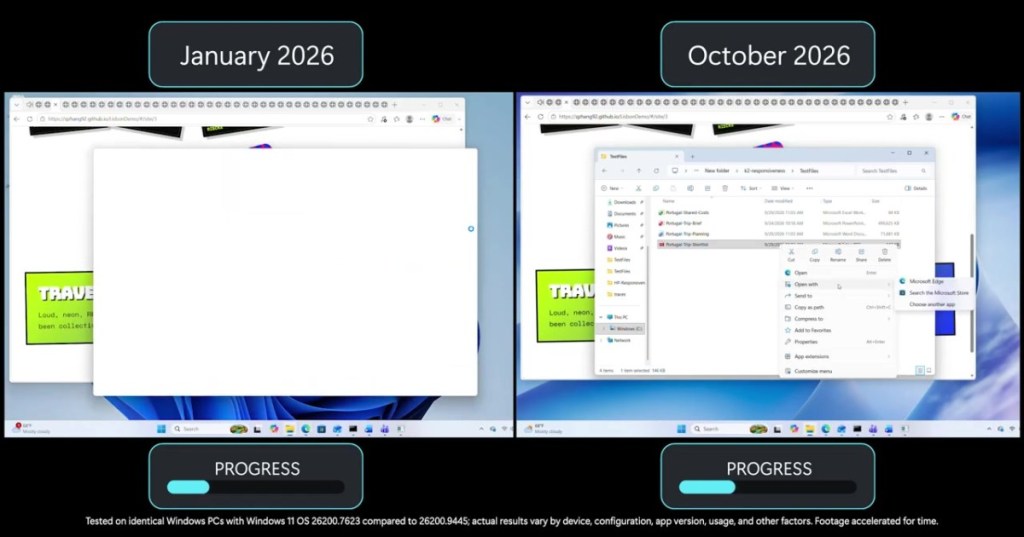
Microsoft reports improved responsiveness and multitasking on Windows 11 computers equipped with 8 GB of system memory. Its November 3, 2026 engineering update describes gains of as much as 20% for selected interface interactions and 40% in a particular multitasking test. The results illustrate the importance of software memory management alongside hardware capacity, a distinction explored in our memory hierarchy guide.
Measuring the improvements
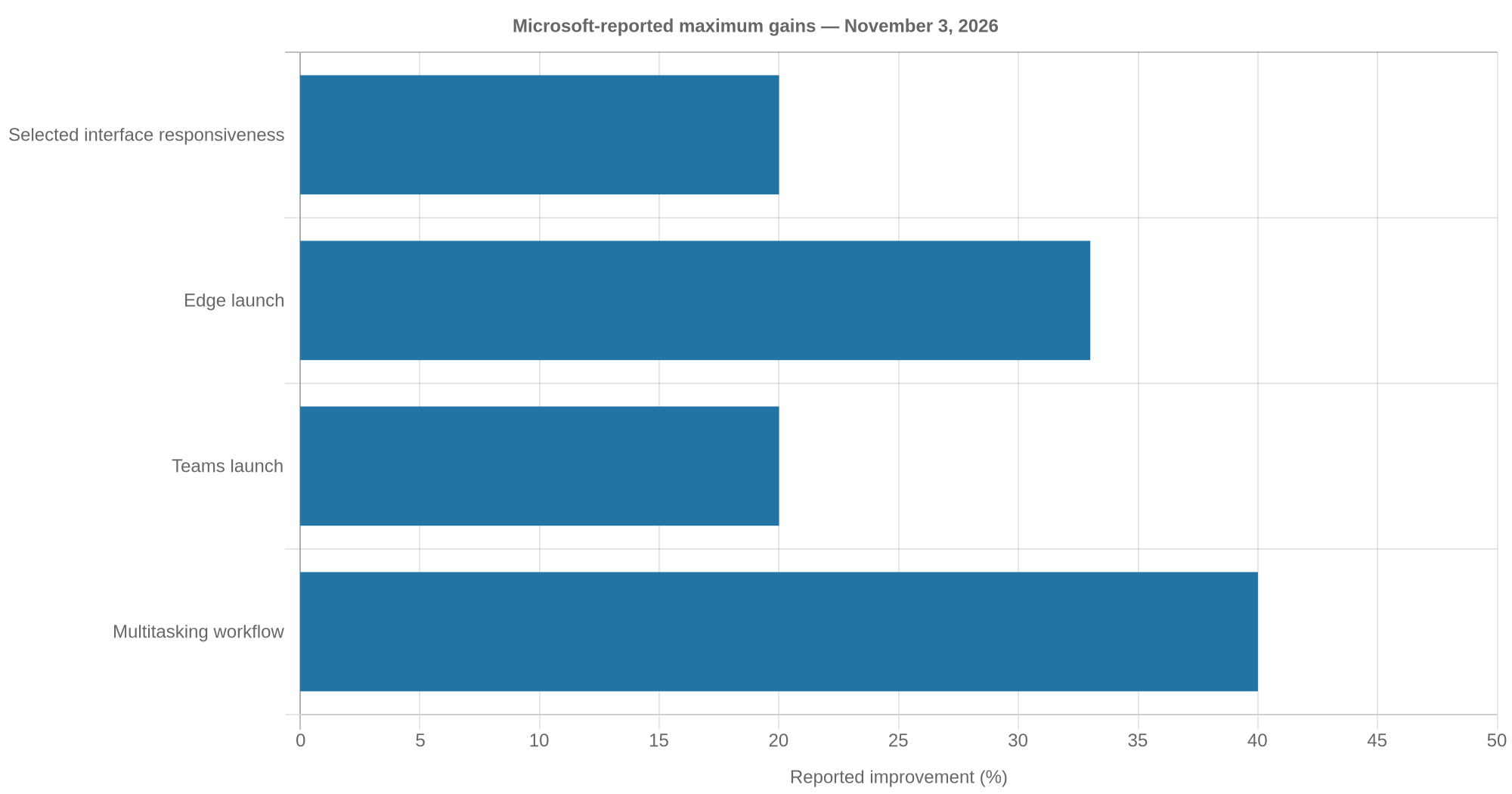
Microsoft’s multitasking comparison used an HP OmniBook 3 with an eight-core Snapdragon X Plus processor. The test sequentially opened twenty browser tabs, a 4K video, several large Office documents, email and the file manager. Automated interface checks determined when each stage had completed. The same hardware ran Windows builds 26200.7623 and 26200.9445. The separate responsiveness measurement used telemetry from selected Windows interactions rather than the same lab workflow. Microsoft also reported maximum launch gains of 33% for Edge and 20% for Teams under specified conditions.
The figures are vendor-reported maxima, not universal averages or guaranteed gains. Tom’s Hardware independently covered the announcement. Readers can also watch Microsoft’s accelerated demonstration reproduced by Windows Latest; the footage is illustrative, not an independent stopwatch benchmark.
How the operating system reduces memory pressure
Windows compresses eligible memory pages and can move less active pages to storage when necessary. Compression exchanges processing work for greater effective memory capacity; paging can incur storage latency when applications need their data again. Our RAM and flash storage comparison explains the underlying hardware distinction. Microsoft reports that its tuning can retain as much as 2 GB of additional active data in RAM, without adding physical memory.
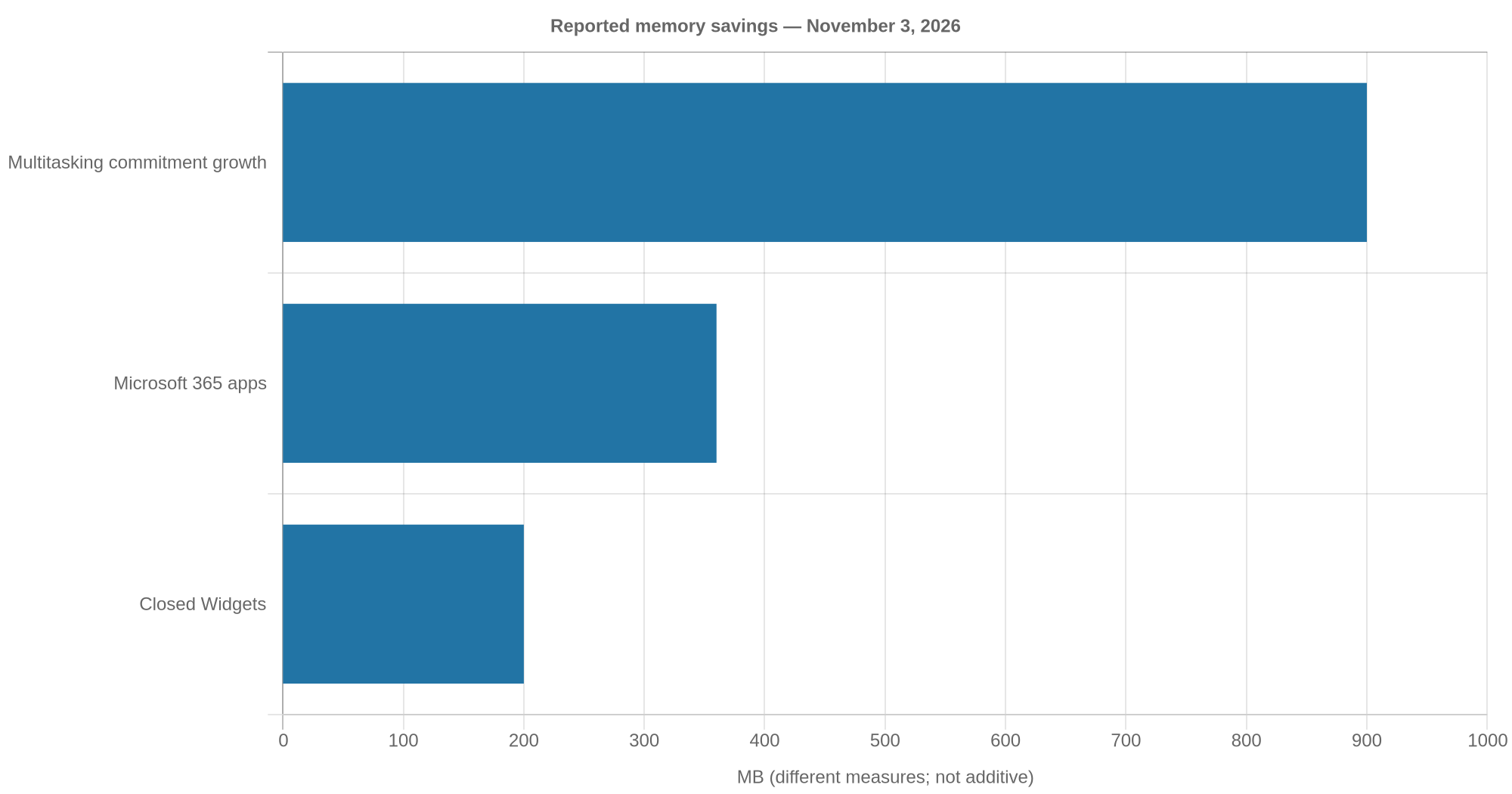
The company reports up to 900 MB less growth in committed memory during multitasking, 360 MB of savings across Office applications, and approximately 200 MB less commitment from closed Widgets. These measurements overlap or describe different conditions; adding them would be misleading. Committed memory represents virtual memory for which the operating system must provide backing, not necessarily resident physical RAM. The distinction between processor caches and main memory is covered in our SRAM versus DRAM explainer.
What 8 GB can and cannot do
Microsoft directs users to Windows 11 version 26H2, build 26300.9818 or later, with current application updates. Its November 19 preview release notes document further changes to Windows Search and File Explorer. Availability varies with rollout and hardware eligibility. Users considering upgrades should assess application requirements, peak memory demand and storage activity, as explained in our compatible RAM installation guide. Efficient software can improve inexpensive PCs, but intensive editing, local AI and other large workloads may still benefit substantially from 16 GB or more.
We volunteer daily to ensure the credibility of the information on this platform is Verifiably True. If you would like to support to help further secure the integrity of our research initiative, please scan the QR code below.

For mobile scanning, open the article on another display and scan the QR code with a Bitcoin wallet. The voluntary donation amount is 5,000 sats. Verify the receiving address 3C9o19EH5HSiwEPyCTmEKzxhNCbo2X6TTb before sending.
BitcoinVersus.tech is not a financial advisor. This media platform reports on financial subjects purely for informational purposes.


Leave a Reply