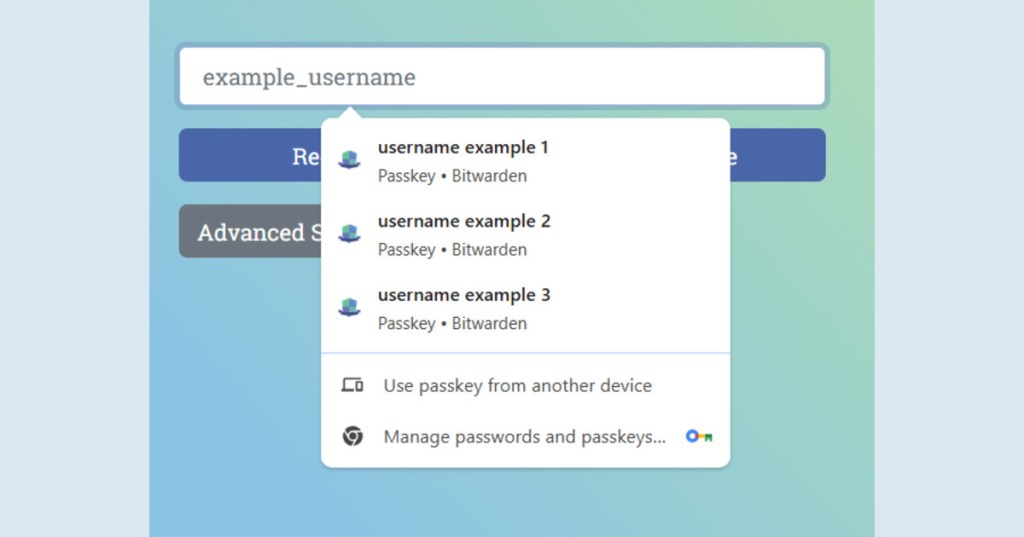
Bitwarden announced native desktop passkey integration on November 18, 2026, allowing Windows 11 and macOS to use its credential vault directly. Previously, Bitwarden’s mobile applications and browser extensions could handle passkeys, but the operating system’s own credential prompts represented another integration boundary. The company also announced a separate capability for signing into and decrypting the vault with Windows Hello or Apple Touch ID. Both developments build on the public-key authentication architecture described in our passkey fundamentals explainer.
A credential manager becomes part of the operating system
A passkey associates a cryptographic key pair with a specific relying party, such as a website. During authentication, the authenticator signs a challenge using the private key, and the service verifies the signature using the registered public key. The private key does not need to be transmitted to the service. Binding credentials to the intended relying party also limits conventional credential phishing, although it does not eliminate every form of account compromise.
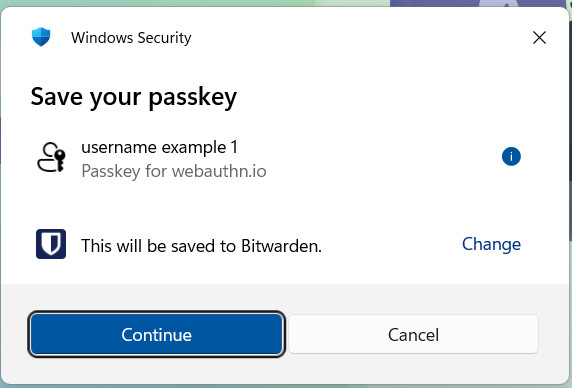
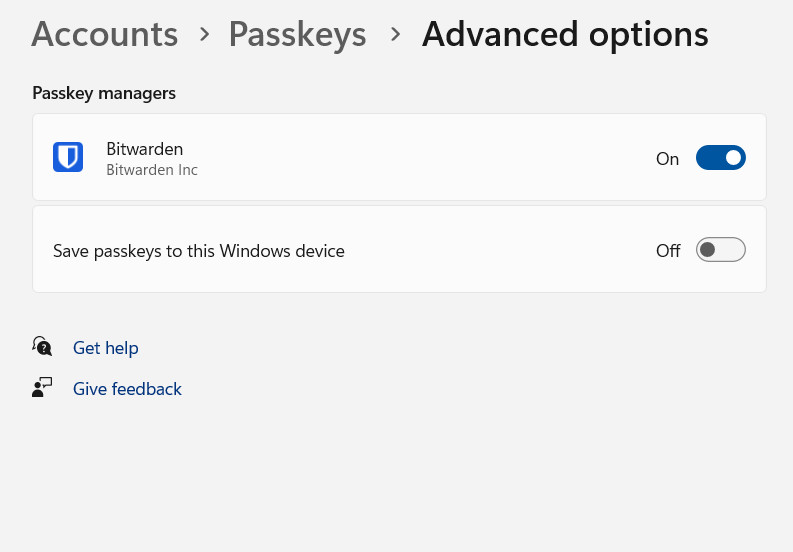
The new provider integration lets compatible operating system requests reach Bitwarden’s synchronized vault rather than requiring a browser-specific credential prompt. It can support desktop applications as well as websites. The company specifies that Windows users need its Microsoft Store distribution. An independent Privacy Guides report on November 19 notes that Linux lacks the same native integration. Our Windows hybrid Entra sign-in analysis covers a separate identity workflow, not the Bitwarden provider.
Authenticating to the vault is a separate operation
Bitwarden’s second November 18 announcement describes device-bound passkeys supporting the WebAuthn pseudorandom function (PRF) extension. PRF can supply cryptographic material for deriving an encryption key, allowing a supported credential to participate in unlocking encrypted vault data rather than simply proving identity to a server. Windows Hello and Touch ID provide local user verification. The device-bound credential used for vault login differs from the synchronized website credentials managed inside the vault.
Bitwarden’s earlier instructional video demonstrates passkey use; it predates the November desktop integration. Watch at source.
The distinction matters because successful authentication does not automatically grant the ability to decrypt arbitrary encrypted information. Key custody, recovery and device security remain essential. Our hardware security module explainer examines the related principle of protecting cryptographic keys, although consumer authentication hardware and enterprise HSMs serve different deployment requirements.
Practical deployment considerations
The vendor’s vault-login requirements identify compatible Chromium-based browsers, an account with a master password, and supported device authentication. Organizations requiring single sign-on must review policy compatibility before enabling the alternative login route. The identity provider is not part of the described vault authentication process. Administrators should also verify that device replacement and account recovery remain possible before expanding deployment.
Passwordless authentication reduces reliance on reusable passwords, but session theft, compromised endpoints and weak recovery workflows remain relevant threats. The multifactor authentication explainer provides context for evaluating fallback controls. Bitwarden’s announcements establish new integration capabilities, not measured reductions in organizational security incidents. Independent security testing, recovery exercises and compatibility checks remain useful before large-scale adoption.
Featured screenshot: Bitwarden’s November 18 native passkey announcement, showing the browser credential chooser.
BitcoinVersus.Tech Editor’s Note: We volunteer daily to ensure the credibility of the information on our platform is Verifiably True. If you would like to support our independent research, please scan the QR code below.

BitcoinVersus.tech is not a financial advisor. The platform reports on financial subjects purely for informational purposes.


Leave a Reply