Open-Source C Programming • Intermediate • Estimated study time: 40 minutes
C represents ordinary strings as sequences of characters ending with a zero-valued character. The programmer must distinguish allocated storage from the amount of text stored inside it. Errors in either quantity can lead to out-of-bounds reads, corrupted memory or undefined behavior. Review array bounds and sizeof before proceeding.
Prerequisites and learning objectives
Know character arrays, functions, conditional branches and basic compilation.
- Explain null termination and distinguish a character array from a valid string.
- Calculate string length and available buffer capacity.
- Read bounded text using fgets and handle end-of-file, newline and overlong input.
- Explain pointer and array capacity differences in function parameters.
- Compile and test a safe, bounded example.
Null termination and capacity
The declaration char name[8] = “cat”; allocates eight bytes. Positions 0, 1 and 2 contain c, a and t. Position 3 contains ‘\0’, the null terminator; the remaining positions are zero-initialized. A string of seven ordinary single-byte characters fits in eight bytes because the final byte holds the terminator. A character array with no terminator is not a valid C string. Harvard’s CS50 arrays lecture notes explain the representation.
Length versus storage
The expression sizeof name returns eight for the local array; strlen(name) returns three for the initialized example. The latter counts bytes before the first null character, not allocated capacity or Unicode characters. It requires a valid terminated string. When an array is passed to a function, its parameter normally becomes a pointer; sizeof applied to that pointer reports pointer size, not the caller’s buffer capacity. Pass the capacity separately, as explained in OSC.008 on pointer parameters. See the strlen reference.
Bounded input example
The following program accepts a single line of ordinary text containing no embedded NUL bytes. The fgets function reads at most capacity minus one characters and retains a newline if it fits. A null return indicates failure or end-of-file before any input. Remove a retained newline using strchr. When seven characters fill the buffer, inspect the next input character: a newline or clean EOF is acceptable; an additional character indicates excessive length. The program exits with code 2 on overlong input rather than silently treating a partial line as complete. Review conditional control flow.
#include <stdio.h>
#include <string.h>
int main(void) {
char name[8];
if (fgets(name, sizeof name, stdin) == NULL) return 1;
char *newline = strchr(name, ‘\n’);
if (newline != NULL) *newline = ‘\0’;
else if (strlen(name) == sizeof name – 1) {
int next = getchar();
if (next != ‘\n’ && next != EOF) return 2;
if (next == EOF && ferror(stdin)) return 1;
}
printf(“Length: %zu\n”, strlen(name));
return 0;
}
Build and validate
Save the program as strings.c. Following the C toolchain lesson, compile it using:
cc -std=c11 -Wall -Wextra -Werror -pedantic strings.c -o strings
Run ./strings in a local training environment. Enter cat and expect Length: 3. An empty line returns Length: 0; abcdefg returns Length: 7; abcdefgh exits with status 2. Immediate EOF exits with status 1. A file ending after abc or abcdefg without a newline is also accepted. These seven cases were compiled and executed successfully. For binary input or embedded NUL bytes, use an explicitly length-aware design instead.
Safety, exercises and answers
Never use an unbounded input function or copy into a destination without checking capacity. Avoid entering secrets into a training example. Treat external input as untrusted.
- How many bytes store the string “hello” including termination? Answer: six.
- What is the maximum text length in char buf[16]? Answer: 15 bytes.
- Does strlen report the array capacity? Answer: no.
- Why inspect fgets before using its destination? Answer: the read can fail or encounter immediate EOF.
- What should a function receive alongside a buffer pointer? Answer: its valid capacity, with length when needed.
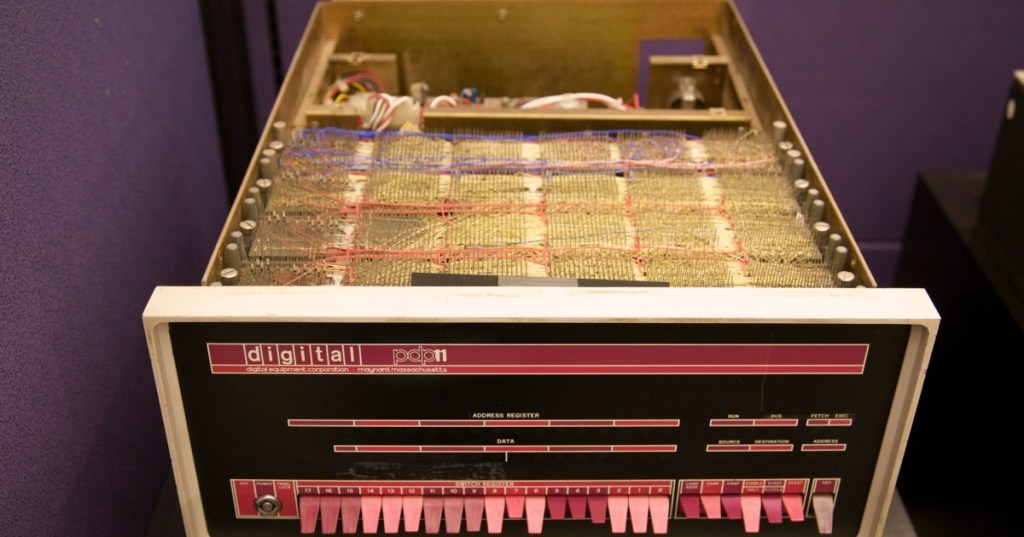
Featured photograph: DEC PDP-11 at the Computer History Museum, Todd Dailey, CC BY-SA 2.0, cropped.
We volunteer daily to ensure the credibility of the information on this platform is Verifiably True. If you would like to support to help further secure the integrity of our research initiative, please scan the QR code below.

BitcoinVersus.tech is not a financial advisor. This media platform reports on financial subjects purely for informational purposes.


Leave a Reply