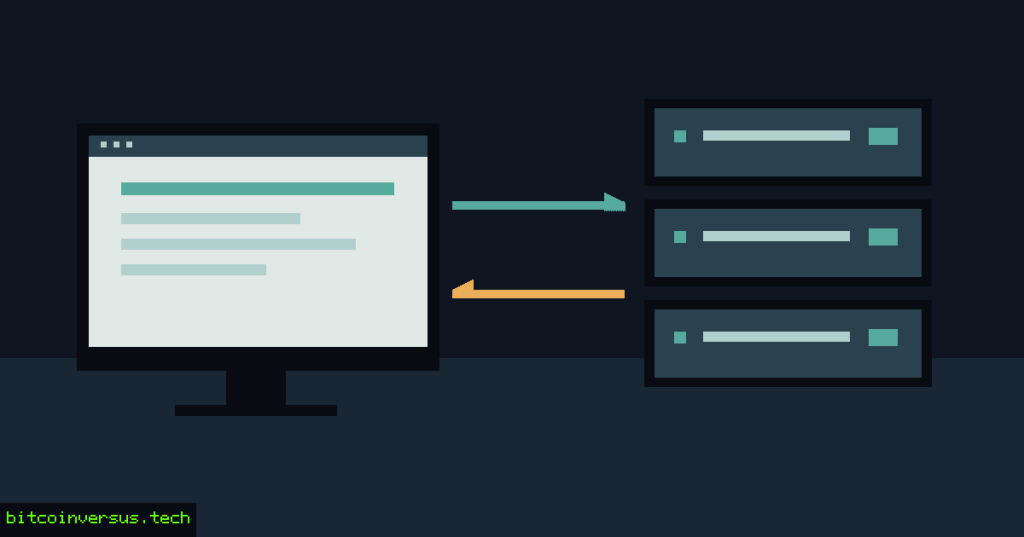
HTTP requests are independent by design. A server receiving a second request cannot assume that it belongs to the same visitor. PHP sessions provide a mechanism for retaining application state across requests, often by storing an opaque session identifier in a browser cookie. Building on OSPHP.007: Form Handling, the lesson develops a local visit counter and explains the security boundary between client and server.
Prerequisites and learning objectives
Install PHP 8.4 or a compatible PHP 8 release and use a local terminal, browser and text editor. Review the PHP runtime and development server, associative arrays and error handling. By completion, learners can explain HTTP state and cookie-based session identifiers; start and update a PHP session; verify persistence and isolation; distinguish cookie security attributes; and explain session expiration, identifier rotation and logout.
1. HTTP state, cookies and server storage
A cookie is a name-value pair stored by the client and returned in eligible HTTP requests. A response can set one using Set-Cookie; later requests can include it in Cookie headers. PHP commonly uses a cookie named PHPSESSID, although the name is configurable. The cookie holds an identifier, not the entire server-side session array. The default PHP session handler stores data in files; deployments can choose alternative handlers. Cookies are client-controlled inputs, and neither a cookie value nor an unverified session field should automatically grant authorization.
2. Starting and modifying sessions
Call session_start() before sending response content when using cookie-based sessions. PHP creates or resumes a session and makes stored data available through $_SESSION, an associative array. If a visit counter is missing, the null-coalescing operator supplies zero; each request adds one. session_write_close() saves session data and closes the active session, helping release the default file-handler lock. Check session startup failures in production and never print session identifiers in logs or page content.
The session identifier is a credential-like secret. A stolen active identifier may allow impersonation if no additional protections intervene. Using HTTPS, restricting cookies, rotating identifiers and enforcing authorization at every protected endpoint are complementary safeguards.
3. Local lab: a persistent visit counter
Create an empty directory and save index.php using the following seven lines. Each line is shown as a normal paragraph so it remains readable without a code box.
<?php
session_start(['use_strict_mode'=>1,'use_only_cookies'=>1,'cookie_httponly'=>true,'cookie_samesite'=>'Lax']);
$_SESSION['visits'] = ($_SESSION['visits'] ?? 0) + 1;
$count = $_SESSION['visits'];
session_write_close();
header('Content-Type: text/plain; charset=UTF-8');
echo "Visits: " . $count;
Open a terminal inside the directory. Run php -l index.php to check syntax, then php -S 127.0.0.1:8000 to start the local development server. Visit http://127.0.0.1:8000/ and reload. The first response should say Visits: 1 and the next Visits: 2. A fresh private browser context should start at Visits: 1, provided it does not share an existing private session. Use the browser’s Network and Storage panels to inspect the presence of a session cookie without sharing its value.
The equivalent command-line test uses two cookie jars. Run curl -c a.txt -b a.txt http://127.0.0.1:8000/ twice, then curl -c b.txt -b b.txt http://127.0.0.1:8000/ once. Start with empty or nonexistent jars. The local implementation was syntax-checked and tested on PHP 8.4.24 using an isolated session directory; actual results were Visits: 1, Visits: 2 and Visits: 1. Delete the temporary cookie jars and stop the server with Ctrl+C. Never expose the built-in development server to a public network.
4. Cookie protections and session lifecycle
HttpOnly prevents ordinary browser JavaScript from reading the cookie but does not prevent every script-based attack. Secure restricts transmission to secure connections, subject to browser-specific local exceptions. Enable Secure in production HTTPS deployments; the local HTTP exercise intentionally omits it. SameSite=Lax limits cookie transmission on many cross-site requests while permitting some top-level navigations. It is not a replacement for CSRF tokens. use_strict_mode rejects uninitialized session identifiers supplied by clients; use_only_cookies prevents URL-based session propagation.
After authentication or a privilege increase, regenerate the session identifier before recording the new authentication state. PHP’s session management guidance also addresses stale identifiers, timestamps and concurrent requests. Do not treat session_regenerate_id(true) as universally safe under concurrency. Production systems should enforce idle and absolute expiration on the server, invalidate authorization when appropriate and use a controlled rotation procedure. Garbage collection alone is not a reliable authorization timeout.
For logout, accept an authorized state-changing request protected against CSRF, clear $_SESSION, invalidate the server-side session and expire its cookie using matching path and domain settings. session_destroy() alone does not automatically remove the browser cookie or clear the current global array. Never use the demonstration as a complete login system.
5. Practice and answer key
A. Why is the counter preserved across requests? B. Why does another cookie jar start at one? C. Which attribute limits ordinary JavaScript access? D. Why is SameSite not sufficient for all CSRF protection? E. When should identifiers be rotated? F. Does session_destroy alone remove every client-side session trace?
Answers: A. PHP retrieves the stored array using the identifier in the cookie. B. The second jar has a separate session identifier. C. HttpOnly. D. Some cross-site request contexts are allowed, and application-specific CSRF defenses remain necessary. E. At authentication or privilege changes, following safe session rotation procedures. F. No; explicitly clear state and expire the cookie as part of logout.
Glossary and references
Session: server-associated state spanning requests. Session ID: opaque identifier used to locate state. Cookie: client-stored HTTP state. Session fixation: attempting to make a victim authenticate using an attacker-known identifier. See the PHP manual for session_start, basic session usage, identifier regeneration and configuration.
We volunteer daily to ensure the credibility of the information on our platform is Verifiably True.


Leave a Reply